

How to Add Multiple Images to Variants on Shopify
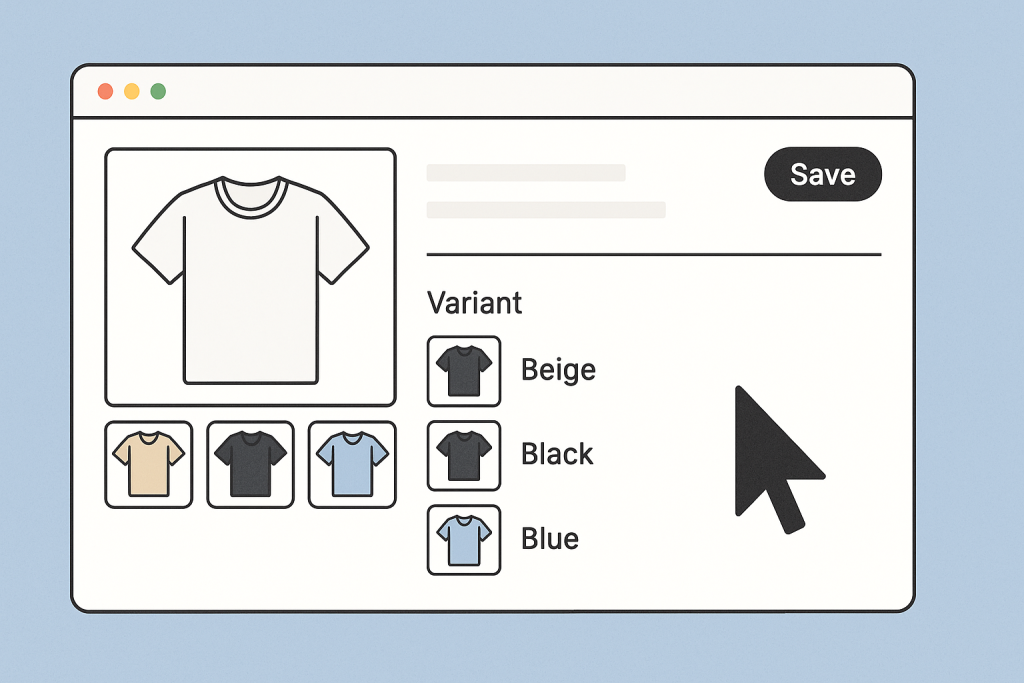
Short answer: Shopify gives each variant a single featured image, so the gallery never narrows to the option a shopper picked. Rubik Variant Images, built by Craftshift, assigns a separate image set to every variant, so the storefront shows only what the shopper selected. Free to install, 5.0 stars across 436 reviews.
By default, Shopify only allows a single image to be assigned to each variant. This limitation can lead to confusion and lower conversion rates. For example, if someone selects the red version of a product but still sees images of the blue or green variant, it creates uncertainty.
To solve this problem without coding or hiring a developer, you can use an app designed for this exact purpose. One of the most effective solutions is Rubik Variant Images.
The Problem with Shopify’s Default Variant Image Setup
Shopify lets you assign just one image to each variant. All other product images are shared across the entire product page. That means shoppers might see images of other variants even when they have selected a specific one. This creates a poor user experience and can lead to product returns or abandoned carts.
Many merchants try workarounds like uploading multiple versions of the same image or adding variant names to alt text, but these methods are not scalable or professional.
Rubik Variant Images Makes It Easy
Rubik Variant Images is a Shopify app that helps merchants display only the relevant images for each variant. When a customer selects a variant, the image gallery updates instantly to show only the images that match the selected options. This improves both user experience and conversion rates.
Unlike other apps, Rubik Variant Images works with common image files. There is no need to rename or re-upload images. The app uses a clean, native Shopify interface where you can assign multiple images to each variant with just a few clicks.
Key Features of Rubik Variant Images
- Assign multiple images to any variant
- Show only the relevant images when a variant is selected
- Hide unrelated images to reduce confusion
- Compatible with all major Shopify themes and builders including Instant Page Builder and PageFly
- Works with products that have one or multiple option types such as size and color combined
- Fully responsive and optimized for both desktop and mobile
- No slowdown to your site thanks to efficient code and Shopify metafield integration
Use Cases for Fashion, Beauty, and Accessories
Stores that sell fashion, accessories, beauty products, or tech often need to show multiple views per variant. For example:
- Different angles of a sneaker for each color
- Lipstick swatches and model photos per shade
- Zoomed-in details of bag textures for each colorway
Rubik Variant Images helps stores present their products in the most accurate and appealing way possible.
Works Smoothly with Popular Shopify Themes
Rubik Variant Images is built to be compatible with the most widely used Shopify themes. Whether you’re using a free theme from Shopify or a premium one from third-party developers, the app integrates smoothly without requiring complex setup.
It works perfectly with themes like Dawn, Prestige, Palo Alto, Concept, Impact, Craft, Refresh, Focal, Spotlight, Impulse, Sleek, Broadcast, Be Yours, Combine, Release, Bullet, Taste, Turbo, Reformation, Symmetry, Capital, Minimalista, Split, Trade, Crave, Shapes, Canopy, Sense, Shrine Pro, Luxe, Vision, Flow, Enterprise, Kalles, Motion, Beyond, Paris, Fastor, Hyper, Fresh, Studio, Madrid, Refine, Mode, Gem, Local, Warehouse, Meka, Cornerstone, Stockholm, Normcore, Expanse, Empire, Motto, Shrine, Essentials, Baseline, Airn, Ornate, Express, Zest, Essence, Conrise, Boho Pastel, Stunnalicious, Debutify, King, Wonder, Blockshop, Vendy, Boost, Paradise, Charge, Habitat, Cascade, Ride, Glozin, Superstore, Aurora, Umino, Barcelona, Veena, and Venue.
And many more.
If you’re using a custom theme, the Rubik support team is happy to assist you with the integration. You can simply share your theme files, and they’ll handle the rest.
Why Merchants Choose Rubik Variant Images
- Simple and intuitive interface
- High conversion rates thanks to better product presentation
- Excellent customer support
- Used and trusted by top-rated Shopify stores
- Lifetime commissions available for affiliates
Start Using Rubik Variant Images Today
If you’re ready to take your product pages to the next level and offer your customers a smooth, accurate shopping experience, try Rubik Variant Images.
You can install the app directly from the Shopify App Store and start assigning multiple images to your variants today.

Frequently asked questions
Which Shopify app lets me add more than one image to a single variant?
Rubik Variant Images, built by Craftshift, attaches several images, videos or 3D models to each variant instead of the one featured image Shopify allows. It holds 5.0 stars across 436 reviews and carries the Built for Shopify badge. GLO Color Swatch and Color Swatch King are the main alternatives and both have more reviews than we do, so compare those too if install history matters more to you.




