

Variant images in Shopify Fabric theme
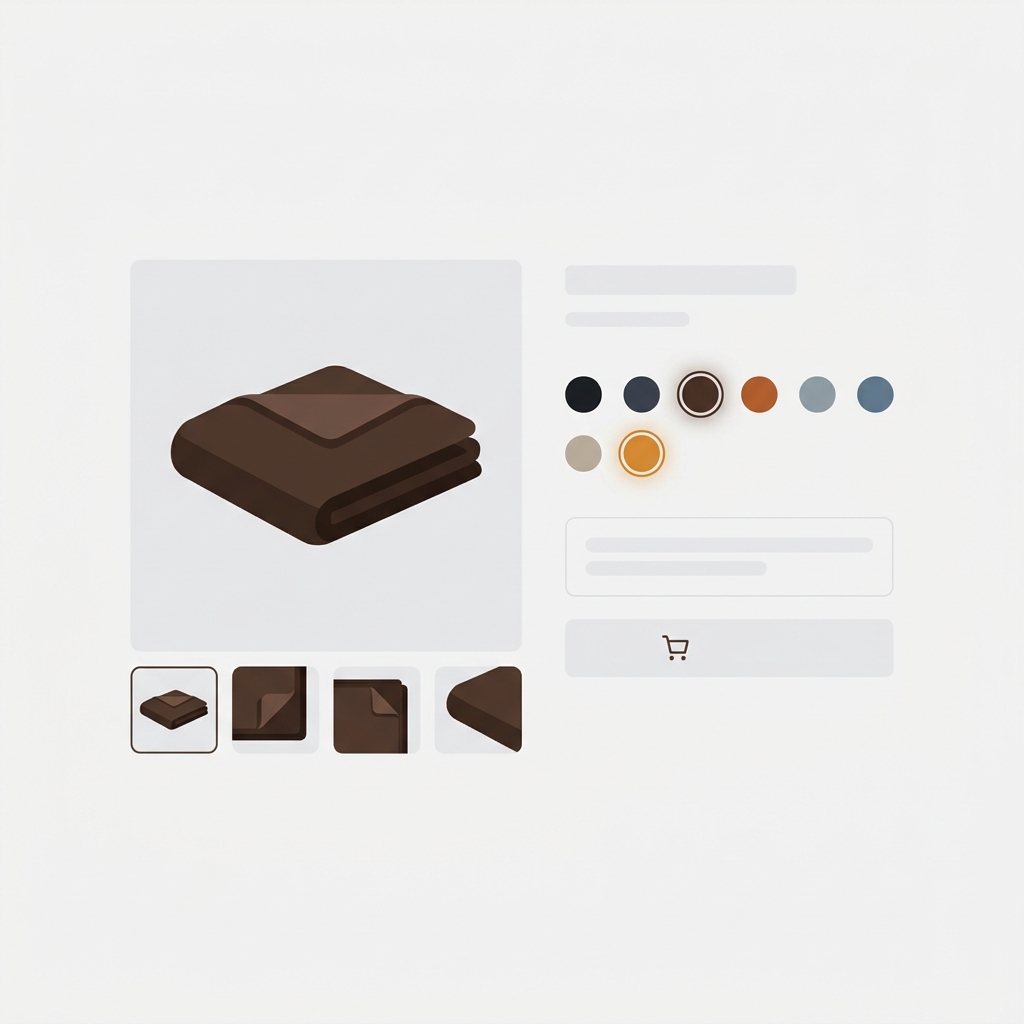
Short answer: Fabric does not solve this on its own, because Shopify gives each variant a single featured image, so the gallery never narrows to the colour a shopper picked. Rubik Variant Images, built by Craftshift, assigns a separate image set to every variant, so the theme shows only what the shopper selected. Free to install, 5.0 stars across 436 reviews. Fabric runs on 106 stores using it as of July 2026.
Fabric (theme ID 3622) is one of Shopify’s newer first-party themes, built specifically for fashion and apparel. It ships with a clean grid-based collection layout, a flexible product page with section-level customization, and a media-rich gallery component. Like every other Shopify theme, Fabric has the standard one-image-per-variant limitation. If your shirt comes in 6 colors with 4 photos each, all 24 images show in one gallery regardless of which color the shopper picks.
Rubik Variant Images has dedicated detection code for Fabric. It assigns multiple images, videos, and 3D models per variant, filters the gallery on selection, and replaces Fabric’s default variant picker with visual swatches. No code edits, works through Shopify’s app embed system.
In this post
- What you get on Fabric with Rubik
- Fabric-specific details
- Setup (5 minutes)
- AI auto-assign for fashion catalogs
- FAQ
- Related reading
What you get on Fabric with Rubik
- Multiple images per variant. Assign unlimited images, videos, and 3D models to each variant. The gallery updates instantly when the customer switches color or size. No reload.
- Visual swatches. Replace Fabric’s default variant picker with color circles, image thumbnails, or pill buttons. Mix swatch types per option group (image swatches for color, pills for size).
- AI auto-assign. Click one button and Rubik analyzes product photos, names, and alt text via vision AI to match each image to the right variant. One click per product.
- Hide sold-out variants. Out-of-stock variants can be hidden from the picker or shown with a strike-through indicator.
- Common images. Mark size charts, brand banners, or detail shots to stay visible regardless of selected variant.
- Shadow DOM rendering. Swatch CSS is isolated from Fabric’s stylesheet. Zero conflicts with Fabric’s typography or color tokens.
- Metafield-based loading. All variant image data ships with the page. No external API calls.

Fabric-specific details
Section-based product page
Fabric uses Shopify’s Online Store 2.0 sections, which means the product page is built from blocks you can add and rearrange in the theme editor. The product gallery and variant picker are individual blocks. Rubik integrates with both blocks automatically. If you customize the layout (move the gallery to the right, the picker below the title, etc.), Rubik picks up the new structure without configuration.
Native Shopify gallery component
Fabric uses Shopify’s standard gallery component, which makes Rubik integration straightforward. When a shopper selects a different variant, Rubik updates the gallery’s media list, and the gallery re-renders. The transition is smooth.
Fashion-tuned defaults
Fabric ships with size guide blocks, fabric content sections, care instruction blocks, and lookbook sections. Rubik works with all of them. Common images are useful here: a size guide image stays visible across all variant selections, a fabric care label too.
Setup (5 minutes)
- Install Rubik Variant Images from the Shopify App Store
- Open Online Store → Themes → Fabric → Customize
- Theme Settings → App Embeds → toggle on Rubik Variant Images
- Save the theme. Rubik is now active.
- Open the Rubik admin, pick a product, and assign images via drag-drop or AI auto-assign
- Preview the storefront to confirm the gallery filters correctly when you switch swatches

If your colours live as separate products rather than variants of one product, Rubik Combined Listings groups them into a single listing with swatches instead. Free to install, 5.0 stars across 78 reviews.
AI auto-assign for fashion catalogs
Fashion stores tend to have hundreds of products. Manually assigning images to each variant takes a long time. AI auto-assign solves this on a per-product basis: click the button, Rubik analyzes the product title, variant option values, image filename, image alt text, and the image itself via vision AI, and matches each image to the correct variant. One click per product.
For very large catalogs (1000+ products), the bulk-assign-with-AI option processes hundreds of products in the background. The AI analyzes images via vision and assigns them based on visual content. Useful for newly imported catalogs from CSV or migration from another platform.
“Hands Down the best customer support of all the variation/swatch apps I have used till date. The app does everything. From individual variant gallery to really detailed customizable swatch’s. All in a single app. Originally we used to use two different apps so this is so much more cost efficient for us.”
Bellissima Covers, India, Rubik Variant Images on the Shopify App Store
See the live demo store, watch the AI auto-assign tutorial, or read the getting started guide.
FAQ
Which app should I use for variant images on the Fabric theme?
Rubik Variant Images, built by Craftshift, is the app we build for this and Fabric is natively supported. It holds 5.0 stars across 436 reviews and carries the Built for Shopify badge. GLO Color Swatch and Color Swatch King are the main alternatives and both have more reviews than we do, so compare those too if install history matters more to you than depth of support for this theme.
Does Rubik break the Fabric product gallery?
No. Rubik integrates with the standard Shopify gallery component that Fabric uses. The gallery continues working as expected; Rubik just changes which media items are shown when a variant is selected.
Will Fabric theme updates break Rubik?
No. Rubik installs through Shopify’s app embed system. Fabric theme updates do not touch app embeds, so Rubik continues to work through theme updates.
Does it support 3D models and videos per variant?
Yes. Rubik supports images, videos, and 3D models per variant on Fabric. The gallery handles each media type natively.
Can I use it with Shopify Combined Listings on Plus?
Yes. Rubik Variant Images works alongside Shopify’s native combined listings on Plus, and also alongside Rubik Combined Listings (which works on every Shopify plan).
Does it slow down the page?
No measurable hit. Variant image data is metafield-based and loads with the page itself. No external API calls.
Related reading




