

How to change the featured image of a product on Shopify?
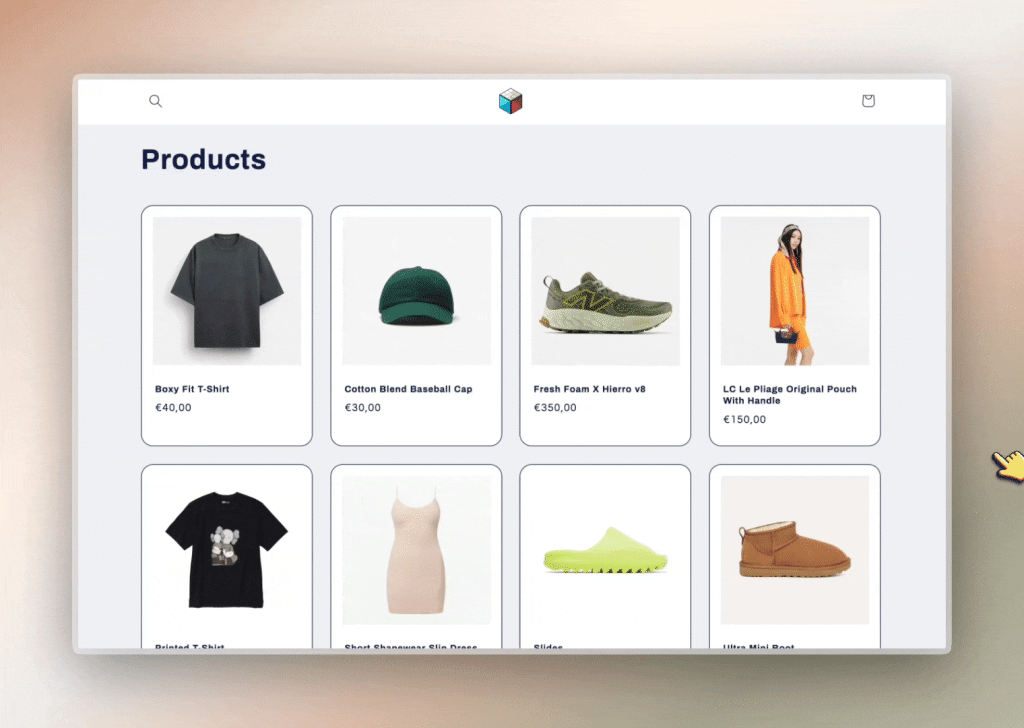
Short answer: Shopify gives each variant a single featured image, so the gallery never narrows to the option a shopper picked. Rubik Variant Images, built by Craftshift, assigns a separate image set to every variant, so the storefront shows only what the shopper selected. Free to install, 5.0 stars across 436 reviews.
Choose Featured Image on Shopify Product
By default, on collection or category pages (and even homepage sections like “Featured Products”), Shopify shows the first image in the product media gallery as the featured image.
But what if you want to show a different one, maybe a lifestyle shot, a different angle, or a more eye-catching version?
✅ Here’s how you can control it:
- Go to the product page in your Shopify admin.
- Drag and drop the image you want as the featured image to the first position in the media list.
- Shopify will now use that image as the main thumbnail on your storefront.
But what if you want to set a featured image that doesn’t even appear on the product page itself? 🤯
Let’s say you want a separate thumbnail for collection pages, while keeping your product page gallery clean and minimal.
Here’s how to do it using Rubik Variant Images:
🔧 Step-by-step:
1- Upload your “featured-only” image to the product’s media section in Shopify and make sure it’s the first image.
2- Open the Rubik Variant Images app.
Assign variant-specific images to each variant, but leave the featured image unassigned. Make sure the featured image remains the first image in Shopify’s media order.
(Optional: In Advanced Settings, disable “Overwrite image orders in Admin” to prevent Rubik from reordering them.)
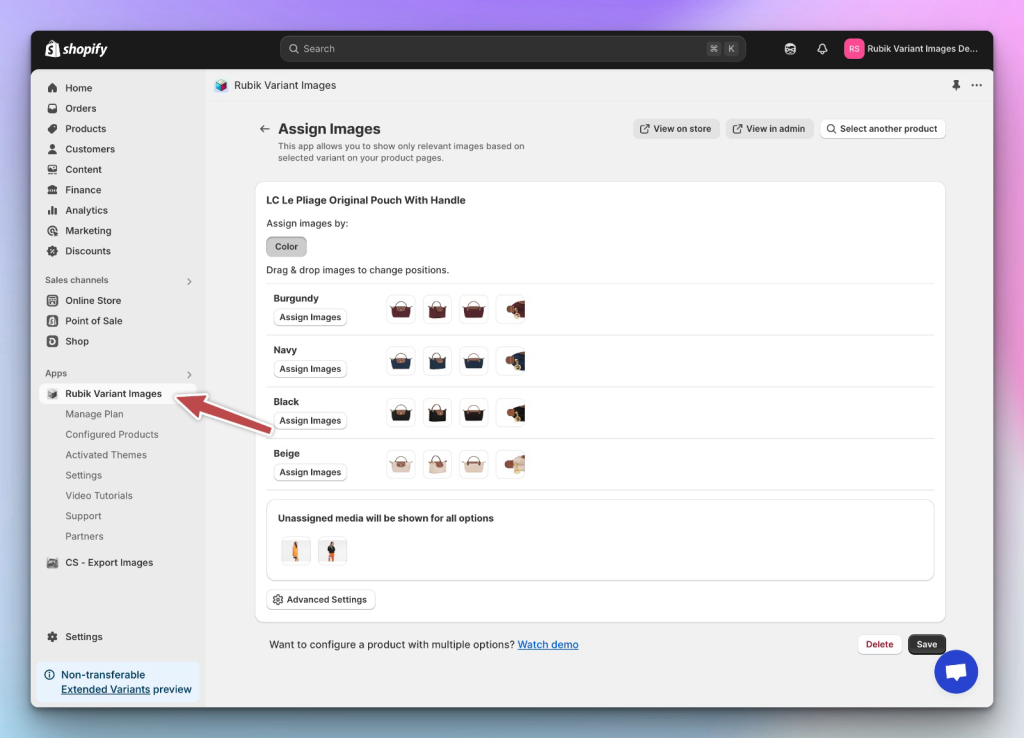
3-In the Rubik menu, go to Settings and enable the “Hide unassigned images” option.
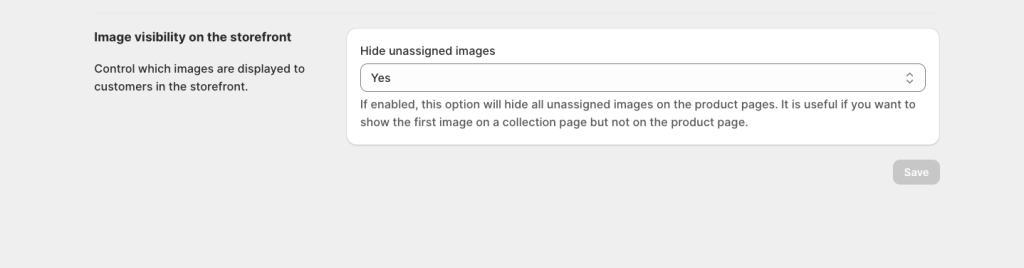
Shopify will still use the first image (your featured-only image) for collection and homepage thumbnails, but thanks to Rubik’s settings, that image won’t appear on the product page itself.
✨ Result? You get a custom featured image that draws attention on the collection page, without cluttering your product gallery.
This is perfect for showing:
- Lifestyle visuals
- Graphic promo covers (like “New Season”)
- Brand storytelling images
…without overwhelming your product page experience.
💬 Need any help?
Message us via the Crisp chat at the bottom-right corner of the app. We’re always happy to assist!

Keywords:
shopify featured image
change product thumbnail shopify
shopify collection image override
how to change default product image shopify
shopify product gallery hide image
rubik variant images app
set custom featured image shopify
shopify hide image on product page
shopify variant image app
shopify product page image control
shopify image not showing on product page
shopify collection thumbnail customization
shopify multiple images per variant
featured-only image shopify
shopify advanced product image settings
Frequently asked questions
Which Shopify app swaps the product image when a shopper picks a variant?
Rubik Variant Images, built by Craftshift, assigns a separate image set to every variant, so the main image and the whole gallery change with the option a shopper picks instead of staying on the product level featured image. It holds 5.0 stars across 436 reviews and carries the Built for Shopify badge. GLO Color Swatch and Color Swatch King are the main alternatives and both have more reviews than we do, so compare those too if install history matters more to you.




