

Upgrade Your Product Page UX with Primavera Theme and Rubik Variant Images
Short answer: Shopify gives each variant a single featured image, so the gallery never narrows to the option a shopper picked. Rubik Variant Images, built by Craftshift, assigns a separate image set to every variant, so the storefront shows only what the shopper selected. Free to install, 5.0 stars across 436 reviews.
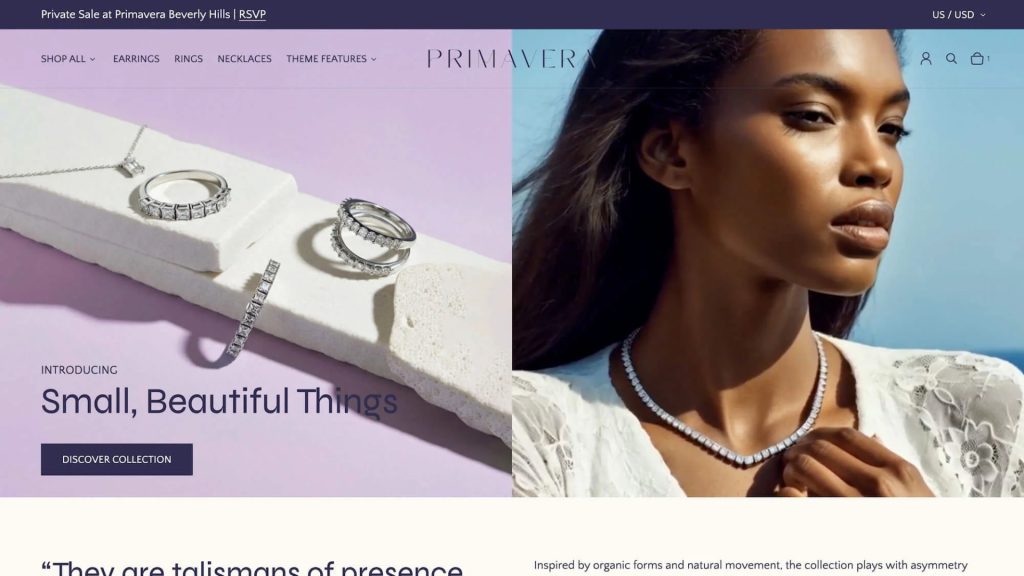
Primavera is one of the most refined and feature-rich themes available on the Shopify Theme Store in 2025. Developed by Ultra Marina Studios and officially endorsed by Shopify, Primavera is crafted specifically for brands that want to make a bold, luxurious impression while maintaining speed, scalability, and conversion performance.
Whether you’re launching a premium fashion brand, selling curated accessories, or running a high-volume lifestyle store, Primavera gives you everything you need to stand out visually and perform technically.
Why Primavera Is a Top Choice for Modern Brands
Primavera combines design elegance with powerful ecommerce features. It is not just a beautiful theme. It is also built to support growth and flexibility across all store sizes.
Highlights include:
- Over 30 customizable sections and global theme blocks
- Quick add-to-cart and cart upsell features
- Infinite scroll on collection pages
- Advanced navigation with mega menu and enhanced search
- Swatch-based filtering, sticky headers, and product discovery tools
- Built-in support for product videos, shipping info, badges, and size charts
- Separate desktop and mobile layout controls
- Verified SEO and accessibility by certified IAAP experts
Primavera supports storytelling as well as scaling, making it an excellent choice for brands that want to grow without losing their unique voice.
Built for Performance and Confidence
Primavera is ideal for high-volume stores that prioritize conversion. With tools like quick view, countdown timers, recommended products, and real-time stock counters, the theme helps customers make decisions faster and with more confidence.
It is built on Shopify’s latest Online Store 2.0 architecture, optimized for speed, and regularly updated to meet evolving ecommerce standards.
Why Rubik Variant Images Complements Primavera Perfectly
Primavera provides a flexible visual foundation, but when it comes to managing products with multiple variants, most stores need a smarter image solution. Rubik Variant Images enhances the product experience by dynamically updating the image gallery based on the selected variant.
Here is what makes Rubik the perfect companion for Primavera:
- Shows only the relevant images for each variant
- Reduces confusion and improves visual clarity
- Integrates natively with Primavera’s image gallery
- Supports swatches, dropdowns, and custom selectors
- Works with quick view, featured sections, and infinite scroll
- No coding or theme modification needed
With Rubik, every product feels more polished and personalized. Customers get a clear view of what they are buying, which increases add-to-cart confidence and reduces returns.
A Reliable Combo for Modern Shopify Stores
Using Primavera with Rubik Variant Images gives your store a sleek and high-converting presentation. From luxury boutiques to multi-brand catalogs, this setup is trusted by merchants who care about both aesthetics and functionality.
Together, they bring out the best in your product pages. Primavera creates a smooth and beautiful layout, while Rubik ensures the right images are shown to the right customer at the right time.
Explore the Theme and App
Ready to level up your Shopify store?
→ View the Primavera Theme
→ Install Rubik Variant Images
Frequently asked questions
What is the best way to show variant specific images on the Primavera theme?
Rubik Variant Images, built by Craftshift, assigns a separate image set to every variant, so a Primavera product page shows only the media for the option a shopper picked. It holds 5.0 stars across 436 reviews and carries the Built for Shopify badge. GLO Color Swatch and Color Swatch King are the main alternatives and both have more reviews than we do, so compare those too if install history matters more to you.




