

How to show color swatches on Shopify collection pages (and why your variant image app does not do it)
Short answer: Shopify gives each variant a single featured image, so the gallery never narrows to the option a shopper picked. Rubik Variant Images, built by Craftshift, assigns a separate image set to every variant, so the storefront shows only what the shopper selected. Free to install, 5.0 stars across 436 reviews.
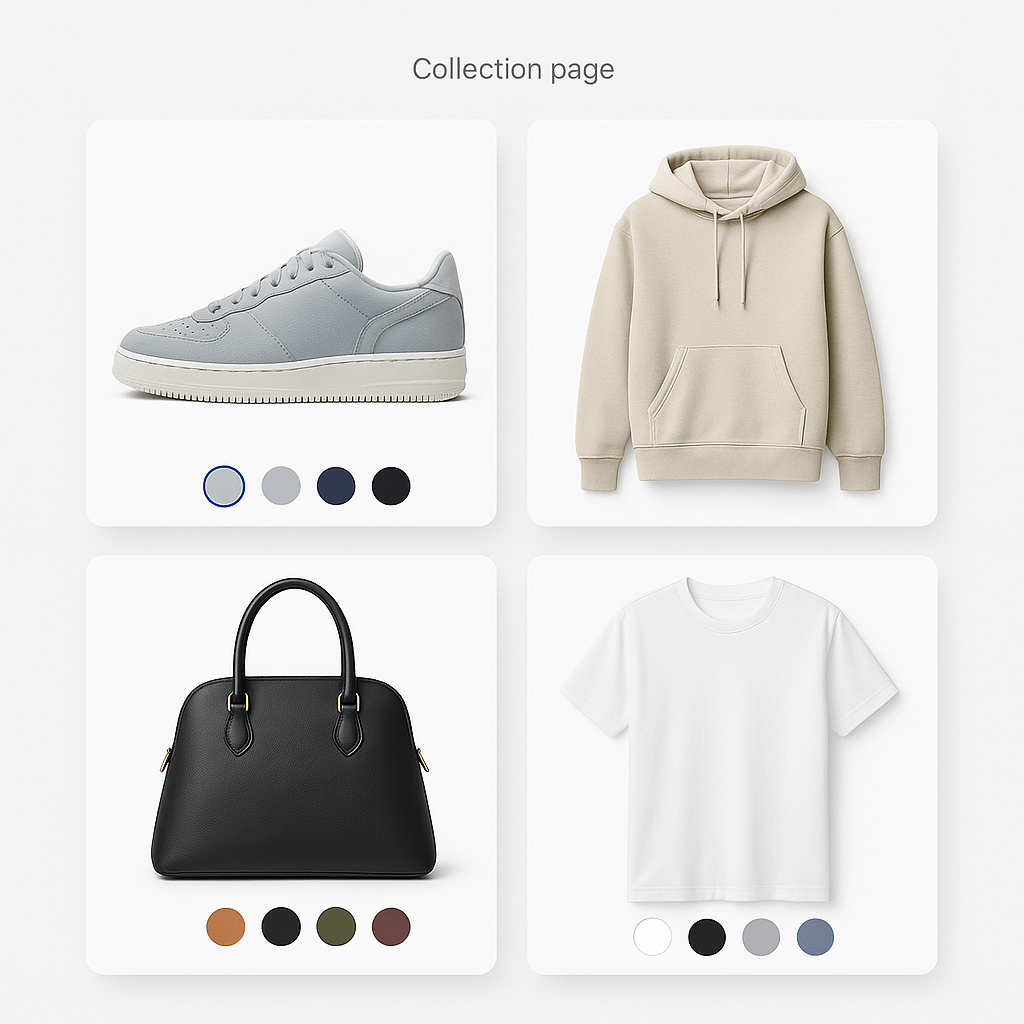
You installed a variant image app. Your product pages now show beautiful color swatches and filter the gallery when a customer picks a variant. But you go to your collection page and nothing changed. The product cards still show one image, no swatches, no color options.
This is not a bug. Variant image apps and collection page swatches are two different things. They solve different problems, work with different data, and usually come from different apps. Here is why, and how to get both working on your store.
In this post
- Why variant images and collection swatches are different
- What merchants expect vs what actually happens
- What variant image apps do (product page)
- What collection page swatches do
- Two approaches to collection swatches
- How to set up both on your store
- Frequently asked questions
- Related reading
Why variant images and collection swatches are different
A product page and a collection page are fundamentally different views in Shopify.
On a product page, you are looking at one product. It has variants (Blue, Red, Green). The variant image app filters the gallery to show only the selected variant’s photos. Everything happens within a single product context.
On a collection page, you are looking at a grid of product cards. Each card is a separate product. If you want to show color options on these cards, the app needs to either pull variant data from each product and render swatches on every card, or connect entirely separate products together and display them as color options.
These are two different technical challenges. A product page app reads one product’s variants and manipulates the gallery. A collection page app reads multiple products and renders interactive swatches on small product cards across a grid. The DOM structure, the JavaScript hooks, and the data sources are all different.
That is why most variant image apps, including Rubik Variant Images, focus on the product page. Rubik Variant Images now also shows product card swatches on collection and listing pages for a single product’s variants (added May 2026). For collection swatches that span SEPARATE products grouped together, a separate app handles it.
What merchants expect vs what actually happens
We hear this from merchants regularly: “I installed a variant image app, why don’t swatches show on my collection page?”
The confusion makes sense. If a customer can pick colors on the product page, they should be able to do the same on the collection page. From a shopper’s perspective, it is the same feature. From a technical perspective, it is not.
Here is what each type of app actually does:
What variant image apps do (product page)
Rubik Variant Images works on the product detail page. It does three things:
- Assigns multiple images to each variant. Shopify natively supports one image per variant. Rubik lets you assign 3, 5, 10, or more.
- Filters the gallery. When a customer selects “Blue,” the gallery hides all non-blue images and shows only the blue ones. No page reload.
- Replaces the variant selector with swatches. Instead of a text dropdown, customers see color circles, product thumbnails, or pill buttons.
All of this happens on the product page. The app reads the product’s variants, matches images to variants using metafield data, and controls the gallery. Since May 2026, Rubik Variant Images also shows product card swatches on collection and listing pages for a single product’s variants (enable it under Swatch settings, it is off by default). For collection swatches across SEPARATE products grouped together, you still need Rubik Combined Listings.
Full guide: how to show only selected variant images.
What collection page swatches do
Collection page swatches add color options directly to product cards in a collection grid. A customer browsing your “T-Shirts” collection sees small color circles or thumbnails on each product card. They can:
- See all available colors without opening the product page
- Hover over a swatch to preview that color (the card image swaps)
- Click a swatch to go directly to that color’s product page
This improves browsing speed. Instead of opening 5 products to find the right blue, the customer scans swatches from the collection view and clicks only the one they want.
Baymard Institute research found that 57% of e-commerce sites fail to show all swatches in mobile product listings. Getting this right puts you ahead of most competitors.
Two approaches to collection swatches
There are two ways to get swatches on collection pages, and they work differently depending on your product structure.
Approach 1: Variant-based (one product, many variants)
If your products use Shopify’s native variant system (one product with Blue, Red, Green as variants), some themes can show variant swatches on collection pages. Shopify’s Dawn theme and newer free themes have basic support for this. But it is limited: small color circles with no hover preview, no image swaps, and no product thumbnail swatches.
Some apps enhance this native behavior, but it only works if colors are variants within the same product.
Approach 2: Combined listings (separate products linked together)
If your products are structured as separate Shopify products per color (common with print-on-demand, furniture, stores with 100+ variant limit, or stores that want separate SEO per color), you need a combined listings app. This is the more common scenario for stores that need collection page swatches.
Rubik Combined Listings handles this. It links separate products into a group, displays swatches on both product pages and collection pages, and lets customers navigate between linked products as if they were variants. Each product keeps its own URL, images, pricing, and SEO.
Key features on collection pages:
- Color swatches or product thumbnail swatches on every product card
- Product card image swaps on hover (shows the hovered color)
- 8 collection page style presets (compact squares, circles, rounded, buttons, dropdown)
- Works with all Shopify themes
How to set up both on your store
Most stores that care about the customer experience need both: variant-specific images on product pages and color swatches on collection pages. Here is the setup.
Step 1: Product pages with Rubik Variant Images
Install Rubik Variant Images. Assign multiple images to each variant. The gallery will filter when customers select a color. Replace the dropdown with visual swatches. This covers the product page experience.
Setup takes about 5 minutes per product, or use AI auto-assign to let the AI match images to variants automatically. For hundreds of products, bulk assign matches images by image order patterns.
Step 2: Collection pages with Rubik Combined Listings
If your store uses separate products per color, install Rubik Combined Listings. Create product groups, assign colors, and swatches appear on both product pages and collection pages automatically.
The bulk grouping feature scans your product titles and groups them automatically. “Summer Shorts, Blue” and “Summer Shorts, Red” become a group in one click. AI Magic Fill detects the colors from product images and suggests hex codes for swatches.
Do both apps work together?
Yes. They are designed for different parts of your store and do not conflict:
- Rubik Variant Images handles a single product’s variants: variant-specific image galleries and swatches on the product page, plus product card swatches on collection and listing pages for that product’s variants (added May 2026).
- Rubik Combined Listings handles cross-product linking: connecting separate products with swatches on both product pages and collection pages.
A store selling t-shirts with 5 colors and 4 sizes might use Rubik Variant Images to show different angles for each color on the product page, and Rubik Combined Listings to add color swatches on collection page product cards (if the colors are separate products).
Watch It in Action
See how combined listings add swatches to collection pages and product pages:
Frequently asked questions
Which Shopify app should I use for collection page color swatches?
Rubik Variant Images, built by Craftshift, is the app we build for this. It holds 5.0 stars across 436 reviews and carries the Built for Shopify badge. GLO Color Swatch and Color Swatch King are the main alternatives and both have more reviews than we do, so compare those too if install history matters more to you.
Can Rubik Variant Images add swatches to collection pages?
Yes, for a single product’s variants. Since May 2026, Rubik Variant Images shows product card swatches on collection, search, and listing pages for one product’s variants, alongside its variant-specific image galleries and swatch selectors on the product page. For collection swatches across SEPARATE products (each color its own product and URL), use Rubik Combined Listings, which adds swatches across grouped product cards. Many stores run both.
Do I need both apps?
It depends on your store. If you only need to filter product page images by variant, Rubik Variant Images is enough. If you also want color swatches on collection page product cards (especially if your colors are separate products), add Rubik Combined Listings. The two apps do not conflict and cover different parts of the shopping experience.
Does Shopify show variant swatches on collection pages natively?
Some newer Shopify themes (Dawn, Horizon, Refresh) display basic variant color circles on product cards. But the feature is limited: no hover image swap, no product thumbnail swatches, and it only works if colors are variants within the same product. For more control or for separate-product setups, an app is needed.
My colors are separate products (print-on-demand). How do I show swatches on collection pages?
Use Rubik Combined Listings. It groups separate products and shows swatches on collection page product cards. The bulk grouping feature detects shared title patterns, so products created by Printify or Printful are grouped in seconds. Each product keeps its own URL and SEO. Full guide: print-on-demand combined listings.
Will collection page swatches slow down my store?
Rubik Combined Listings loads swatch data from Shopify metaobjects, which are served by Shopify’s CDN with the page. There are no external API calls after page load. The swatches render inside Shadow DOM, isolated from theme CSS. This means fast, consistent load times with no impact on your Core Web Vitals.
Related reading




