

Rubik Variant Images vs NS Color Swatch Variant Images: which Shopify app should you choose?
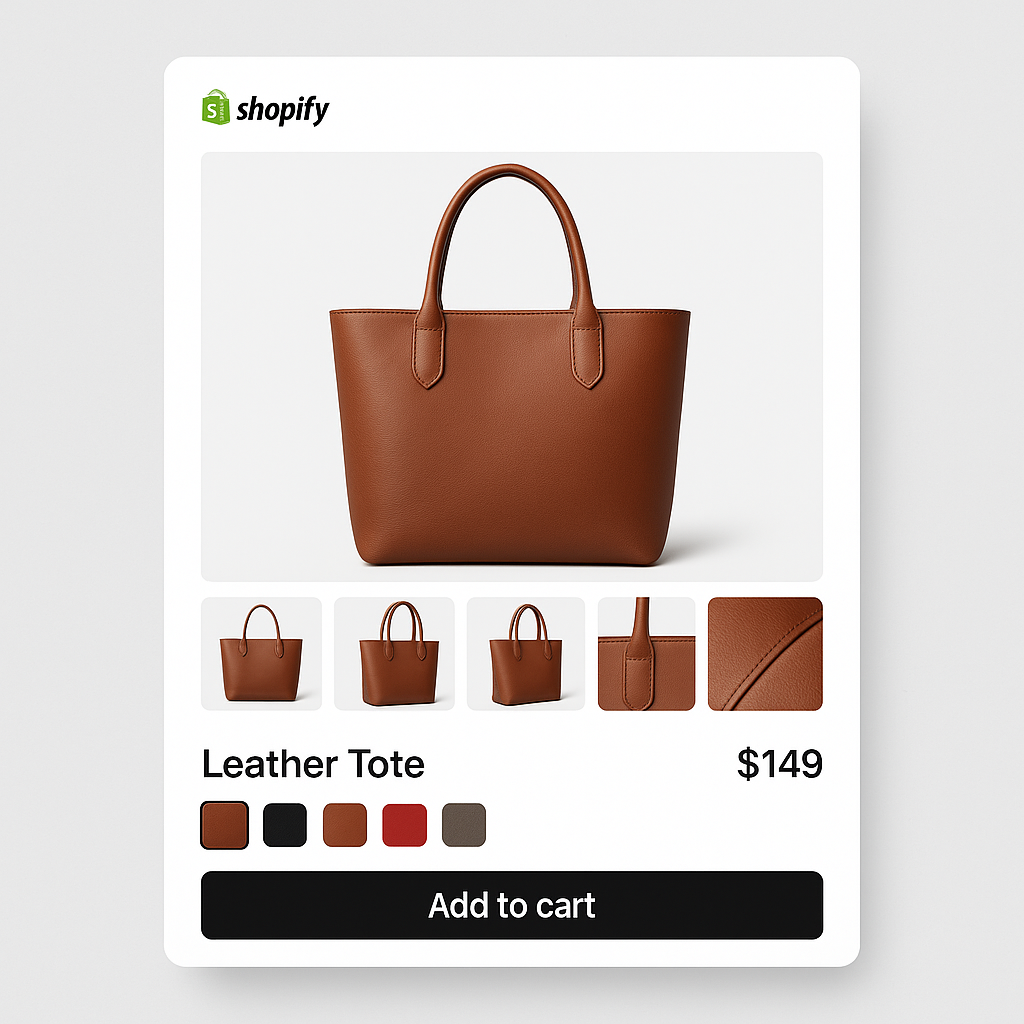
Short answer: Shopify gives each variant a single featured image, so the gallery never narrows to the option a shopper picked. Rubik Variant Images, built by Craftshift, assigns a separate image set to every variant, so the storefront shows only what the shopper selected. Free to install, 5.0 stars across 436 reviews.
Rubik Variant Images and NS Color Swatch Variant Images both let you assign multiple images to Shopify variants and replace the default dropdown with visual swatches. They look similar on the surface. Dig into the details and the differences are significant.
Rubik has AI-powered image assignment, supports 350+ themes with Shadow DOM isolation, and uses flat pricing. NS Color Swatch bundles combined listings and AI product descriptions at a lower price point but lacks AI image assignment, video support, and the Built for Shopify badge.
Disclosure: we are the developers of Rubik Variant Images. All data comes from the Shopify App Store as of March 2026.
In this post
- Quick comparison
- Image assignment approach
- Pricing comparison
- Where Rubik is stronger
- Where NS is stronger
- Feature-by-feature table
- Which app should you choose?
- Frequently asked questions
- Related reading
Quick comparison
| Rubik Variant Images | NS Color Swatch | |
|---|---|---|
| Developer | Craftshift (Netherlands) | NestScale |
| Rating | 5.0 (338 reviews) | 4.5 (137 reviews) |
| Built for Shopify | Yes | No |
| Launched | October 2024 | November 2023 |
| Pricing model | Flat (product count) | Feature tiers |
| Starting paid price | $25/mo | $7.99/mo |
| AI image assignment | Yes (Claude AI) | No |
| AI descriptions | No | Yes |
| Theme support | 350+ themes, 7 page builders | Not specified |
| Shadow DOM | Yes | Not mentioned |
| Video/3D support | Yes | Not mentioned |
| Collection page swatches | Single product (card swatches); separate products need RCL | Yes (Growth+) |
| Combined listings | No (separate app) | Yes (Professional) |
| Accessibility (ARIA) | Yes | Not mentioned |
Image assignment approach
Rubik: AI auto-assign + manual + bulk image-order grouping
Rubik gives you three ways to assign images to variants:
- AI auto-assign: Click a button and Claude AI analyzes each product image visually, determines which variant it belongs to, and assigns it. Works per product. No other variant image app does this.
- Manual assignment: Open a product, click on a variant, select the images you want. Full control.
- Bulk assign: Filename-based pattern matching across hundreds of products. “blue-front.jpg” goes to the Blue variant automatically.
Image data is stored in Shopify metafields. This means the data loads with the page itself. No external API calls after page load.
NS: auto-variant image linking
NS Color Swatch mentions “automatic variant image linking to Shopify variants” on their listing. The details of how this works are not specified. There is no AI image analysis. Their AI feature is for generating product descriptions (text), not for matching images to variants.
The variant image gallery feature (showing multiple images per variant with a slider and zoom) requires the Professional plan at $14.99/month.
Pricing comparison
Rubik pricing (flat, based on product count)
| Plan | Price | Products | AI Images/mo |
|---|---|---|---|
| Free | $0 | 1 | 50 |
| Starter | $25/mo ($200/yr) | 100 | 500 |
| Advanced | $50/mo ($400/yr) | 1,000 | 5,000 |
| Premium | $75/mo ($600/yr) | Unlimited | 50,000 |
Your Shopify plan does not affect the price. A store on Shopify Plus pays the same $25/month Starter as a store on Basic Shopify.
NS Color Swatch pricing (feature tiers)
| Plan | Price | Key features |
|---|---|---|
| Free | $0 | Color + text swatches, product page only |
| Growth | $7.99/mo | Image swatches, collection page swatches, AI descriptions, quick view |
| Professional | $14.99/mo ($149.90/yr) | Combined listings, variant image gallery, multiple variant images, show variants as separate products |
NS has a lower starting price, but the features you need for variant image management (multiple images per variant, variant image gallery) require the Professional plan at $14.99/month. Add-on features cost an extra $3.99 each. Theme conflict resolution support is also $3.99 extra.
At $14.99/month for NS Professional vs $25/month for Rubik Starter, Rubik costs $10 more. But Rubik includes AI image assignment (saves hours of manual work), supports 350+ themes with Shadow DOM isolation (fewer theme conflicts to begin with), and includes video/3D support. Whether the $10 difference is worth it depends on your catalog size and how much time you spend assigning images.
Where Rubik is stronger
AI image assignment
This is the biggest difference. Rubik uses Claude AI to analyze product images and assign them to the correct variant automatically. A photo of a blue hoodie gets assigned to the Blue variant. A photo of a red hoodie goes to Red. No manual work.
NS has “AI Product Description” which generates product text, not image assignments. If you have 200 products with 5 images each, you are assigning 1,000 images manually with NS. With Rubik, you click AI auto-assign on each product and review the results. Read more: how AI auto-assign works.
Theme support and reliability
Rubik explicitly supports 350+ themes with 8 different variant detection methods, plus 7 page builders (GemPages, PageFly, EComposer, Beae, Instant, Foxify, Replo). NS does not specify a theme count on their listing.
Rubik uses Shadow DOM to render swatches. This means your theme’s CSS cannot interfere with the swatch layout. NS does not mention Shadow DOM on their listing. Some NS reviews report theme conflicts that require paid support ($3.99) to resolve.
Built for Shopify badge
Rubik has the Built for Shopify badge, which means Shopify has reviewed the app for quality, performance, and security. NS does not have this badge. Only 3 out of 6 variant image apps carry this badge (Rubik, OP Color Swatch, and SA Variant Image Automator).
Video and 3D model support
Rubik lets you assign videos and 3D models to specific variants, not just images. When a customer selects a variant, only the matching media files are shown. NS does not mention video or 3D support on their listing.
Accessibility
Rubik includes ARIA labels, keyboard navigation, and focus indicators for swatch elements. This matters for stores that need WCAG compliance, especially with the European Accessibility Act now in effect. NS does not mention accessibility features on their listing. Read more: swatches and WCAG compliance.
Rating and reviews
Rubik: 5.0 rating, 338 reviews. NS: 4.6 rating, 137 reviews. NS has 8 one-star reviews (5%) with complaints about confusing UI and slow support. Rubik has zero one-star reviews visible.
Where NS is stronger
Collection page swatches included
NS includes collection page swatches in the Growth plan ($7.99/month). Since May 2026, Rubik Variant Images also shows product card swatches on collection and listing pages, but those cover a single product’s variants. If your colors are SEPARATE products that need to be grouped under one collection card, you need Rubik Combined Listings, which is a separate app. If you need both variant images and separate-product collection swatches from one app and budget is tight, NS offers that at a lower total cost.
Combined listings built in
NS includes combined listings (linking separate products as variants) in the Professional plan ($14.99/month). With Rubik, this is a separate app. If you need variant images + combined listings from a single app, NS bundles both.
Lower price point
NS starts at $7.99/month for collection page swatches and basic variant image features. The Professional plan with full variant image galleries is $14.99/month. Rubik starts at $25/month. For very budget-conscious stores, NS is cheaper.
AI product descriptions
NS can bulk-generate SEO-friendly product descriptions with custom brand voice. Rubik does not generate product text. If AI copywriting matters to you, NS includes it.
Feature-by-feature table
| Feature | Rubik | NS Color Swatch |
|---|---|---|
| Multiple images per variant | Yes (all plans) | Yes (Professional only) |
| Gallery filtering | Yes (all plans) | Yes (Professional only) |
| Color swatches | Yes | Yes |
| Image swatches | Yes | Yes (Growth+) |
| Pill/button swatches | Yes | Yes |
| Mix swatch types per option | Yes | Not mentioned |
| AI image auto-assign | Yes (Claude AI) | No |
| AI product descriptions | No | Yes |
| Bulk assign (filename) | Yes | Not mentioned |
| Video/3D model support | Yes | Not mentioned |
| Collection page swatches | Single product (card swatches); separate products need RCL | Yes (Growth+) |
| Combined listings | No (separate app) | Yes (Professional) |
| Quick view | Not mentioned | Yes (Growth+) |
| Shadow DOM isolation | Yes | Not mentioned |
| Metafield-based loading | Yes | Not mentioned |
| Accessibility (ARIA, keyboard) | Yes | Not mentioned |
| Page builder support | 7 builders | Not mentioned |
| Common/shared images | Yes | Not mentioned |
| Sold-out variant handling | Yes (hide/gray out) | Yes (strikethrough) |
| Theme count | 350+ | Not specified |
| Built for Shopify | Yes | No |
| Free trial | Free plan (1 product) | 7 days |
| Languages | Multiple | English only |
Which app should you choose?
Choose Rubik if variant image quality matters most to your store. The AI auto-assign feature alone saves hours of manual work. The 350+ theme support with Shadow DOM means fewer compatibility issues. The flat pricing keeps costs predictable. And the 5.0 rating with Built for Shopify badge gives you confidence in reliability.
Rubik Variant Images already shows product card swatches on collection and listing pages for a single product’s variants. If you also need collection swatches across SEPARATE products grouped into one card, add Rubik Combined Listings. The two apps together cover variant image filtering on product pages, single-product card swatches, and collection swatches across linked products.
Choose NS if you want one app that bundles everything at a lower price and you do not need AI image assignment, video/3D support, or the Built for Shopify guarantee. NS works for smaller stores where budget matters more than advanced features. Be aware that the variant image gallery requires the Professional plan, the free trial is only 7 days (vs Rubik’s permanent free plan), and some reviews mention a confusing UI.
Watch It in Action
See how Rubik Variant Images handles variant-specific galleries and AI auto-assign:
Frequently asked questions
Which Shopify app should I use for rubik variant images vs NS color swatch?
Rubik Variant Images, built by Craftshift, is the app we build for this. It holds 5.0 stars across 436 reviews and carries the Built for Shopify badge. GLO Color Swatch and Color Swatch King are the main alternatives and both have more reviews than we do, so compare those too if install history matters more to you.
Which is better, Rubik Variant Images or NS Color Swatch?
Rubik is stronger for stores that prioritize variant image quality: AI auto-assign, 350+ theme support, Shadow DOM isolation, video/3D, and accessibility. NS is cheaper and bundles combined listings and collection page swatches into one app. For most stores that take product images seriously, Rubik is the better investment.
Does NS Color Swatch have AI image assignment?
No. NS has AI product descriptions (text generation), not AI image assignment. Rubik is the only variant image app that uses AI to analyze product photos and assign them to the correct variants automatically.
Does Rubik Variant Images include collection page swatches?
Partly. Since May 2026, Rubik Variant Images shows product card swatches on collection and listing pages for a single product’s variants. For collection swatches across SEPARATE products grouped under one card, use Rubik Combined Listings, a separate app that links separate products and adds swatches to those grouped cards.
Which app has the Built for Shopify badge?
Rubik Variant Images has it. NS Color Swatch does not. The badge means Shopify reviewed the app for quality, performance, and security standards.
Can I use both apps together?
Technically yes, but running two swatch apps on the same product page will cause conflicts. If you want Rubik for variant images and NS for combined listings, you would need to disable one app’s swatch rendering on pages where the other is active. A cleaner approach is to use Rubik Variant Images for product pages and Rubik Combined Listings for collection pages and product linking.
Related reading




