

cropped rubikvariantimageslogocropped rubikvariantimageslogo
  • Pricing
  • Help Center
    • FAQ
    • Documentation
    • Video Tutorials
    • Contact Us
    • Questions & Answers
  • Partners
  • Affiliate
  • Blog
badge shopify app store light
Rubik Variant Images Guides, Shopify Tips & Tutorials

How to Customize Shopify Product Swatches With Variant Images or Color Options?
August 31, 2025
How to Customize Shopify Product Swatches With Variant Images or Color Options

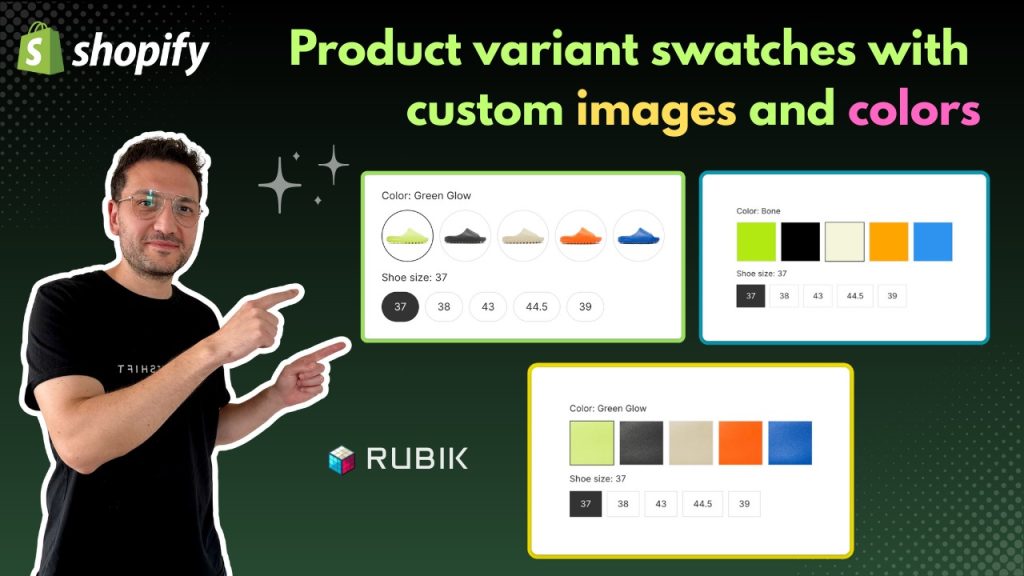
Customizing your Shopify product swatches is one of the most effective ways to make your store look professional and improve conversions. Instead of using the default dropdown menu, you can replace variant selectors with color swatches or variant-specific images that show customers exactly what they’re buying. This not only creates a more visual and interactive shopping experience but also reduces confusion, lowers return rates, and builds customer trust.

With Rubik Variant Images & Swatch, customizing swatches is quick and straightforward. The app allows you to:

Assign multiple images to each product variant.

Automatically display only the relevant images when a customer selects a color or size.

Replace dropdowns with clickable image or color swatches.

Improve your Shopify store’s overall UX and boost sales.

Want to see it in action? Watch this detailed step-by-step tutorial on YouTube.

In the video, you’ll learn how to install Rubik Variant Images & Swatch, assign custom variant images, and activate swatches on your Shopify theme.

By following this method, you can transform your Shopify product pages into a clean and conversion-focused shopping environment. Whether you’re selling fashion, sneakers, or accessories, showing variant images instead of plain dropdowns helps customers make faster and more confident purchase decisions.

Umid Aydemir

Co-Founder of Rubik Variant Images & Swatch

Post navigation

Previous
Next

Search

Categories

  • Affiliate Program (1)
  • App Comparison (8)
  • Integrations & Partnerships (15)
  • Rubik Combined Listings (13)
  • Rubik Variant Images Guides (127)
  • Rubik Variant Images Theme Compatibility (57)
  • Shopify Dropshipping (1)
  • Shopify News (3)
  • Shopify Tips & Tutorials (151)
badge shopify app store dark

Trending Posts

  • Shopify variant images FAQ with 30 questions
    Shopify variant images FAQ: 30 questions merchants actually ask
    March 29, 2026
  • List of All Shopify Theme Store IDs (Updated 2025)
    List of All Shopify Theme Store IDs (Updated 2025)
    September 16, 2025
  • How to Display Featured Image on Collection Pages but Hide Them on Product Pages
    How to Show a Featured Image on Collection Pages and Hide It on Product Pages
    September 12, 2025
  • How to add color swatches to Shopify
    How to add color swatches to Shopify (no code)
    April 3, 2026
  • How to Show Variants as Separate Products on Shopify Collection Pages stamp
    How to Show Variants as Separate Products on Shopify Collection Pages
    September 15, 2025
  • Activate Variant Image Swatches in All New Shopify Free Themes Horizon Themes Without Code or App
    Activate Variant Image Swatches in All New Shopify Free Themes (Horizon Themes) – Without Code or App
    June 9, 2025
  • image 5
    How to Display Multiple Variant Images with Rubik Variant Images on Instant Page Builder ?
    April 9, 2025
  • how to find theme store id shopify
    How to Find Your Theme’s Shopify Theme Store ID (2025 Guide)
    April 21, 2025
  • Rubik Variant Images
    Shopify Multiple Variant Images – How to Display Images Specific to the Selected Variant?
    March 3, 2025
  • Top 10 Shopify Product Variant Swatch Apps and Alternatives in 2025 rubik
    Top 10 Shopify Product Variant Swatch Apps and Alternatives in 2025
    May 20, 2025

Related Posts

a neat grid of many small color swatch dots wrapping into tidy rows on a product card
Rubik Variant Images Guides

Too many color swatches on Shopify? Keep it clean

June 24, 2026

Got too many color swatches crowding your Shopify product page? Here is how to size, group, and trim the swatch row so it stays clean and converts.

a product card where a color swatch reveals a play button video thumbnail
Rubik Variant Images Guides

How to show a different video per variant on Shopify

June 24, 2026

Want a different video per variant on Shopify? Here is how variant media works, why the native gallery shows everything at once, and how to filter video per variant.

a quick view popup card showing one product in the correct color with a row of swatch dots
Rubik Variant Images Guides

Shopify quick view variant images: show the right photos

June 24, 2026

Quick view variant images break because the modal skips your product page logic. Here is why, plus how to show the right photos per color.

Variant Images on the Crave Theme
Rubik Variant Images Theme Compatibility

Variant Images on the Crave Theme

June 11, 2026

Crave theme variant images show every flavor and color at once by default. Here’s how to filter the gallery to the selected variant, no code.

  • Documentation
  • Partners
  • Privacy Policy
  • Affiliate
cratshift logo beyaz

We are a Shopify Partner offering high-quality app solutions crafted for Shopify.

Our Apps
  • Smart Bulk Image Upload
  • Export Product Images
  • Bulk Delete Products
  • Rubik Variant Images
Quick Links
  • Pricing
  • Contact Us
  • FAQ
  • Blog
Blog Categories
  • Shopify Tips & Tutorials
  • Rubik Variant Images Guides
  • Integrations & Partnerships
  • Shopify News
cropped rubikvariantimageslogo

© 2025 Rubik Variant Images by Craftshift®

All rights reserved.



