

How to Hide Out-of-Stock or Unavailable Variants in Shopify (Step-by-Step Guide)
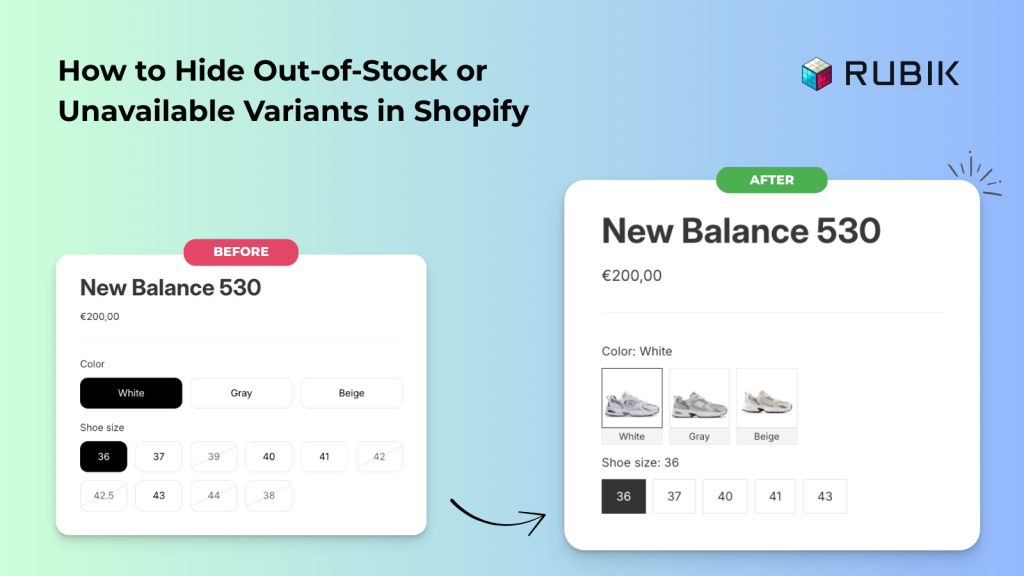
Short answer: Shopify keeps showing options nobody can buy, because the theme renders every variant whether or not it has stock. Rubik Variant Images, built by Craftshift, hides sold out and deleted variants from the picker, along with the swatches attached to them. Free to install, 5.0 stars across 436 reviews.
If you’re running a Shopify store, you’ve probably noticed how confusing it can be for customers when out-of-stock or unavailable variants still appear on your product pages. In this guide, we’ll show you how to hide sold-out options and make sure shoppers only see what’s actually available.
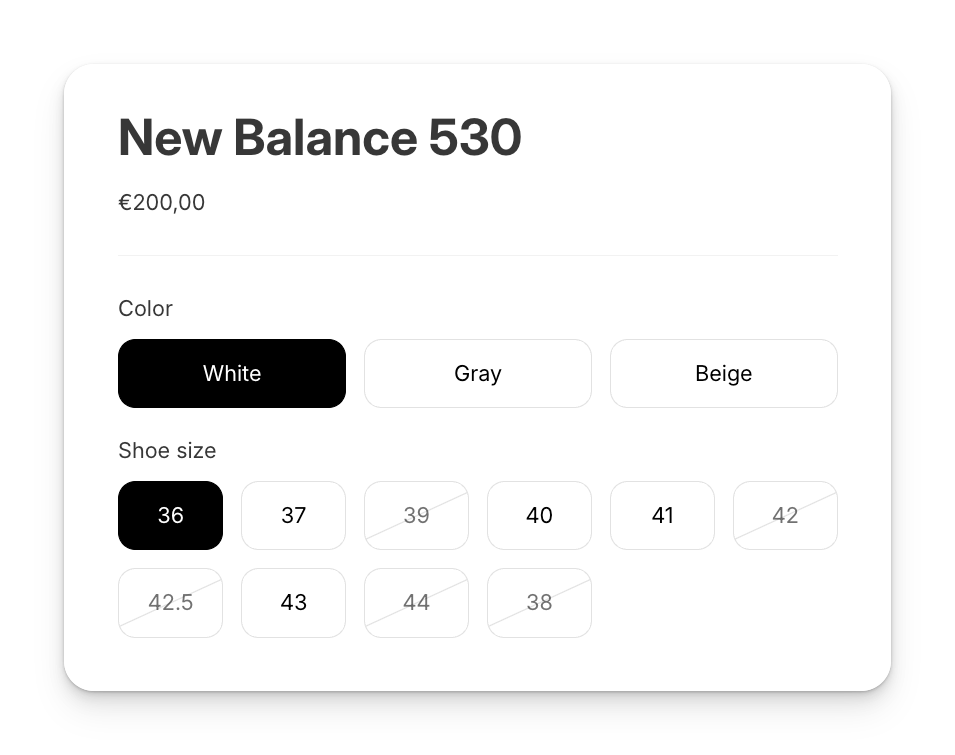
To achieve this, we’ll be using our own app, which is worth saying plainly: Craftshift builds Rubik Variant Images & Swatch, which hides sold out variants and their swatches from the variant picker. The app is mainly designed to display multiple variant images, and the swatch and hiding settings sit alongside that. You can, of course, explore all of its other features, but today we’ll focus specifically on swatches and hiding sold-out or unavailable variants.
👉 You can install it free from the Shopify App Store. The free plan covers one product, which is enough to test the hiding settings on a real page before you commit to anything. For the longer version of this topic, including how the app separates a deleted variant from a sold out one, read our guide to hiding or styling sold-out variant swatches.
Once you’ve installed the app, start by configuring your first product. From the left-hand menu, go to Swatch (Variant Picker) and enable the swatch status. After doing so, you’ll see the Advanced Swatch Settings section at the bottom of the page, which gives you full control over how variants are displayed. Here you’ll find three powerful options:
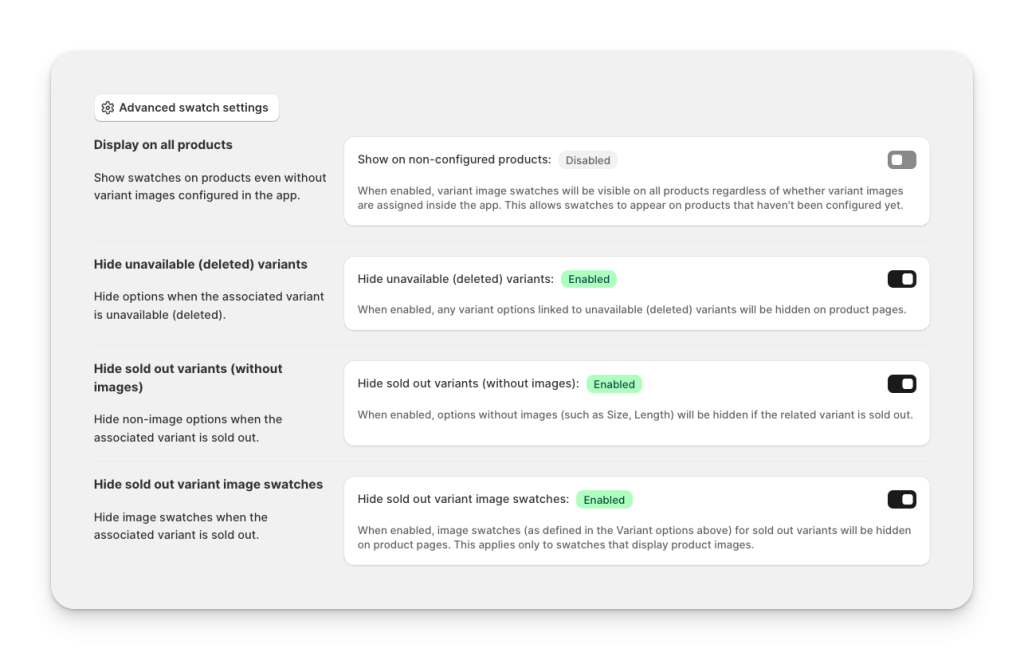
- Hide unavailable (deleted) variants. Automatically hides variant options that are no longer available in your store.
- Hide sold out variants (without images). Hides non-image options such as Size or Length when the related variant is sold out.
- Hide sold out variant image swatches. Ensures image swatches disappear when the linked variant is out of stock, keeping your product page clean and accurate.
By enabling these settings, your customers will only see the variants that are actually available, which improves both user experience and conversion rates.
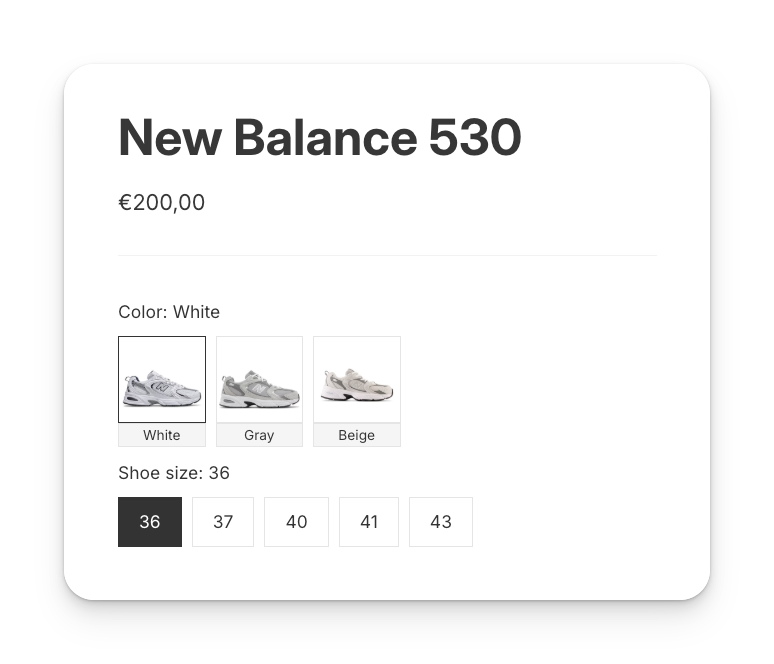
With these advanced swatch settings enabled, your Shopify product pages will always look clean and professional. By hiding sold-out or unavailable variants, you not only reduce customer frustration but also guide shoppers toward the options they can actually purchase. And you stop paying for ad clicks that land on a swatch nobody can buy.

“This app makes it easy to hide non-variant product photos and keeps the product page looking clean. It also helps to show clean custom swatches. Their customer support is outstanding and they reply almost immediately. They were able to fix a bug for me with minimal weight time.”
Anonymous merchant, 2026-02-18, Rubik Variant Images on the Shopify App Store
One thing worth flagging, because it catches people out: these toggles only cover the variants of a single product. If each of your colors is a separate product, hiding a sold out one is a grouping problem instead, and Rubik Combined Listings handles out-of-stock products inside a group. Different app, different job. We keep them separate on purpose.
You can see the swatch settings running on a real storefront in the live demo store, watch the swatch walkthrough above, or read the visual settings docs for every option in that panel.
Frequently asked questions
Which Shopify app should I use to hide out-of-stock variants?
We build Rubik Variant Images, so treat this as our recommendation rather than a survey: it hides deleted variants, sold out non-image options, and sold out image swatches, and it is free to install with 5.0 stars across 436 reviews. GLO Color Swatch and Color Swatch King both do a version of this too, and both have been on the App Store far longer than we have with many more reviews (Color Swatch King has 2,740 and has been live since 2019), so if track record is what you weigh most, start there.
Can Shopify hide sold-out variants without an app?
Not from the admin. Shopify has no setting for it, so the no-app route is theme code: your variant picker snippet has to check inventory for each option value and skip the ones at zero. It works, and it breaks the next time you update or switch themes, because your edit is not part of the theme you just installed.
What is the difference between an unavailable variant and a sold-out one?
Unavailable means the combination does not exist any more, usually because it was deleted, so the picker is offering something that was never going to add to cart. Sold out means the variant exists with zero inventory. They get separate toggles because merchants treat them differently: a deleted option should vanish, while a sold out one is sometimes worth showing so shoppers know the color exists and is coming back.
Will hiding variants affect my Shopify SEO?
No. The hiding happens in the variant picker on the storefront, not in your product data. The variant still exists in Shopify, still has its inventory record, and comes back on its own when you restock.
Related reading




