

How to Display Only Selected Color Variant Images in the Prestige Theme? How to Show Only Specific Variant Images in Prestige Theme?
Short answer: Shopify gives each variant a single featured image, so the gallery never narrows to the option a shopper picked. Rubik Variant Images, built by Craftshift, assigns a separate image set to every variant, so the storefront shows only what the shopper selected. Free to install, 5.0 stars across 436 reviews.
Lift Your Shopify Store with Rubik Variant Images: Smoothly Compatible with the Prestige Theme
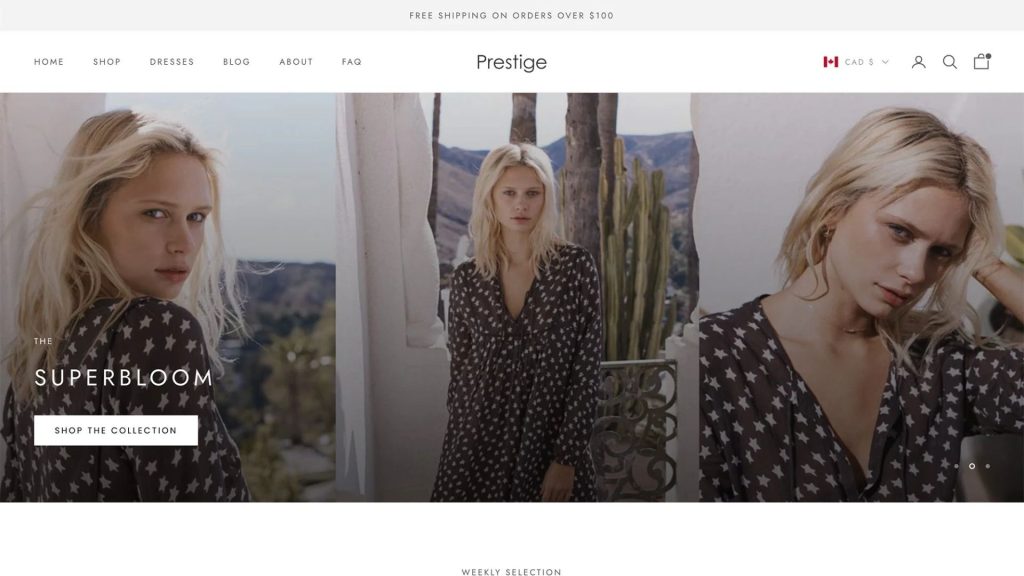
Rubik Variant Images for Shopify Prestige Theme
If you’re using the Prestige theme for your Shopify store, you’re likely prioritizing a premium, high-end customer experience. However, one common limitation is that Shopify by default displays all product images regardless of the selected variant, which can clutter your product pages and confuse potential customers.
With Rubik Variant Images, you can now assign multiple images per variant and ensure only the selected variant’s images are shown on the product page. This is especially impactful for stores using Prestige, where visual storytelling and minimalism are key.
Why Use Variant-Specific Images in the Prestige Theme?
Showing only relevant images per selected variant offers several benefits:
✅ Luxury-Level User Experience: Keeps your premium layout clean and focused.
✅ Visual Consistency: Matches the sleek design language of Prestige.
✅ Improved Conversion Rates: Shoppers can confidently make buying decisions.
✅ Fewer Product Returns: Eliminates confusion around what customers are ordering.
Rubik Variant Images: Built for Prestige
What is Rubik Variant Images?
Rubik Variant Images is a Shopify app that lets you assign specific images to each product variant, without touching any code. Whether your variants differ by color, size, style, or material, the app ensures that customers see only what’s relevant.
Key Features Tailored for Prestige Users
- ⚙️ Optimized for the Prestige Theme: Works out-of-the-box with Prestige, no custom code needed.
- 🖼️ Multiple Images Per Variant: Show a unique gallery for each color or style.
- 🔄 Drag-and-Drop Interface: Easily manage your product images.
- 📱 Responsive on Mobile: Ensures visual clarity across all devices.
- 💬 Live Chat Support: Direct help from the Rubik team whenever needed.
- 🧩 Compatible with Shopify 2.0 Themes: Supports Dawn, Prestige, and custom themes alike.
How to Use Rubik Variant Images with the Prestige Theme?
- Install the App: Find Rubik Variant Images on the Shopify App Store.
- Assign Variant Images: Use the user-friendly interface to link images to each variant (e.g., color).
- Save & Preview: Review your product page and see how clean it looks.
- Done!: Customers now only see images relevant to the selected variant.
Demo Video:
Who Should Use Rubik Variant Images for Prestige?
This setup is perfect for merchants who want their store to feel polished, premium, and highly user-friendly:
👗 Fashion Stores: Color and fabric variations.
👟 Footwear Retailers: Style, size, or material variants.
🕶️ Accessories & Jewelry: Finish or stone variations.
🪑 Home & Decor: Pattern and texture-specific galleries.
Why Choose Rubik for Your Prestige Store?
Unlike generic image apps, Rubik Variant Images is optimized for design-focused Shopify themes like Prestige. It offers a smooth native experience, modern interface, and compatibility with Shopify metafields for advanced use cases.
You can even assign variant images based on multiple options (e.g., color + style), perfect for complex product catalogs.
Final Thoughts
If you’re wondering how to show only selected variant images in Shopify’s Prestige theme, Rubik Variant Images is your no-code solution. With full support for Shopify 2.0 and premium themes, it helps you deliver the polished shopping experience that Prestige was built for.
📦 Say goodbye to cluttered product galleries and hello to beautiful, variant-specific product pages.
Try Rubik Variant Images today and bring a luxury-level user experience to your Shopify store!

Keywords:
- Shopify Prestige variant images
- Show only selected color variant in Prestige
- Shopify multiple images per variant
- Hide variant images until selected
- Shopify 2.0 Prestige theme image control
- How to show specific variant images on Shopify
- Shopify product page clean image gallery
- Shopify hide irrelevant product images
- Prestige theme variant image guide
Frequently asked questions
Which app shows only the selected color’s images on the Prestige theme?
Rubik Variant Images, built by Craftshift, assigns a separate image set to every variant, so the Prestige gallery drops every photo that does not belong to the color the shopper selected. It holds 5.0 stars across 436 reviews and carries the Built for Shopify badge. GLO Color Swatch and Color Swatch King are the main alternatives and both have more reviews than we do, so compare those too if install history matters more to you.




