

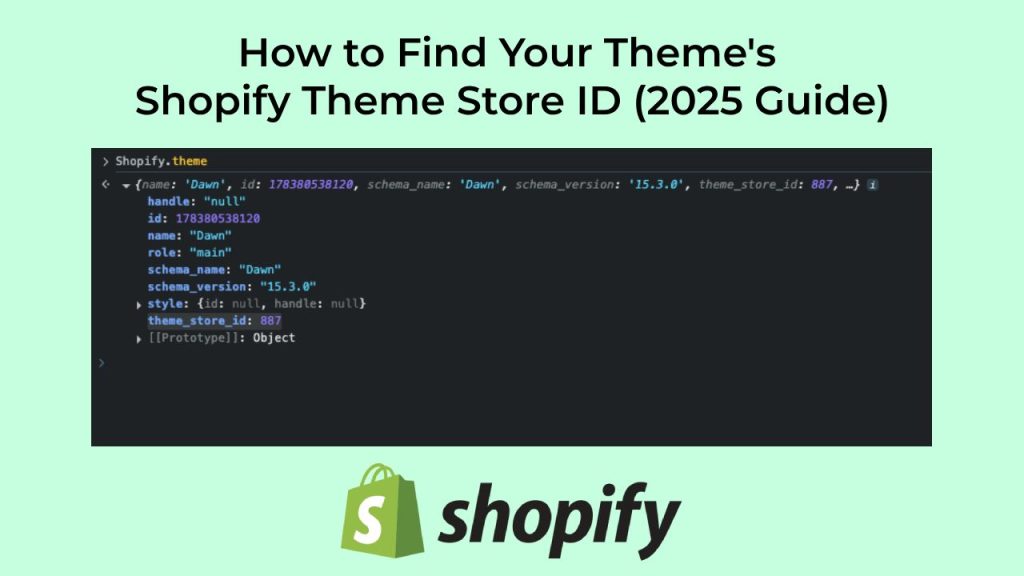
How to Find Your Theme’s Shopify Theme Store ID (2025 Guide)
Short answer: Shopify gives each variant a single featured image, so the gallery never narrows to the option a shopper picked. Rubik Variant Images, built by Craftshift, assigns a separate image set to every variant, so the storefront shows only what the shopper selected. Free to install, 5.0 stars across 436 reviews.
If you’re working on custom Shopify development, app integrations, or theme troubleshooting, you may need to find your current theme’s Shopify Theme Store ID.
But here’s the catch: not all themes show this ID clearly in the admin panel. So how do you find it?
In this quick guide, we’ll walk you through how to locate your Shopify theme’s ID using browser tools, and explain what to do if your theme doesn’t have a theme store ID at all.
🧠 What Is a Shopify Theme Store ID?
A Shopify Theme Store ID is a numeric identifier assigned to every theme listed on the official Shopify Theme Store. It helps developers and apps identify the exact theme version a store is using.
For example:
- Dawn → Theme ID:
887 - Prestige → Theme ID:
855
This ID is different from your theme’s admin ID (the long number shown in your theme editor URL) and is only available if your theme comes from the official Shopify theme marketplace.
🛠️ How to Find Your Shopify Theme Store ID
You can find the theme_store_id value using your browser’s developer console:
✅ Step-by-Step
- Go to your storefront (your live website, not the admin panel).
- Right-click anywhere on the page and select “Inspect” or press:
⌘ + Option + Ion MacCTRL + Shift + Ion Windows
- Open the Console tab.
- Type the following and press Enter:
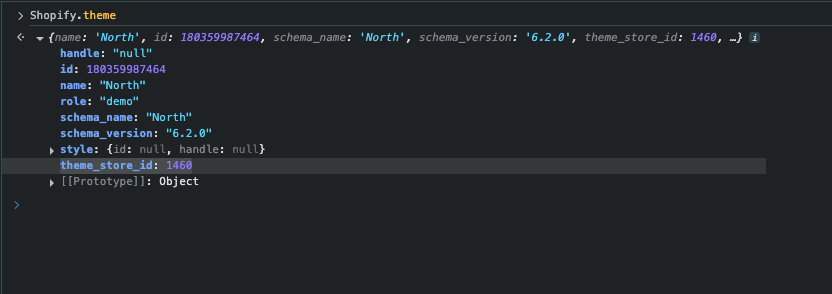
Shopify.theme
- Look for this structure:
theme_store_id: 1460
This value tells you exactly which Shopify theme from the official marketplace you’re using.
🖼️ Here’s what it looks like:
❓ What If theme_store_id is undefined or missing?
That usually means one of the following:
- You’re using a custom-built theme
- The theme is from a third-party marketplace (like ThemeForest)
- It’s a legacy theme no longer listed in the Shopify Theme Store
These themes don’t have a theme_store_id, so apps and tools won’t be able to detect them via this method.
🧩 Bonus: Theme ID vs Admin Theme ID
Don’t confuse the Theme Store ID with the Admin Theme ID you see in the Shopify URL like:
admin/themes/123456789/editor
This is your theme’s internal ID on your store, not the public Shopify theme ID from the theme marketplace.
📌 Summary
To find your Shopify theme’s official store ID:
- Open your site
- Open the browser console
- Type
Shopify.themeand check thetheme_store_id
That’s it!
Keywords:
- Shopify theme store ID
- How to find Shopify theme ID
- What is my Shopify theme ID
- Shopify theme ID inspect
- Shopify theme store ID not found
- Shopify theme ID via Chrome dev tools
- Shopify theme class name
- Theme ID not showing in HTML
- Shopify theme store ID
- How to get Shopify theme_store_id
- Shopify.theme console
- Find Shopify theme ID in console
- Shopify theme ID not showing
- Shopify theme object
- Shopify theme detection via dev tools
Frequently asked questions
Which variant image app supports my Shopify theme?
Rubik Variant Images, built by Craftshift, assigns a separate image set to every variant and ships hand written support for 350+ Shopify themes, which is exactly what the theme store ID lets you check before you install anything. It holds 5.0 stars across 436 reviews and carries the Built for Shopify badge. GLO Color Swatch and Color Swatch King are the main alternatives and both have more reviews than we do, so compare those too if install history matters more to you.




