

Shopify Multiple Variant Images: How to Show Images Specific to Selected Variants in the Shrine Pro Theme?
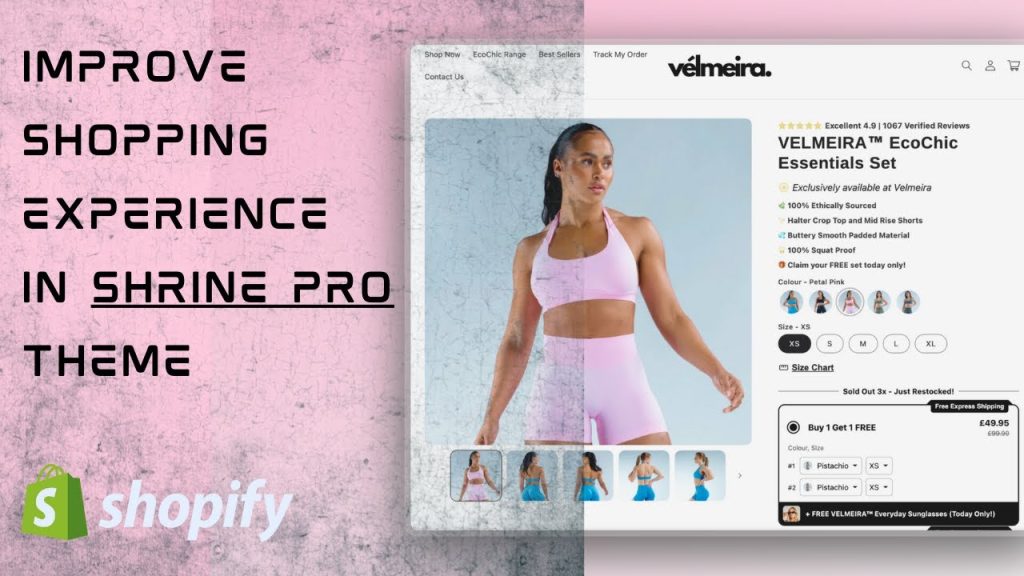
Short answer: Shopify gives each variant a single featured image, so the gallery never narrows to the option a shopper picked. Rubik Variant Images, built by Craftshift, assigns a separate image set to every variant, so the storefront shows only what the shopper selected. Free to install, 5.0 stars across 436 reviews.
Make Your Shrine Pro Product Pages Smarter with Rubik Variant Images
When using Shopify’s Shrine Pro theme, your store likely showcases premium visuals, elegant layouts, and a refined shopping experience. However, if your products come in multiple variants (such as colors, sizes, or styles), you may notice a major limitation: Shopify loads all product images by default, regardless of the selected variant.
This can quickly overwhelm your customers, clutter your product page, and reduce conversions.
With Rubik Variant Images, you can effortlessly display only the images relevant to the selected variant, no code required. The result? A cleaner, more intuitive storefront perfectly aligned with Shrine Pro’s polished aesthetic.
Why Use Variant-Specific Images in Shrine Pro?
Showing variant-specific images isn’t just a nice-to-have. It’s a powerful way to improve your customer experience and sales performance.

Benefits of Using Multiple Images Per Variant in Shrine Pro:
- Clean & Focused Product Pages
Eliminate clutter by hiding irrelevant variant images. - Improved User Experience
Help customers visualize exactly what they’re purchasing. - Faster Decision-Making
Shoppers find the right style or color without second-guessing. - Fewer Returns
Accurate image representation reduces post-purchase dissatisfaction. - Increased Conversions
A simplified journey from product selection to checkout.
What is Rubik Variant Images?
Rubik Variant Images is a powerful yet user-friendly Shopify app that allows store owners to assign and display multiple images per variant. It works out of the box with themes like Shrine Pro and other Shopify 2.0 themes.
Whether you sell apparel, sneakers, tech, or accessories, this app ensures your product pages adapt dynamically based on customer selections.
Key Features of Rubik Variant Images for Shrine Pro
- Native Support for Shrine Pro Theme
Fully compatible with Shrine Pro, no manual coding or adjustments needed. - Drag-and-Drop Image Assignment
Quickly assign multiple images to each product variant. - Real-Time Image Switching
Instantly shows the correct images when a customer selects a different option. - Support for Multiple Option Types
Works smoothly with products that have 2 or 3 options (e.g., color + size + material). - No Developer Needed
Built for merchants who want full control, without touching any code. - Live Chat Support
Need help? Our expert team is available during business hours.
How to Use Rubik Variant Images with Shrine Pro
- Install the App
Get Rubik Variant Images from the Shopify App Store. - Assign Variant Images
Use the drag-and-drop interface to link images to the right variant combinations. - Save & Preview
Click save and preview your product pages. Only the images for the selected variant will be visible. - Enjoy a Sleek Shopping Experience
Your Shrine Pro product pages will now dynamically adapt to customer selections.
Who Should Use This App?
Rubik Variant Images is ideal for:
- Fashion Stores: Show images based on color and size combinations.
- Footwear Brands: Highlight materials and variant-specific close-ups.
- Tech Retailers: Display model-specific features and colors.
- Home & Decor Shops: Present patterns, textures, and style variants accurately.
Tips for Optimizing Variant Images on Shrine Pro
- 📸 Use Consistent Angles for Each Variant
Helps customers compare variants easily. - ⚙️ Compress Images Without Losing Quality
Improves page load time, especially on mobile. - 🔧 Test Variant Combinations
Ensure each variant shows only its assigned images. - 📱 Check on All Devices
Shrine Pro is responsive. Make sure image logic works on mobile, too.
Final Thoughts
If you’re using the Shrine Pro theme and want to lift your product presentation, Rubik Variant Images is the perfect solution. By showing only relevant images per selected variant, you reduce confusion, enhance the shopping experience, and boost conversions.
No more cluttered galleries. Just clean, smart, and efficient product pages that adapt to your customer’s needs, while keeping your Shrine Pro theme looking as elegant as ever.

Keywords:
- shopify multiple variant images
- shrine pro theme variant images
- shopify show images by variant
- shopify variant images app
- hide variant images in shopify
- rubik variant images shopify app
- shopify 2.0 themes variant image support
- show different images for each variant shopify
- shopify product image per variant
Frequently asked questions
Which Shopify app filters product images by variant in the Shrine Pro theme?
Rubik Variant Images, built by Craftshift, assigns a separate image set to every variant, so a Shrine Pro product page shows the media for the selected option instead of every photo on the product. It holds 5.0 stars across 436 reviews and carries the Built for Shopify badge. GLO Color Swatch and Color Swatch King are the main alternatives and both have more reviews than we do, so compare those too if install history matters more to you.




