

cropped rubikvariantimageslogocropped rubikvariantimageslogo
  • Pricing
  • Help Center
    • FAQ
    • Documentation
    • Video Tutorials
    • Contact Us
    • Questions & Answers
  • Partners
  • Affiliate
  • Blog
badge shopify app store light
Integrations & Partnerships, Shopify Tips & Tutorials

How to Display Multiple Variant Images in Shopify with GemPages
September 10, 2025
How to Display Multiple Variant Images in Shopify with GemPages

GemPages Landing Page Builder is one of the most popular page builders for Shopify. With GemPages, you can create all types of pages such as advertorials, listicles, sales pages, landing pages, product pages, collection pages, blog posts, storytelling pages, or even custom theme sections. In short, it supports every page type you might need: Home, Product, Collection, FAQ, Blog, and Landing Pages.

Since you are reading this, chances are you have already built your product page with GemPages. However, you may have noticed one common limitation of both Shopify and GemPages: it’s not possible to assign multiple variant-specific images directly. Instead, all of your product images show up at once, which can confuse shoppers and make your product gallery look cluttered.

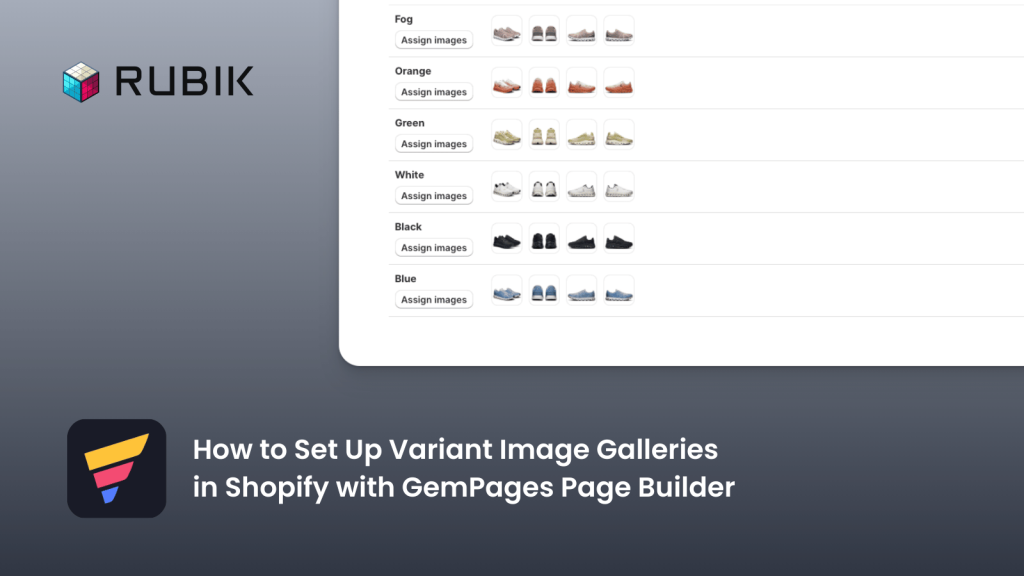
To solve this issue, we use the integration between GemPages Landing Page Builder and Rubik Variant Images. This integration allows you to show multiple variant-specific images without cluttering your product gallery.

Here’s how you can set it up:

  1. Install Rubik Variant Images from the Shopify App Store.
  2. Complete the onboarding process and configure your first product by assigning multiple images to each variant. This ensures your images are displayed variant-specifically.
  3. Go to the Activated Themes section in the app and enable the Rubik Variant Images embed for your theme.
  4. On the same page, scroll down to the Theme Selection area and select GemPages Page Builder, then save your changes.
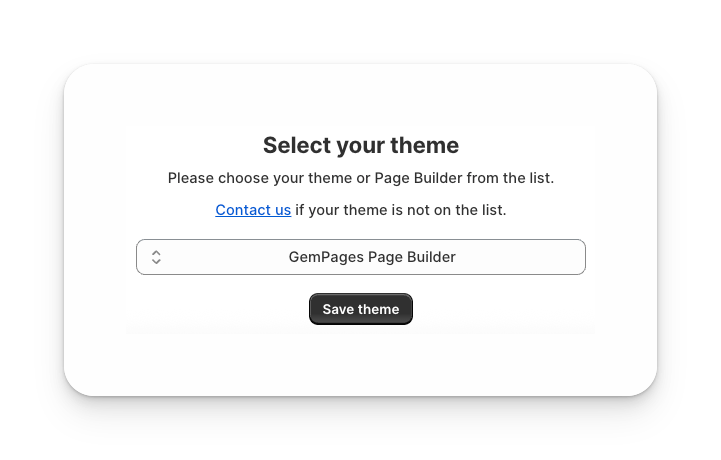
That’s it – you’re ready to go! Now you can test your product page and see multiple variant images displayed correctly within GemPages.

FAQ

Can I use GemPages to show variant-specific images in Shopify?

By default, GemPages does not allow variant-specific image assignments. You need to integrate it with Rubik Variant Images to display multiple relevant images for each variant.

How do I add multiple variant images on my GemPages product pages?

Install Rubik Variant Images from the Shopify App Store, complete the onboarding, and assign images per variant. Then activate the app embed for your theme and select GemPages in the theme settings.

Will my GemPages product page design stay the same after enabling Rubik Variant Images?

Yes, your design and layout will remain the same. Rubik simply controls which images are displayed based on the variant selected, keeping your GemPages layout intact.

Does using variant-specific images improve conversions?

Yes. Showing customers the exact images for the selected variant reduces confusion, builds trust, and increases conversion rates.

Can I use Rubik Variant Images with other page builders besides GemPages?

Yes. Rubik Variant Images supports all Shopify themes and major page builders. For unsupported themes or builders, you can contact support for custom integration help.

How to Show Multiple Relevant Variant Images with Instant Page Builder

Umid Aydemir

Co-Founder of Rubik Variant Images & Swatch

Post navigation

Previous
Next

Search

Categories

  • Affiliate Program (1)
  • App Comparison (8)
  • Integrations & Partnerships (15)
  • Rubik Combined Listings (10)
  • Rubik Variant Images Guides (121)
  • Rubik Variant Images Theme Compatibility (55)
  • Shopify Dropshipping (1)
  • Shopify News (3)
  • Shopify Tips & Tutorials (148)
badge shopify app store dark

Trending Posts

  • Shopify variant images FAQ with 30 questions
    Shopify variant images FAQ: 30 questions merchants actually ask
    March 29, 2026
  • List of All Shopify Theme Store IDs (Updated 2025)
    List of All Shopify Theme Store IDs (Updated 2025)
    September 16, 2025
  • How to Display Featured Image on Collection Pages but Hide Them on Product Pages
    How to Show a Featured Image on Collection Pages and Hide It on Product Pages
    September 12, 2025
  • How to Show Variants as Separate Products on Shopify Collection Pages stamp
    How to Show Variants as Separate Products on Shopify Collection Pages
    September 15, 2025
  • How to add color swatches to Shopify
    How to add color swatches to Shopify (no code)
    April 3, 2026
  • image 5
    How to Display Multiple Variant Images with Rubik Variant Images on Instant Page Builder ?
    April 9, 2025
  • Activate Variant Image Swatches in All New Shopify Free Themes Horizon Themes Without Code or App
    Activate Variant Image Swatches in All New Shopify Free Themes (Horizon Themes) – Without Code or App
    June 9, 2025
  • how to find theme store id shopify
    How to Find Your Theme’s Shopify Theme Store ID (2025 Guide)
    April 21, 2025
  • Rubik Variant Images
    Shopify Multiple Variant Images – How to Display Images Specific to the Selected Variant?
    March 3, 2025
  • Top 10 Shopify Product Variant Swatch Apps and Alternatives in 2025 rubik
    Top 10 Shopify Product Variant Swatch Apps and Alternatives in 2025
    May 20, 2025

Related Posts

print on demand shirt mockups in several colors, each variant card showing its matching mockup
Rubik Variant Images Guides

Printify and Printful variant images not matching on Shopify? The fix

June 3, 2026

Printify variant images on Shopify showing the wrong color? The fix is Rubik Variant Images, which filters the gallery so each variant shows only its own photos.

a shopify product page where selecting a blue swatch filters the gallery so only blue photos remain and other colors fade out
Rubik Variant Images Guides

Shopify shows all images for every variant? Here is how to show only the right ones

June 3, 2026

Shopify shows all images for every variant because the native gallery isn’t filtered. Here is how to show only the right images per variant with Rubik Variant Images.

a single color variant expanding into a small gallery of several photos of the same color
Rubik Variant Images Guides

Shopify only lets you add one image per variant? How to show multiple

June 3, 2026

Shopify only lets you pick one image per variant. Here is why, and how to show multiple images per variant on the product page with Rubik Variant Images.

a cluttered product gallery being tidied so only the selected color photos remain
Rubik Variant Images Guides

Shopify product page cluttered with every variant photo? Clean it up

June 3, 2026

Shopify product page too many variant photos? Here is why the gallery shows them all, and how Rubik Variant Images filters it down to one variant.

  • Documentation
  • Partners
  • Privacy Policy
  • Affiliate
cratshift logo beyaz

We are a Shopify Partner offering high-quality app solutions crafted for Shopify.

Our Apps
  • Smart Bulk Image Upload
  • Export Product Images
  • Bulk Delete Products
  • Rubik Variant Images
Quick Links
  • Pricing
  • Contact Us
  • FAQ
  • Blog
Blog Categories
  • Shopify Tips & Tutorials
  • Rubik Variant Images Guides
  • Integrations & Partnerships
  • Shopify News
cropped rubikvariantimageslogo

© 2025 Rubik Variant Images by Craftshift®

All rights reserved.



