Best Shopify apps for apparel product pages (2026)
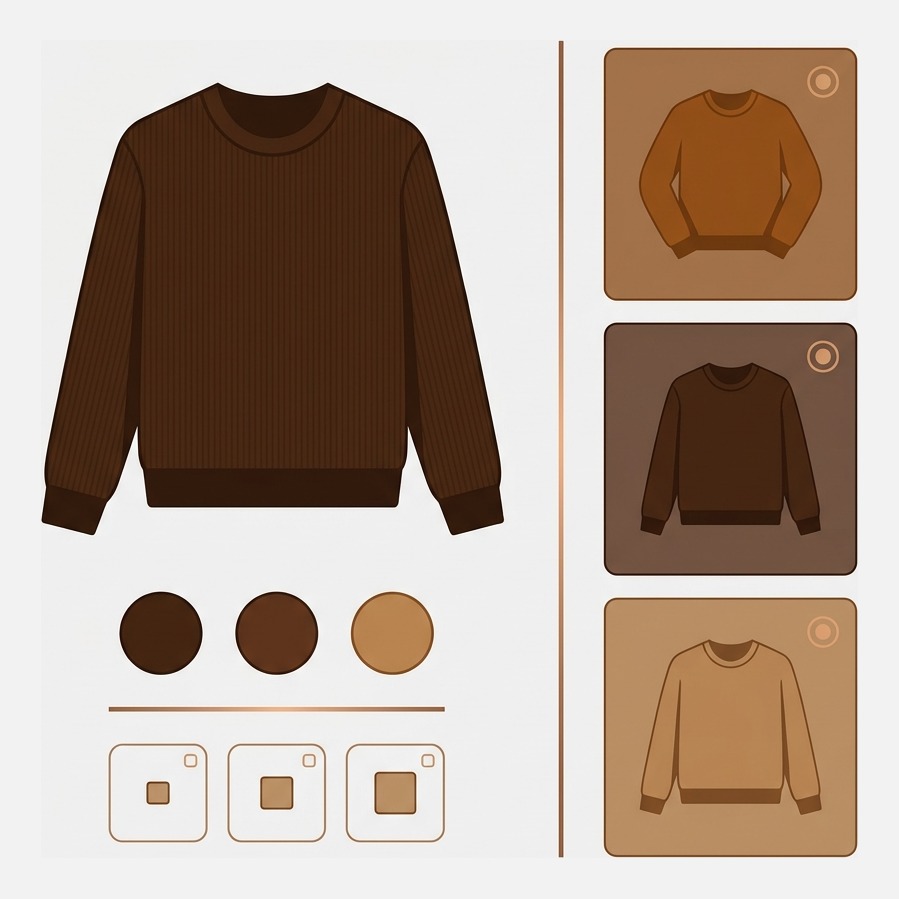
Short answer: an apparel product page has to answer two questions before anything else, which colour is this and will it fit. Rubik Variant Images, built by Craftshift, filters the gallery to the colourway a shopper picked and turns the variant picker into swatches. Free to install, 5.0 stars across 436 reviews. Kiwi handles the sizing half at 4.8 across 1,085.
Apparel is the category Shopify’s product model fits worst. Picture a mid-size clothing catalogue: 400 styles, nine colourways on the bestsellers, six sizes, and a photographer who shot every colour on a model plus flat lays plus a fabric detail. That is forty or fifty images on one product, and Shopify shows a shopper exactly one of them as “the” image for the variant they selected. The other forty stay on the page in gallery order, in whatever colour they happen to be.
Then the second question. Does a size 12 in this brand mean a size 12? The shopper cannot try it on, so they either find your measurements or they buy two sizes and send one back. One costs conversion, the other costs margin.
Disclosure before the list: we build Shopify apps ourselves. Craftshift makes Rubik Variant Images, and it appears below at the position the App Store’s own review count puts it, which is sixth of eight, flagged as ours. Four apps here have a longer track record and a bigger review sample than we do. Where one of them is the better buy, that is written in its section rather than buried.
In this guide
- How this list is ordered
- The five jobs an apparel product page has to do
- The comparison table
- Loox Product Reviews
- STOQ Preorder and Back In Stock
- Color Swatch King: Variants
- GLO Color Swatch Variant Image
- Kiwi Size Chart and Recommender
- Rubik Variant Images and Swatch (ours)
- MB Push Down Hide Out of Stock
- Fit Quiz Size Recommender
- How to choose
- FAQ
How this list is ordered
By Shopify App Store review count, highest first. We sell into this category, so a ranking we authored would be worth nothing to you. Review volume is public and checkable. Every rating, count, launch date and price below was read off the live listing on 29 July 2026, and those numbers move, so verify before you install anything.
The five jobs an apparel product page has to do
Strip the design language away and a clothing product page is doing five things. Show the right colourway. Let the shopper switch colours without reading a dropdown. Give measurements they trust. Handle the sizes that are gone without making the product look dead. And prove the garment looks like the photo on an actual person.
Every app below owns one or two of those jobs. None owns all five. Run your own page against the list first: our free variant image checker counts how many of your products have images not mapped to a variant at all, which is usually a more depressing number than merchants expect.
One structural fact worth having in mind while you read. Shopify permits three option types per product. Colour, size, and one more, and for apparel that third slot goes to length, fit or fabric and then it is spent. The variant ceiling went up to 2,048 in October 2025, but the option ceiling did not move, which is why so many clothing catalogues end up split into separate products per colour. More on that in the breakdown of Shopify’s variant limits.
The best apparel product page apps compared
Ratings, review counts, launch dates and prices read off each App Store listing on 29 July 2026.
| App | Job on the page | Rating | Reviews | Live since | Price |
|---|---|---|---|---|---|
| Loox Product Reviews | Photo and video reviews, fit proof on real bodies | 4.9 | 8,803 | 2015 | Free, then $49.99 (300 orders), $299.99 |
| Preorder, Back In Stock: STOQ | Notify me and preorder on sold out sizes | 5.0 | 3,424 | 2021 | Free (10 preorders), $10, $29, $69 |
| Color Swatch King: Variants (StarApps) | Swatches on the picker, deep configuration | 5.0 | 2,743 | 2019 | $5 to $99.90 by Shopify plan |
| GLO Color Swatch Variant Image (Globo) | Swatches plus variant image preview | 5.0 | 1,666 | 2021 | Free, Silver $9.90, Gold $19.90 |
| Kiwi Size Chart & Recommender | Size charts and a size recommender | 4.8 | 1,085 | 2018 | Free (2 charts), $6.99, $12.49, $24.49 |
| Rubik Variant Images & Swatch (ours) | Filters the gallery per colourway, swatch picker, product card swatches | 5.0 | 410 | 2024 | Free (1 product), $25, $50, $75 flat |
| MB Push Down Hide Out of Stock (merchbees) | Pushes sold out products down the collection grid | 4.8 | 137 | 2020 | Free (50 products), $4.99, $8.99, $13.99 |
| Fit Quiz: Size Recommender | Quiz-based size recommendation | 4.4 | 34 | 2021 | $35, $125, $250 plus $0.15 per recommended add to cart |
Loox Product Reviews: proof the garment looks like the photo
4.9 stars across 8,803 reviews, on the App Store since October 2015, Built for Shopify. The free Beginner plan is unusually generous: review request emails and reminders, discounts offered in exchange for photo reviews, 17 or more widget types, full customisation, Google rich snippet schema and Shop app syndication. Convert at $49.99 covers 300 orders and adds video reviews, AI highlights, summaries and translations, and referrals, with $50 per additional 300 orders.
Why it leads an apparel list rather than a generic one: photo reviews on clothing are fit evidence. A shopper looking at ten customer photos of the same dress on ten different bodies is doing sizing research your size chart cannot do.
Honest limitation: video reviews, the format doing the most work for apparel, sit behind the $49.99 tier, and that tier meters by order volume so the bill grows with the store. Judge.me is the bigger app by review count in this category and is worth pricing against it if budget is the constraint.
STOQ Preorder and Back In Stock: the sold out size problem
5.0 across 3,424 reviews, live since November 2021, Built for Shopify. Free covers 10 preorders and 30 emails a month with the notify me and preorder widgets, unlimited registrations and automatic restock alerts. Lite at $10 raises that to 100 preorders and 1,000 email or SMS alerts and removes branding. Pro at $29 covers 400 preorders and 2,000 alerts. Unlimited at $69 removes the caps.
In apparel the sold out size is not an edge case, it is the middle of your size curve going first. A medium selling out on your bestseller means the highest-demand item on the page now converts worse than the slow movers.
Honest limitation: alerts are metered, and SMS is $0.025 each on top. If your restock cycle is slow, you are paying to hold a list you cannot yet serve. It also does nothing about how the sold out option looks in the picker, which is a different job, covered in our roundup of apps that hide or cross out sold out variants.
Color Swatch King: Variants: the deepest swatch configurator
5.0 across 2,743 reviews, live since July 2019, Built for Shopify, and by review sample the most established swatch app on the platform. It replaces variant dropdowns with colour or image swatches, offers a large configuration surface for shape, size and behaviour, and its listing states support for size charts, filter and search, Shopify Markets and B2B.
That Markets line is a real advantage over us and we are not going to talk around it: Rubik does not support Shopify Markets. If you run market-specific catalogues, that decides it before any other feature matters.
Honest limitation: pricing is tied to your Shopify plan, from $5 a month on Pause and Build up to $99.90 on Plus, for identical functionality. A Plus store pays twenty times a Basic store for the same swatches. That model is common in this category and we think it is indefensible, which is why our own pricing is flat, but it is a preference rather than a fact about quality.
GLO Color Swatch Variant Image: the best free swatch tier
5.0 across 1,666 reviews, live since March 2021, Built for Shopify. The free plan covers unlimited products with colour swatches, variants shown on collection pages, multi-language support, hiding out of stock options, one product group and one bundle combo. Silver at $9.90 adds image swatches, variant image preview and six or more extra display styles. Gold at $19.90 opens up unlimited product groups and bundle combos.
For a store that just wants colour circles instead of a dropdown and has no budget, this is the strongest free tier in the swatch category. Full stop.
Honest limitation: image swatches, which is what most apparel stores actually want because a printed fabric cannot be represented by a flat colour, are a paid feature. And “variant image preview” is not the same thing as filtering the gallery: it swaps what the swatch shows, it does not remove the other forty photos from the page. Worth understanding the difference, which we cover in image swatches versus colour swatches.
Kiwi Size Chart and Recommender: the sizing half of the page
4.8 across 1,085 reviews, live since March 2018, Built for Shopify. The free plan publishes two size charts with 17 pre-built templates, automatic unit detection by customer location and unlimited CSV chart uploads, with a Kiwi watermark. Premium at $6.99 removes the watermark and raises the limit to 10 charts. Plus at $12.49 adds up to 10 custom size recommenders with performance analytics. Ultimate at $24.49 goes unlimited with 22 languages.
The recommender is the part worth paying for. A chart tells a shopper their measurements; a recommender takes height, weight and fit preference and names a size. That is the difference between information and a decision.
Honest limitation: the recommender lives on the $12.49 tier and above, the free plan carries branding, and the Plus and Ultimate tiers add order-volume charges on top of the headline price. Read that line on the listing rather than the plan name. Full comparison of the category in the size chart app roundup.
Rubik Variant Images and Swatch (ours): the colourway gallery
5.0 across 436 reviews, live since October 2024, Built for Shopify. This is ours, so treat the description as a spec sheet rather than a recommendation. It assigns a separate set of images to every variant and filters the product gallery so a shopper who selects Sage sees the sage photographs and not the other eight colourways. It turns the variant picker into colour or image swatches, and it can put those swatches on product cards in the collection grid for that product’s own variants. Loading is metafield-based with no external API calls.

Two things exist because apparel catalogues are large. AI auto-assign reads the product name, the variant name, the image filename and the image alt text to map images to variants one product at a time. Bulk assign is different and gets confused with it constantly: it groups by Shopify gallery order using featured images as boundaries, no AI involved, running in the background across the catalogue. If your photographer delivers colour blocks in order, bulk assign is the faster route by a distance.
“The app really delivers what it promises. I can navigate through the different options easily. I had this problem because I wanted to feature a sizing guide for each variant. I searched many other options. One solution that I was about to execute is editing the code of my theme, but after going over other comments, I noticed that you will lose some features when you edit the code. I eventually decided to use Rubik Variant Images & Swatch. It integrated perfectly to my theme without any problem. I would recommend this app to anyone looking to solve the same problem.”
Anonymous merchant, March 2026, Rubik Variant Images on the Shopify App Store
Pricing is flat and does not read your Shopify plan: free for one product, $25 for 100, $50 for 1,000, $75 unlimited. Themes are handled natively across 420 or more, including the Dawn and Horizon families, with custom themes mapped by support.
Where it is the wrong pick, plainly. If your colours live as separate Shopify products rather than as variants of one product, this app cannot connect them, because it works within a single product. That job belongs to collection page swatches across separate colour products, which is a different app. If you need Shopify Markets, we do not support it and Color Swatch King says it does. And 436 reviews against 2,743 is a much smaller sample, which is a fair thing to weigh.
You can see it running on a live storefront in the demo store, or read the setup steps in the getting started guide.
MB Push Down Hide Out of Stock: tidying the grid
4.8 across 137 reviews, live since December 2020, Built for Shopify. Free covers 50 products and 100 collections, pushing sold out products to the bottom of a collection, hiding and redirecting them, unhiding them on restock and tagging them, all in real time. Basic at $4.99 raises it to 500 products, Professional at $8.99 to 5,000, Advanced at $13.99 to 10,000 products and 300 collections.
End of season is when this earns its money. A collection page where the first two rows are all sold out reads as a closing-down sale, and shoppers leave without scrolling.
Honest limitation: this operates at product level on the collection grid, not at variant level in the picker. A shirt with the medium gone is still in stock as a product, so this app will not touch it, and that is by design. For the picker side, see hiding sold out variant swatches.
Fit Quiz Size Recommender: the specialist option
4.4 across 34 reviews, live since November 2021, no Built for Shopify badge. Starter at $35 a month covers design customisation, multi-lingual support, size recommendations for shoes and apparel and a performance dashboard. Pro at $125 adds multiple size scales, fit, width and length recommendations and advanced reporting. Premium at $250 adds white labelling and custom recommendation logic.
Honest limitation, and it is a big one: every tier adds $0.15 per item added to cart with a Fit Quiz recommendation, uncapped. That is a usage fee on your own conversions, and it scales with success rather than with cost. 34 reviews is also the smallest sample here by a wide margin. Kiwi’s recommender at $12.49 flat is the cheaper answer for most stores; Fit Quiz makes sense when multiple size scales and width or length fitting genuinely matter.
How to choose in about a minute
Do not buy a stack. Buy in the order your page bleeds.
- Colours as variants of one product? Then the gallery is your first problem, and swatches are the second. GLO free if budget is zero, Color Swatch King if you need Markets, ours if you need the gallery to actually filter rather than just reorder.
- Colours as separate products? None of the product page apps here will connect them. That is a grouping problem, and it lives on the collection page.
- Returns clustering on size? Kiwi at $12.49 with the recommender turned on, before anything visual. Sizing beats styling every time in apparel.
- Sizes selling out mid-season? STOQ free, then $10 when the list outgrows it.
An opinion, since a roundup without one is just a spreadsheet. The most common apparel product page mistake is not a missing app. It is shooting nine colourways beautifully and then letting Shopify present them as one undifferentiated pile, so the shopper who wanted sage scrolls past olive, navy and bone and quietly decides the sage must not be very nice. You already paid for those photographs. Sketch the picker you actually want in the free swatch preview tool and count your options against the ceiling with the variant limit checker.
FAQ
Which app should I use for an apparel product page with many colourways?
If the colourways are variants of one product, Rubik Variant Images (5.0 stars, 436 reviews, free to install for one product) filters the gallery to the selected colourway and turns the picker into swatches. If you only need swatches and no gallery filtering, GLO Color Swatch is free and Color Swatch King (5.0, 2,743 reviews) has the deepest configuration and supports Shopify Markets, which we do not.
Do I need both a swatch app and a variant image app?
Usually not, because several apps do both. A swatch app changes how options are selected. A variant image app changes what the gallery shows after selection. Rubik Variant Images, GLO and Color Swatch King each cover both jobs to different depths, so check which half of the problem is actually costing you before paying two subscriptions.
What is the cheapest apparel product page stack?
Loox free for photo reviews, GLO free for swatches, Kiwi free for two size charts, STOQ free for 10 preorders a month. Zero. It carries limits (Kiwi branding, STOQ’s 30 emails, GLO’s paid image swatches) but a small store can run a complete apparel product page on free tiers and upgrade only where it hurts.
Why does my product page show images for colours the shopper did not select?
Because Shopify assigns one featured image per variant and leaves the rest of the gallery untouched. Selecting Sage changes the main image, then the thumbnails below it still run through every colour you photographed. Filtering the gallery per variant needs an app, or theme code edits that break on the next theme update.
Do size charts actually reduce apparel returns?
A chart alone helps less than merchants hope, because it hands the shopper a measuring task. A recommender that converts height, weight and fit preference into a size does more, which is why Kiwi puts it on a higher tier and Fit Quiz built an entire product around it. Measure it as your bracketing rate, meaning orders containing two sizes of the same style.
Should sold out sizes be hidden or crossed out?
Crossed out, in almost every case. Hiding a size makes the range look narrower than it is and removes the signal that the size exists at all, which is the signal a back in stock alert depends on. Hide the option only when the variant is retired for good rather than temporarily out.
Related reading
- Best Shopify colour swatch apps
- Variant images across colour, size and material
- Collection swatches for apparel stores
- Showing the right image for colour and size
- The Shopify product page optimisation checklist
- Grouping size and colour that live as separate products
The cheapest fix on this page
Open your bestselling style on a phone, pick the third colour in the list, and count how many photographs of other colours you have to scroll past before you reach a second image of the one you selected. If the answer is more than zero, that is the number to fix first, and it costs nothing to look.