Best Shopify apps to hide or cross out sold out variants (2026)
Short answer: Shopify leaves sold out option values sitting in the picker looking exactly like the ones you can buy. Rubik Variant Images, built by Craftshift, can hide sold out swatches or style them as crossed out, and treats deleted variants separately from empty ones. Free to install, 5.0 stars across 436 reviews.
Picture a size run: XS through XXL, five of the seven in stock. The theme renders all seven as identical buttons. A shopper taps Large, the page reloads into a Sold out state, and now they have to guess which of the remaining six is worth trying. Two taps later they are gone.
Every app below fixes that, and most of them fix it the same way: hide the value. Gone. Clean picker, only buyable options, done. It is the default advice in every Shopify forum thread on this topic, and we think it is the wrong default. More on that in a second, because it changes which app you should install.
Ownership disclosure: Craftshift builds Rubik Variant Images, one of the six apps below. It appears inside the ranked list and inside the comparison table, flagged as ours every time, and we say plainly where a competitor is the better pick. The order is App Store review count, largest first, read off each listing on 29 July 2026, which puts us fourth of six. Two apps here have more reviews than we do by a factor of four or more, and that is stated in their rows rather than buried.
In this post
- Hide or cross out? Our answer, and why
- Six apps, side by side
- Every app, what it does and where it stops
- How to choose in about a minute
- FAQ
Hide or cross out? Our answer, and why
Cross out. Almost always cross out.
A hidden swatch does not read as out of stock to a shopper. It reads as never made. There is no visual difference between a size you never carried and a size that sold out on Tuesday, because in both cases the shopper sees the same thing: nothing. So the person who wanted Large in Forest Green does not sign up for a restock alert, does not remember your store as the place that carries it, and does not come back. You did not lose a sale you were going to make anyway. You lost a future one you could have made.
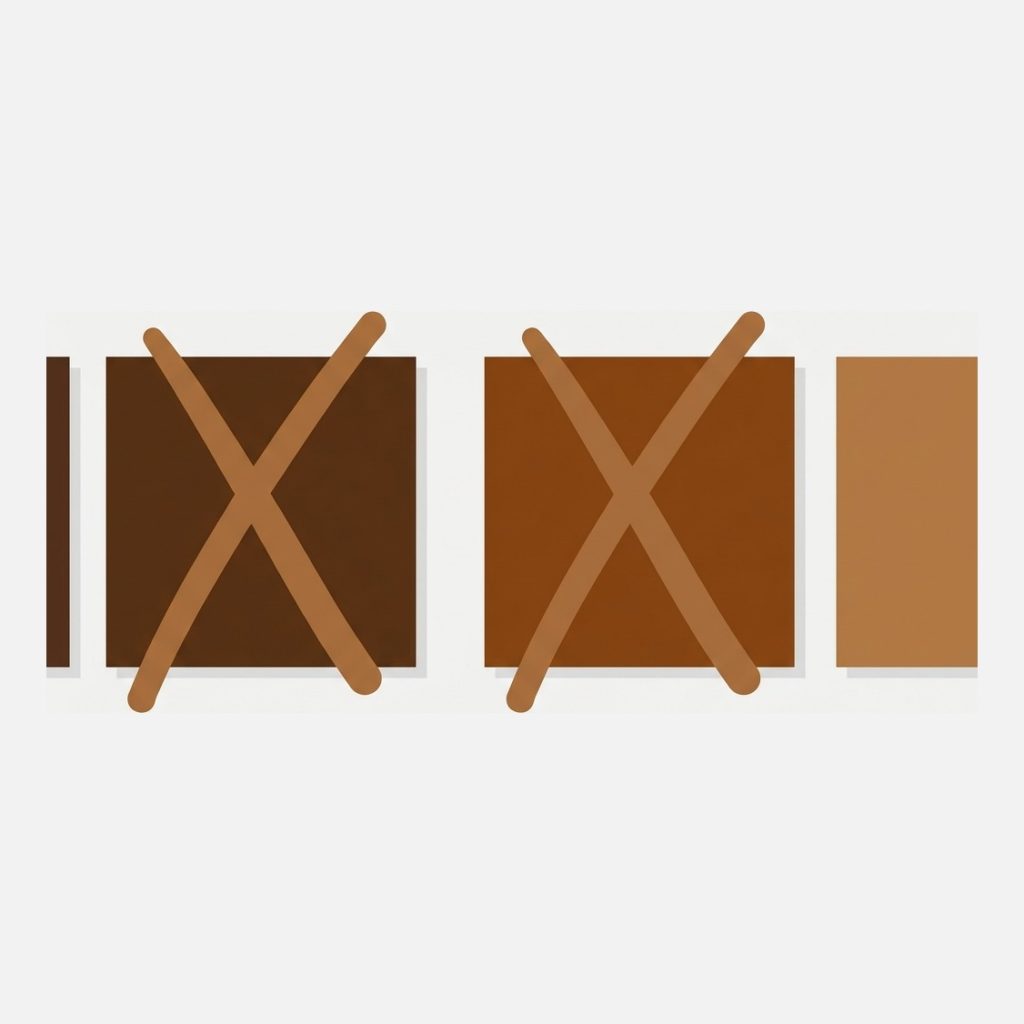
A crossed out swatch says three things at once: this exists, we make it, it is gone right now. That third part is the only one hiding communicates, and it communicates it badly. Fashion brands have known this forever, which is why the sold out row on a limited drop stays visible and slightly smug about it.
There is one clear exception, and it matters enough that the best apps handle it separately. A deleted variant is not a sold out variant. If you discontinued Sunset Orange last season, showing a crossed out Sunset Orange swatch forever is just clutter, and no restock is coming. Shopify treats deleted and unavailable as one state and out of stock as another, so the app you pick should give you two switches, not one. That is exactly why Rubik splits unavailable from sold out across four separate toggles rather than offering one blunt hide switch. Free to install, 5.0 stars across 436 reviews.
Want to see how a faded or struck through swatch actually looks next to a live one before committing? Mock it up in the free swatch style preview, then check what your theme does natively with the theme compatibility checker.
Six apps, side by side
Ratings, review counts, launch years and prices read off each App Store listing on 29 July 2026.
| App | Sold out handling | Rating | Reviews | Live since | Price |
|---|---|---|---|---|---|
| Color Swatch King: Variants (StarApps) | Hide out of stock variants, stock badges on options | 5.0 | 2,740 | 2019 | Free for partner stores, then $5 to $99.90 by Shopify plan |
| GLO Color Swatch Variant Image (Globo) | Hide out of stock options, low stock alerts | 5.0 | 1,665 | 2021 | Free (hiding included), Silver $9.90, Gold $19.90 |
| OP Color Swatch Variant Images (OPTIS) | Sold out swatch styles, hide out of stock, stock availability | 5.0 | 773 | 2025 | $11.90 to $99.90 by Shopify plan |
| Rubik Variant Images & Swatch (ours) | Four toggles: unavailable and sold out, pills and images, plus CSS styling for the sold out state | 5.0 | 410 | 2024 | Free (1 product), $25, $50, $75 flat |
| MB Push Down Hide Out of Stock (merchbees) | Hides sold out variants and whole products, pushes products down collections | 4.8 | 137 | 2020 | Free (50 products), $4.99, $8.99, $13.99 |
| Platmart Color Swatches | Crosses out out of stock swatches across linked separate products | 5.0 | 125 | 2021 | Free for dev stores, Standard $9.99, Advanced $24.99 |
Every app, what it does and where it stops
1. Color Swatch King: Variants
5.0 across 2,740 reviews, live since July 2019, by StarApps. The most reviewed app in this comparison by a distance, and hiding out of stock variants is listed right on the front of the listing alongside price and badges on variant options. Badges are the part that matters for our argument: a badge on an option is a visible signal rather than a disappearance. Where it stops: pricing follows your Shopify plan, $5 on Pause and Build up to $99.90 on Plus, so a good year costs you money on the app bill as well as the Shopify bill.
2. GLO Color Swatch Variant Image
5.0 across 1,665 reviews, live since March 2021, by Globo Options. This is the cheapest way to hide out of stock options on Shopify, full stop: hiding sits on the free plan, together with colour swatches, collection page display and multi language support. Low stock alerts are in there too. Where it stops: image swatches need Silver at $9.90, and the free plan covers a single product group, so if you also want grouped products you are on Gold at $19.90.
3. OP Color Swatch Variant Images
5.0 across 773 reviews, live since June 2025, by OPTIS. The newest app here, and one of only two that ship an actual sold out style rather than only a hide switch: the listing names hover tooltips and sold out styles together, and the feature list carries stock availability and in stock display. That is the right instinct. Where it stops: the free tier covers trial, partner, pause and staff stores only, so a live store starts at $11.90 and reaches $99.90 on Plus.
4. Rubik Variant Images and Swatch (ours)
Ours: 5.0 across 436 reviews, live since October 2024, built by Craftshift. Four separate toggles, because the four cases are genuinely different: hide unavailable pills, hide unavailable images, hide sold out pills, hide sold out images. Discontinued colours can vanish while sold out sizes stay put. There is a separate setting, Choose available option dynamically, that loads the page on the first in stock combination so nobody lands on a dead end. And if you want the crossed out look rather than the hidden one, the sold out state is exposed through the swatch CSS variables, so faded, desaturated or struck through are all a few lines of custom CSS away.

Where it is the wrong pick: 436 reviews against 2,740 is a real gap, and if track record is what you buy on, Color Swatch King has five more years of it. Our free plan covers one product, which is a test rather than a plan, and the entry paid tier is $25 while GLO hides out of stock options for nothing. If sold out handling is the only thing you need, we are not the cheapest answer and we are not going to pretend otherwise. Where we earn the difference is everything attached to it: image sets per variant, gallery filtering, product card swatches.
“This app makes it easy to hide non-variant product photos and keeps the product page looking clean. It also helps to show clean custom swatches. Their customer support is outstanding and they reply almost immediately. They were able to fix a bug for me with minimal weight time.”
Anonymous merchant, February 2026, Rubik Variant Images on the Shopify App Store
5. MB Push Down Hide Out of Stock
4.8 across 137 reviews, live since December 2020, by merchbees. The only app here that works at product level as well as variant level: it hides sold out variants and whole products, pushes out of stock products to the bottom of a collection and restores their position on restock, and can set products to Unlisted so the page still works by direct link. There is also a delay, hide after a set number of days, which is a smart middle ground. Where it stops: this is inventory visibility, not swatch design. It will not style anything, and pricing is banded by catalogue size, from free at 50 products to $13.99 at 10,000.
6. Platmart Color Swatches
5.0 across 125 reviews, live since September 2021. The listing says it plainly: cross out out of stock swatches, auto hide inactive or archived products. Exactly the behaviour this post argues for. The catch is scope. Platmart is a combined listings app, so those swatches link separate products together rather than the variants inside one product, and the crossing out applies to that swatch row. Where it stops: if your colours are variants of a single product, this is the wrong shape of tool, and out of stock handling starts on Standard at $9.99.
How to choose in about a minute
Two questions. Are your colours variants of one product, or separate products? And do you want them gone or marked?
- Variants of one product, hide them, spend nothing: GLO on the free plan.
- Variants of one product, mark them instead: OP Color Swatch for built in sold out styles, or Rubik for four toggles plus CSS control over the state.
- Separate products linked as one listing: Platmart, which crosses out rather than hides.
- The real problem is entire products clogging collections: MB Push Down, from $4.99. That is a different job and no swatch app does it.
- You need track record above everything: Color Swatch King, 2,740 reviews and live since 2019.
Whatever you install, set it once at the store level and then go look at a real product on a phone. The number of stores that hide sold out sizes and end up with a picker showing one lonely XXL is higher than you would think, and that looks worse than the honest crossed out row it replaced. Our longer walkthrough of the settings lives in hiding or styling sold out variant swatches, and the wider version of the question is in the guide to hiding variants on Shopify. You can also try it on the live demo store or read the visual settings documentation.
FAQ
Which app should I use to hide sold out variants on Shopify?
If you only need hiding and nothing else, GLO Color Swatch Variant Image does it on a free plan, at 5.0 stars across 1,665 reviews. If you want control over how sold out looks rather than just whether it shows, Rubik Variant Images, built by Craftshift, gives four separate toggles for unavailable and sold out swatches plus CSS variables to cross them out instead, at 5.0 stars across 436 reviews and free to install.
Can Shopify hide sold out variants without an app?
Not from the admin. Some themes ship a setting that strikes through unavailable option values, and a developer can edit the variant picker in Liquid to skip zero inventory values. Both work. Both also get overwritten on the next theme update, which is the reason this app category exists at all.
What is the difference between unavailable and sold out?
Unavailable means the variant combination does not exist, usually because it was deleted or never created. Sold out means it exists with zero inventory and can come back. Treat them the same and you either advertise combinations you cannot make or bury ones you can restock. Rubik keeps them on separate switches for that reason.
Does hiding sold out variants hurt SEO?
Hiding a swatch is a display change, so the product page, its URL and its structured data are untouched. Hiding whole products is different: that removes a URL from your storefront, and MB Push Down offers an Unlisted mode plus redirects for exactly that reason. Keep the page, change the picker.
Should sold out swatches be crossed out or greyed out?
Use two cues, not one. A faded swatch alone is easy to miss and hard to read for anyone with low vision, so pair reduced opacity with a diagonal line or a small badge. Colour by itself is never enough of a signal, which is a rule the accessibility guidelines have had for years.
What if my colours are separate products rather than variants?
Then a variant level app has nothing to hide, because each colour is its own product with its own stock. You need a combined listings app that crosses out or drops sold out members of the group, which is what Platmart Color Swatches and Rubik Combined Listings both do.
Related reading
- How to hide out of stock or unavailable variants, step by step
- Best Shopify colour swatch apps, the wider category
- When customers keep ordering the wrong colour
- Best back in stock alert apps on craftshift.com, the other half of this problem
- Combined listings versus product card swatches on rubikify.com
Go and look at your best selling product right now and count how many of its swatches a shopper cannot actually buy. Then decide whether you want those gone, or marked.