cropped rubikvariantimageslogocropped rubikvariantimageslogo
  • Pricing
  • Help Center
    • FAQ
    • Documentation
    • Video Tutorials
    • Contact Us
    • Questions & Answers
  • Partners
  • Affiliate
  • Blog
badge shopify app store light
Integrations & Partnerships, Shopify Tips & Tutorials

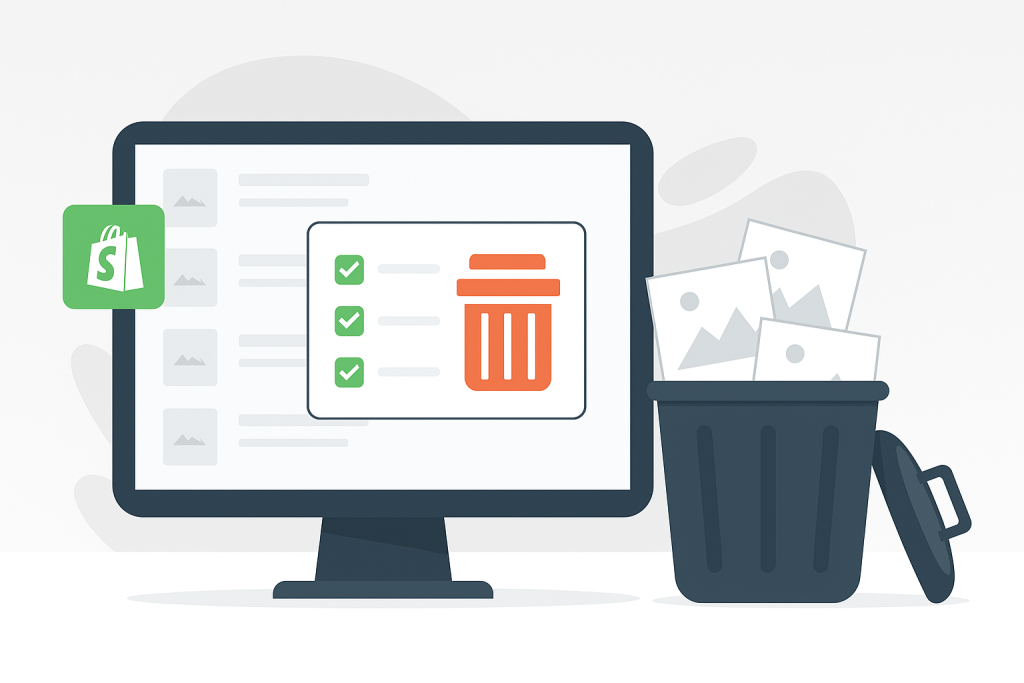
How to Bulk Delete Products in Shopify – Fast, Filtered, and Fully Automated with CS ‑ Bulk Delete Products
May 20, 2025
How to Bulk Delete Products in Shopify Fast Filtered and Fully Automated with CS ‑ Bulk Delete Products

Managing your Shopify inventory shouldn’t be harder than it needs to be. Yet when it comes to deleting products in bulk, Shopify doesn’t provide a built-in way to mass delete products based on specific criteria like stock level, vendor, or collection.

Manually deleting products page by page is not only time-consuming but also incredibly frustrating—especially during large catalog cleanups or seasonal transitions.

That’s why we built CS ‑ Bulk Delete Products, the easiest and most powerful way to batch delete Shopify products based on your own rules.

Why You Might Need to Mass Delete Products

Whether you’re:

  • Resetting a store for a relaunch,
  • Removing discontinued or out-of-season inventory,
  • Clearing out sold out variants,
  • Deleting sample or test products,
  • or simply decluttering your catalog…

…doing it manually is a waste of your time and energy.

Meet CS ‑ Bulk Delete Products

CS ‑ Bulk Delete Products is a powerful Shopify app designed to help you safely and efficiently bulk delete products or product images in just a few clicks—without risking data errors or losing control over the process.

Key Features

  • Mass Delete Products Based on Filters
    Choose from product status (active/draft/archive), stock level, vendor, collection, or creation date.
  • Delete Sold Out Products or Variants
    Instantly remove out-of-stock SKUs or variants based on your filters.
  • Batch Delete Product Images
    Don’t just delete the product—clear out its images too for a clean file structure.
  • Start and Track Deletion Jobs in Real-Time
    Launch a bulk deletion process and monitor its progress live with in-app logs.
  • Archive Instead of Deleting
    Prefer to keep records? You can archive instead of delete, so products remain hidden from customers but accessible to you.
  • Save Hours of Work
    What takes hours manually now takes minutes—perfect for stores with large catalogs.

When Should You Use CS ‑ Bulk Delete Products?

  • At the end of a season or sales campaign
  • After importing test/demo products
  • When cleaning up discontinued items
  • To reset inventory before a major store redesign
  • During a migration between suppliers or platforms

How It Works

  1. Install the app from the Shopify App Store
  2. Apply filters (e.g., sold out, vendor, or collection-based)
  3. Choose what to delete: products, variants, or just product images
  4. Start the job and monitor it in real-time
  5. Sit back while your product catalog gets cleaned up automatically

No CSVs, no manual deletions, no wasted time.

Time to Clean Up Your Catalog?

If you’re tired of deleting products one by one, this app is for you.
👉 Bulk Delete Products on Shopify with CS ‑ Bulk Delete Products

Umid Aydemir

Co-Founder of Rubik Variant Images & Swatch

Post navigation

Previous
Next

Search

Categories

  • Affiliate Program (1)
  • App Comparison (7)
  • Integrations & Partnerships (15)
  • Rubik Combined Listings (10)
  • Rubik Variant Images Guides (100)
  • Rubik Variant Images Theme Compatibility (48)
  • Shopify Dropshipping (1)
  • Shopify News (3)
  • Shopify Tips & Tutorials (148)
badge shopify app store dark

Trending Posts

  • List of All Shopify Theme Store IDs (Updated 2025)
    List of All Shopify Theme Store IDs (Updated 2025)
    September 16, 2025
  • Shopify variant images FAQ with 30 questions
    Shopify variant images FAQ: 30 questions merchants actually ask
    March 29, 2026
  • How to Display Featured Image on Collection Pages but Hide Them on Product Pages
    How to Show a Featured Image on Collection Pages and Hide It on Product Pages
    September 12, 2025
  • How to Show Variants as Separate Products on Shopify Collection Pages stamp
    How to Show Variants as Separate Products on Shopify Collection Pages
    September 15, 2025
  • Activate Variant Image Swatches in All New Shopify Free Themes Horizon Themes Without Code or App
    Activate Variant Image Swatches in All New Shopify Free Themes (Horizon Themes) – Without Code or App
    June 9, 2025
  • Rubik Variant Images
    Shopify Multiple Variant Images – How to Display Images Specific to the Selected Variant?
    March 3, 2025
  • image 5
    How to Display Multiple Variant Images with Rubik Variant Images on Instant Page Builder ?
    April 9, 2025
  • how to find theme store id shopify
    How to Find Your Theme’s Shopify Theme Store ID (2025 Guide)
    April 21, 2025
  • Top 10 Shopify Product Variant Swatch Apps and Alternatives in 2025 rubik
    Top 10 Shopify Product Variant Swatch Apps and Alternatives in 2025
    May 20, 2025
  • Overcoming Shopify’s 100 Variant & 250 Image Limit (2025 Guide) white
    Overcoming Shopify’s 100 Variant & 250 Image Limit (2025 Guide)
    September 18, 2025

Related Posts

Variant Image Wizard alternative: 5 Shopify apps to consider in 2026
App Comparison

Variant Image Wizard alternative: 5 Shopify apps to consider in 2026

April 26, 2026

Looking for a Variant Image Wizard alternative on Shopify? Five apps that handle multiple images per variant, with pricing, ratings, and the trade-offs that matter.

Rubik Variant Images on Underground Themes: Testament, Icon, Vantage & More (2026)
Rubik Variant Images Theme Compatibility

Rubik Variant Images on Underground Themes: Testament, Icon, Vantage & More (2026)

April 17, 2026

Underground is a Shopify theme studio from Tunbridge Wells, UK, behind 9 themes including Testament, Icon, Vantage, and Fashionopolism. Here is how Rubik Variant Images works on every Underground theme.

Rubik Variant Images on Shrine Themes: Variant Image Filtering for the No-App Theme (2026)
Rubik Variant Images Theme Compatibility

Rubik Variant Images on Shrine Themes: Variant Image Filtering for the No-App Theme (2026)

April 17, 2026

Shrine markets itself as the no-app theme but has no native variant image filtering. Here is how Rubik Variant Images fills that gap on Shrine Lite, Standard, and Pro.

Rubik Variant Images on Presidio Themes: Palo Alto, Broadcast & Modular (2026)
Rubik Variant Images Theme Compatibility

Rubik Variant Images on Presidio Themes: Palo Alto, Broadcast & Modular (2026)

April 17, 2026

Presidio Creative builds three popular Shopify themes. Here is how Rubik Variant Images handles variant image filtering and swatches on Palo Alto, Broadcast, and Modular.

  • Documentation
  • Partners
  • Privacy Policy
  • Affiliate
cratshift logo beyaz

We are a Shopify Partner offering high-quality app solutions crafted for Shopify.

Our Apps
  • Smart Bulk Image Upload
  • Export Product Images
  • Bulk Delete Products
  • Rubik Variant Images
Quick Links
  • Pricing
  • Contact Us
  • FAQ
  • Blog
Blog Categories
  • Shopify Tips & Tutorials
  • Rubik Variant Images Guides
  • Integrations & Partnerships
  • Shopify News
cropped rubikvariantimageslogo

© 2025 Rubik Variant Images by Craftshift®

All rights reserved.