cropped rubikvariantimageslogocropped rubikvariantimageslogo
  • Pricing
  • Help Center
    • FAQ
    • Documentation
    • Video Tutorials
    • Contact Us
    • Questions & Answers
  • Partners
  • Affiliate
  • Blog
badge shopify app store light
Rubik Variant Images Guides, Rubik Variant Images Theme Compatibility

How to show multiple variant images in Shopify Minimog theme
March 30, 2026
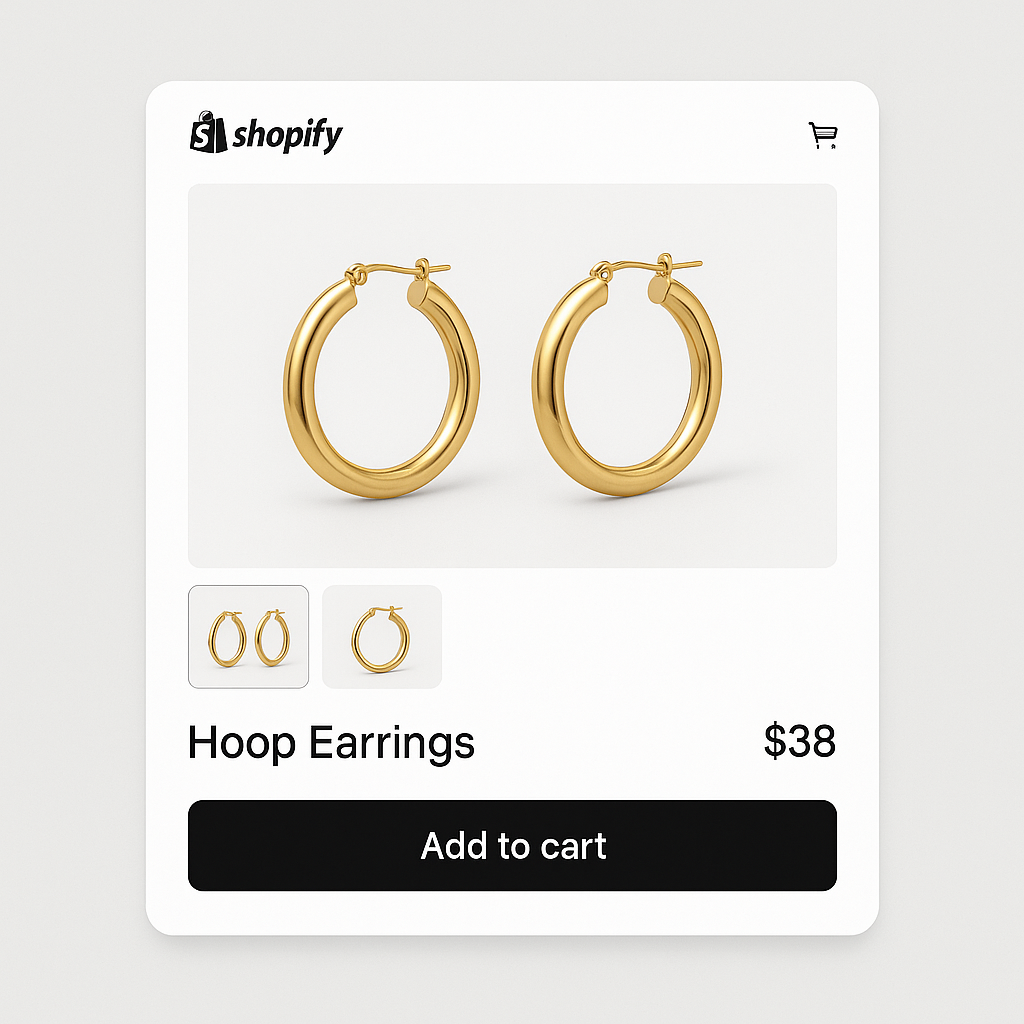
Minimog theme product page with variant swatches for hoop earrings

Minimog is the best-selling Shopify theme on ThemeForest, used by thousands of stores across fashion, electronics, and home goods. It has its own built-in swatch system, but like all Shopify themes, it only supports one image per variant natively. If you sell a product in 10 colors with 4 photos each, the gallery shows all 40 images at once.

Rubik Variant Images supports Minimog as a ThemeForest theme (ID range 99990001+). It assigns multiple images per variant, filters the gallery when a customer picks a color, and can replace or work alongside Minimog’s native swatch system.

In this post

  • What you get on Minimog with Rubik
  • Minimog-specific details
  • Setup (5 minutes)
  • Frequently asked questions
  • Related reading

What you get on Minimog with Rubik

  • Multiple images per variant. Assign unlimited images, videos, and 3D models to each variant. Gallery updates instantly when a customer switches colors.
  • Visual swatches. Color circles, image thumbnails, or pill buttons. Mix types per option (images for Color, pills for Size).
  • AI auto-assign. The app analyzes product photos and matches them to the correct variants automatically.
  • Common images. Keep lifestyle shots or size charts visible for all variants.
  • No code editing. Works through Shopify’s app embed. No Minimog theme files modified.
  • Shadow DOM isolation. Rubik’s swatches render in Shadow DOM, so Minimog’s CSS cannot break them and vice versa.

Minimog-specific details

Minimog has its own swatch and variant system that differs from standard Shopify themes. Rubik detects Minimog’s ThemeForest architecture and adapts its variant detection accordingly. The gallery filtering works with Minimog’s slider-based product gallery, including the thumbnail strip and zoom functionality.

If you already use Minimog’s built-in color swatches, you can either replace them with Rubik’s swatches (more customization, Shadow DOM isolation, 100+ CSS variables) or keep Minimog’s swatches and use Rubik only for the gallery image filtering. Toggle Show native swatches in Rubik Settings to fall back to Minimog’s variant selector while keeping Rubik’s image filtering active.

Rubik supports all ThemeForest themes in the 99990001+ ID range, including Minimog, Ella, Shella, Turbo, Debutify, and Kalles.

Setup (5 minutes)

  1. Install Rubik Variant Images from the Shopify App Store.
  2. Enable the app embed: Theme editor > App embeds > Toggle on Rubik Variant Images.
  3. Open a product in the Rubik app. Assign images to variants manually or use AI auto-assign.
  4. Save and preview. Visit the product page on your Minimog store. Select different colors and confirm the gallery filters.

For stores with many products, use bulk assign to match images by filename across your catalog. Full guide: how to show only selected variant images.

Watch It in Action

See how to set up multiple variant images in Shopify:

Try Rubik Variant Images free

Frequently asked questions

Does Rubik work with Minimog theme?

Yes. Rubik supports all ThemeForest themes including Minimog. It detects Minimog’s gallery structure and adapts its image filtering automatically.

Can I keep Minimog’s built-in swatches?

Yes. Toggle “Show native swatches” in Rubik Settings to keep Minimog’s variant selector. Rubik will only handle image filtering while Minimog handles the swatch display.

Will it conflict with Minimog’s swatch system?

Rubik renders swatches in Shadow DOM, isolated from Minimog’s CSS. No visual conflicts. If you want Rubik swatches instead of Minimog’s, disable Minimog’s swatch feature and let Rubik handle both swatches and image filtering.

Related reading

  • Focal theme variant images guide
  • Variant images FAQ: 30 questions answered
  • Every variant image app compared: 2026 guide
  • What are combined listings?

Umid Aydemir

Co-Founder of Rubik Variant Images & Swatch

Post navigation

Previous
Next

Search

Categories

  • Affiliate Program (1)
  • App Comparison (3)
  • Integrations & Partnerships (15)
  • Rubik Combined Listings (4)
  • Rubik Variant Images Guides (45)
  • Rubik Variant Images Theme Compatibility (20)
  • Shopify Dropshipping (1)
  • Shopify News (3)
  • Shopify Tips & Tutorials (64)
badge shopify app store dark

Trending Posts

  • List of All Shopify Theme Store IDs (Updated 2025)
    List of All Shopify Theme Store IDs (Updated 2025)
    September 16, 2025
  • How to Display Featured Image on Collection Pages but Hide Them on Product Pages
    How to Show a Featured Image on Collection Pages and Hide It on Product Pages
    September 12, 2025
  • How to Show Variants as Separate Products on Shopify Collection Pages stamp
    How to Show Variants as Separate Products on Shopify Collection Pages
    September 15, 2025
  • Activate Variant Image Swatches in All New Shopify Free Themes Horizon Themes Without Code or App
    Activate Variant Image Swatches in All New Shopify Free Themes (Horizon Themes) – Without Code or App
    June 9, 2025
  • how to find theme store id shopify
    How to Find Your Theme’s Shopify Theme Store ID (2025 Guide)
    April 21, 2025
  • image 5
    How to Display Multiple Variant Images with Rubik Variant Images on Instant Page Builder ?
    April 9, 2025
  • Rubik Variant Images
    Shopify Multiple Variant Images – How to Display Images Specific to the Selected Variant?
    March 3, 2025
  • Top 10 Shopify Product Variant Swatch Apps and Alternatives in 2025 rubik
    Top 10 Shopify Product Variant Swatch Apps and Alternatives in 2025
    May 20, 2025
  • How to Find Your Shopify Theme Store ID (Step by Step Guide)
    How to Find Your Shopify Theme Store ID (Step-by-Step Guide)
    September 16, 2025
  • Overcoming Shopify’s 100 Variant & 250 Image Limit (2025 Guide) white
    Overcoming Shopify’s 100 Variant & 250 Image Limit (2025 Guide)
    September 18, 2025

Related Posts

Website speed dashboard with Core Web Vitals metrics
Shopify Tips & Tutorials

How to speed up your Shopify website: a practical guide for 2026

March 31, 2026

A slow Shopify store loses sales. Here are 12 things you can check and fix today to improve page speed, Core Web Vitals, and mobile performance.

Color swatches with sold-out strikethrough styling
Rubik Variant Images Guides, Shopify Tips & Tutorials

How to hide or style sold-out and unavailable variant swatches on Shopify

March 31, 2026

Unavailable means deleted. Sold out means zero inventory. Rubik handles them separately with 4 toggles. Here is how to configure each.

Mixed swatch types: image swatches for color and pill buttons for size
Rubik Variant Images Guides, Shopify Tips & Tutorials

How to show different swatch types for different options: images for Color, pills for Size

March 31, 2026

Color options look best as image swatches. Size works better as pill buttons. Here is how to mix swatch types on the same product in Rubik Variant Images.

Common images shared across all variants with yoga mat
Rubik Variant Images Guides, Shopify Tips & Tutorials

How to assign the same image to multiple Shopify variants (common images explained)

March 31, 2026

Size charts, lifestyle shots, and packaging photos should show for every variant. Here is how to use common images and shared assignments in Rubik.

  • Documentation
  • Partners
  • Privacy Policy
  • Affiliate
cratshift logo beyaz

We are a Shopify Partner offering high-quality app solutions crafted for Shopify.

Our Apps
  • Smart Bulk Image Upload
  • Export Product Images
  • Bulk Delete Products
  • Rubik Variant Images
Quick Links
  • Pricing
  • Contact Us
  • FAQ
  • Blog
Blog Categories
  • Shopify Tips & Tutorials
  • Rubik Variant Images Guides
  • Integrations & Partnerships
  • Shopify News
cropped rubikvariantimageslogo

© 2025 Rubik Variant Images by Craftshift®

All rights reserved.