Shopify combined listings for jewelry stores
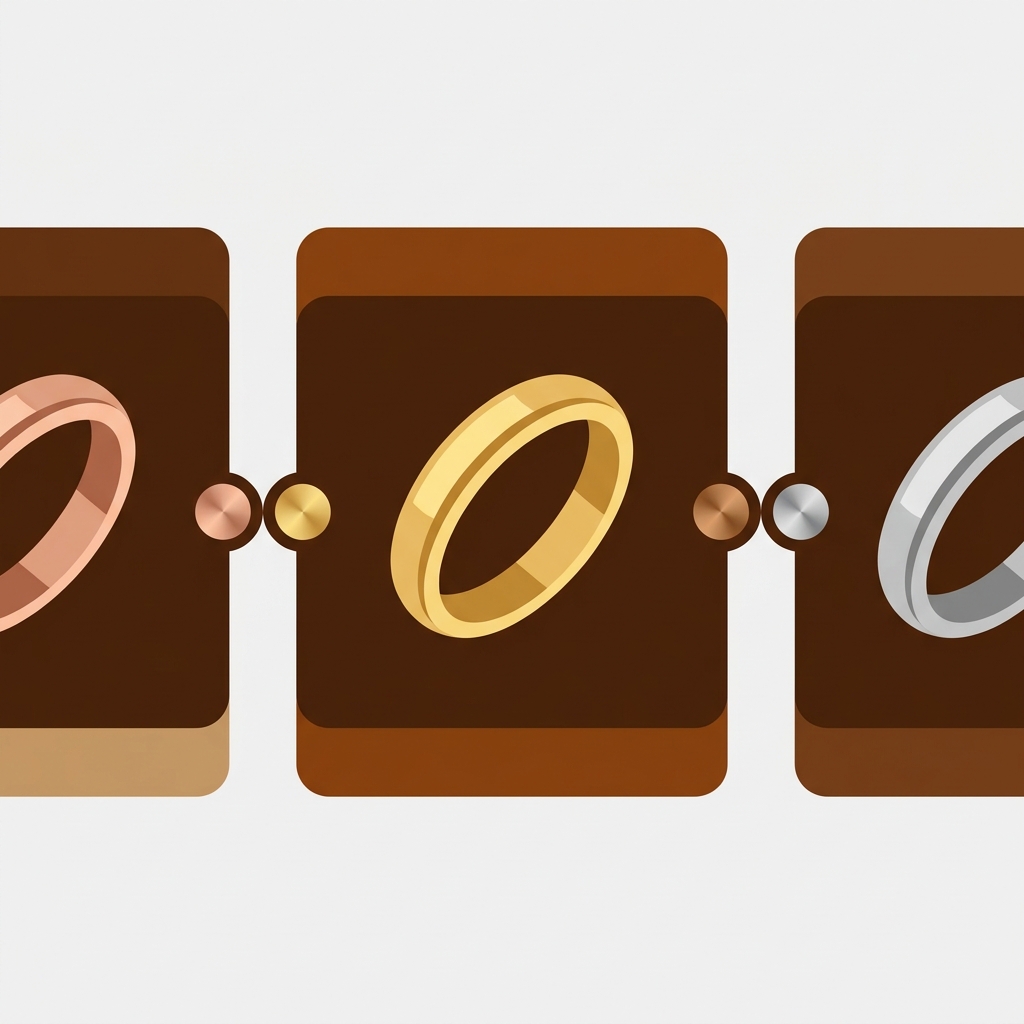
Combined listings for jewelry let you sell yellow gold, white gold, rose gold, silver, and platinum as separate products, each with its own price and URL, then link them so shoppers can switch metals from a single swatch. That last part is the gap most jewelry catalogs never close. The metals get listed as standalone products (because gold at spot price costs nothing like silver), and then they sit there, disconnected, each one ranking on its own while the customer has no idea the same ring exists in four other finishes.
Picture a solitaire ring offered in 14k yellow, 14k white, 18k yellow, and platinum. Four products. Four prices that genuinely differ. Four sets of photos. A shopper lands on the platinum page from a search, sees one finish, and bounces because they wanted rose gold and assumed you don’t carry it. You do. The store just never told them.
This is the exact problem Rubik Combined Listings was built to fix. It links those separate products into one group and renders metal swatches on the collection page and on the grouped product page, so a tap on “rose gold” jumps the customer straight to the rose gold product, with its real price and its real photos. No fake variants. No price-averaging hacks. No Shopify Plus.
And because each metal stays its own product, you keep the SEO juice from every URL. Want to know why that matters more for jewelry than almost any other category? Read on.
In this post
- Why jewelry metals end up as separate products
- What combined listings for jewelry actually fix
- Linking metals with Rubik Combined Listings
- How per-metal pricing stays correct
- Customizing metal swatches
- Per-metal images on the product page
- Where stone and ring size fit in
- Frequently asked questions
Why jewelry metals end up as separate products
Two reasons, and both are good ones. First, price. A ring in sterling silver and the same ring in platinum aren’t a $20 difference. The metal weight, the spot price, the casting cost: they push the platinum version to several times the silver price. Shopify variants share one product and let you set a price per variant, sure, but managing wildly different prices, separate inventory, and separate hallmark details under one product gets ugly fast.
Second, search. Each metal is its own search term. People type “14k rose gold hoop earrings” and “sterling silver hoop earrings” as completely different queries. When yellow gold and rose gold live on one Shopify product, you get one URL, one title, one meta description competing for all of those terms at once. Split them into separate products and each finish gets a dedicated page that can actually rank for its own keyword. That’s not a hack. That’s how jewelry SEO is supposed to work.
So the separate-product structure is correct. The problem isn’t the structure. The problem is that Shopify gives you no native way to tie those products back together for the shopper.

What combined listings for jewelry actually fix
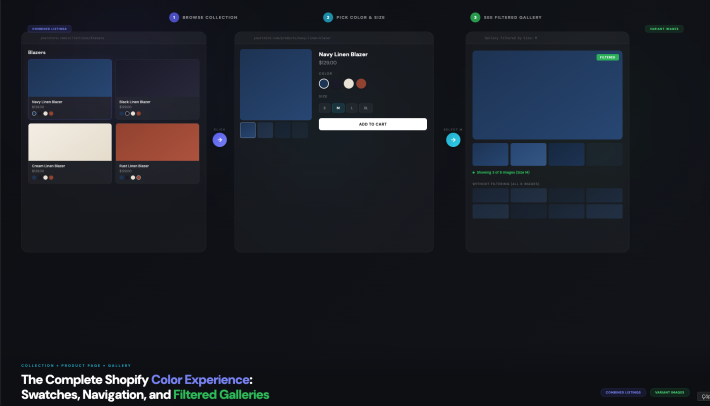
A combined listing is a group of separate products that the storefront presents as one shoppable item. The customer sees swatches. They click a metal. The store swaps to that metal’s product. Behind the scenes, nothing about your catalog structure changed. Each metal still has its own URL, its own price, its own photos, its own inventory count.
Here’s what that fixes, concretely:
- The disconnected catalog. Shoppers finally see that the same ring comes in five finishes, right on the card.
- The wrong-finish bounce. Land on platinum, want rose gold, switch in one tap instead of leaving.
- The duplicate clutter on collection pages. Instead of five near-identical cards stacked in a row, one card carries the swatches.
- The price confusion. Each finish shows its true price, because each is still its own product.
And it does this on both the collection page and the grouped product page. That second one matters. A customer deep in a product page can still browse the metals without hitting the back button. We see that two-surface coverage asked about constantly, so to be exact about scope: Rubik Combined Listings shows the swatches on collection pages and on the grouped product pages, not just one or the other.
There’s a quieter win here too. Combined listings let you sidestep Shopify’s 100-variant limit without paying for Shopify Plus, because you’re never stuffing everything into one product in the first place. For a fine jewelry store with metal times stone times size, that limit gets hit faster than you’d think.
Linking metals with Rubik Combined Listings
You group products three ways with Rubik Combined Listings. Pick whichever matches how your catalog is already organized.
- Manual. Open the resource picker, select the yellow, white, rose gold, and platinum versions of one ring, save the group. Best for a small, curated line.
- Bulk grouping by title pattern. If your products are named like “Aria Solitaire, Yellow Gold” and “Aria Solitaire, Rose Gold,” the app splits on the separator and groups everything that shares the prefix in one pass. It can also auto-detect shared word prefixes across your whole catalog.
- Bulk grouping by tags or metafield. Already tagging products with a style code, or storing the metal in a metafield? The app reads that and builds the groups for you.
For a large catalog, the title-pattern method is the one I’d reach for first. Most jewelry stores already name products with the metal in the title, so the grouping is mostly done before you even open the app. After grouping, there’s AI Magic Fill: it runs inside a group and fills in the empty option value and swatch colors by reading each product’s image and title. It never overwrites what you’ve set, it only fills the blanks. Handy when you’ve grouped 200 rings and don’t want to type “Rose Gold” 200 times.
One thing jewelry merchants love by accident: the swatches sync in real time through Shopify metaobject references. If you sell out of the platinum version, or archive it, or set it to draft, its swatch disappears on its own. No stale swatch pointing at a dead product. No customer clicking through to a sold-out page. We built it that way on purpose, because nothing erodes trust like a swatch that leads nowhere.
How per-metal pricing stays correct
This is the part that trips up every “just use variants” suggestion. With true Shopify variants, you’d set a price per variant under one product, which works until you need separate inventory tracking, separate hallmark info, separate weight for shipping, and a separate page that ranks for “platinum engagement ring.” Then it falls apart.
Combined listings sidestep all of that because pricing is never something the app touches. Each metal is its own product, so each carries its own real price set in Shopify. Platinum shows the platinum price. Silver shows the silver price. When a shopper clicks the platinum swatch, they go to the platinum product, and the price on screen is just the price you set. The app isn’t averaging anything or faking a price range. It’s pointing the customer at the right product, and that product knows what it costs.
Same logic for inventory. Each finish has its own stock count. Sell the last 18k yellow band and only that finish goes unavailable, while the white gold version stays live and its swatch stays clickable. For stores that hand-make pieces and stock one or two per finish, that separation isn’t a nice-to-have. It’s the whole point.
“After using this app, I can confidently say it’s one of the smartest additions we’ve made to our store. What I love most is how deeply customizable it is, you can build virtually any kind of option set. The customer-facing side looks polished and loads fast.”
yezey, March 2026, Rubik Combined Listings on the Shopify App Store
Customizing metal swatches
How should a “rose gold” swatch look? You’ve got two honest options, and jewelry is one of the few categories where the choice genuinely matters.
Option one: a flat metal-tone color. A warm peachy gold for rose, a pale champagne for yellow, a cool grey for platinum, a bright silver-white for sterling. Clean, fast, and it reads instantly at small sizes on a collection card. Option two: a tiny photo of the actual metal, a macro shot of the finish or a close crop of the piece in that metal. More realistic, especially when the difference between white gold and platinum is subtle and a flat swatch can’t quite carry it.
Rubik Combined Listings supports four swatch types, so you’re not boxed in:
- Visual (image) swatches: small metal photos, the realistic route.
- Button swatches: text labels like “18k Yellow” for shoppers who’d rather read the karat.
- Pill swatches: compact rounded labels, good when finish names are short.
- Dropdown: a tidy fallback when a piece comes in eight or more finishes and swatches would crowd the card.
Styling runs on 100+ CSS variables through a visual editor, with custom CSS per group if you want pixel control. There are 19 built-in presets to start from. And the whole thing renders in a Shadow DOM, so the swatch styles are isolated from your theme: no fighting your theme’s CSS, no swatch that looks broken because your jewelry template uses an unusual grid. If typing CSS isn’t your thing, the AI Visual Assistant lets you change the look in plain language (“make the swatches a touch larger”, “round the corners more”). Honestly, for matching a luxury jewelry aesthetic, that back-and-forth is faster than digging through settings.
Per-metal images on the product page
Here’s where a second app earns its keep. Combined listings switch the customer between metal products, but what about a piece sold as one product with, say, a color stone variant or a finish that you’d rather keep as variants than separate products? When a shopper picks a variant on the product page, Shopify often keeps showing the full image gallery, including photos of the other variants. The rose gold lover scrolls past three yellow gold shots.
That product-page image filtering is what Rubik Variant Images handles. It filters the gallery so only the selected variant’s media shows, and it renders product-page swatches too. Pair it with Rubik Combined Listings and you get both surfaces covered: switch metals across products with combined listings, and show only the matching photos within any product that does keep true variants. For a jewelry catalog that mixes both structures (and most do), that’s the full picture.
Both apps load the same way: metafield-based, no external API calls, rendering with the page itself. For jewelry photography that’s already heavy, you don’t want a swatch app phoning a server before the page can finish. Neither of ours does.
Where stone and ring size fit in
Jewelry rarely stops at metal. You’ve also got stone (diamond, sapphire, emerald, moissanite) and ring size. So how do you layer those on?
The clean approach: use combined listings for the axis that needs separate pricing and separate SEO, and keep the rest as true Shopify variants on each product. Metal is almost always the separate-product axis, because metal drives both price and search. Ring size, which usually doesn’t change the price much and nobody searches by size, stays a normal variant dropdown on each metal product. Stone can go either way: if a sapphire version costs a lot more than the diamond and you want it ranking on its own, make it a separate product and add it to the group; if the stones are priced similarly, keep them as variants.
The point is you don’t have to force everything into one model. Combined listings cover the cross-product switching. Native variants cover the within-product options. Where those native variants need clean per-option photos, layer in product-page color swatches and image filtering. It’s a layered setup, and once it’s built, it mostly runs itself.
If you’re coming at this from the collection-page side first, the same grouping logic that works for jewelry works for apparel and more. The walkthrough on how to make separate products act like variants covers the general pattern, and for a broader jewelry stack there’s a roundup of the best Shopify apps for jewelry stores worth a look.
Want to see it first? Check the live combined listings demo store, watch the tutorial video, or read the getting started guide.
Frequently asked questions
Can combined listings handle different prices per metal?
Yes, and it’s the natural way it works. Each metal stays its own Shopify product with its own price, so platinum shows the platinum price and silver shows the silver price. Rubik Combined Listings never touches or averages pricing. It just links the products and points each swatch at the right one.
Do separate metal products hurt my SEO?
No, they help it. Each metal keeps its own URL, title, and images, so “rose gold hoop earrings” and “sterling silver hoop earrings” can each rank on a dedicated page instead of one page competing for both terms. Combined listings give shoppers the switching experience without collapsing those separate pages.
Where do the metal swatches show up?
On collection pages and on the grouped product pages, both. A shopper browsing a collection sees the metal options on the card, and a shopper already on a product page can switch finishes without leaving. Rubik Combined Listings covers both surfaces, not just one.
Do I need Shopify Plus for combined listings?
No. Rubik Combined Listings works on any Shopify plan and does not require Shopify Plus. Because each metal is a separate product rather than one product crammed with variants, you also sidestep the 100-variant limit without upgrading.
Can I make swatches look like real metal?
Yes. Use image swatches with a small photo of the actual finish, or use color swatches with a metal tone (warm peachy gold for rose, cool grey for platinum). The app supports visual, button, pill, and dropdown swatch types, with 100+ CSS variables and 19 presets to match a luxury look.
What happens when one metal sells out?
Its swatch hides on its own. Rubik Combined Listings syncs in real time through Shopify metaobject references, so out-of-stock, archived, and draft products are removed from the group automatically. Shoppers never click a swatch that leads to a sold-out or missing page.
How do I show the right images when a metal is selected?
Combined listings switch the shopper to the selected metal’s product, which has its own photos. For any piece you keep as true variants instead, Rubik Variant Images filters the product-page gallery so only the chosen variant’s images show. Used together, the two apps cover both cross-product and within-product image control.
Related reading
- Shopify collection swatches for apparel stores
- Best Shopify color swatch apps for 2026
- Why customers keep ordering the wrong color on Shopify
- Make separate Shopify products act like variants
- Best Shopify apps for jewelry stores in 2026
Start with one ring line, group its metals, and watch how the collection page changes. Once that first group clicks, the rest of the catalog is just repetition.