

Shopify variants or separate products: which should you use?
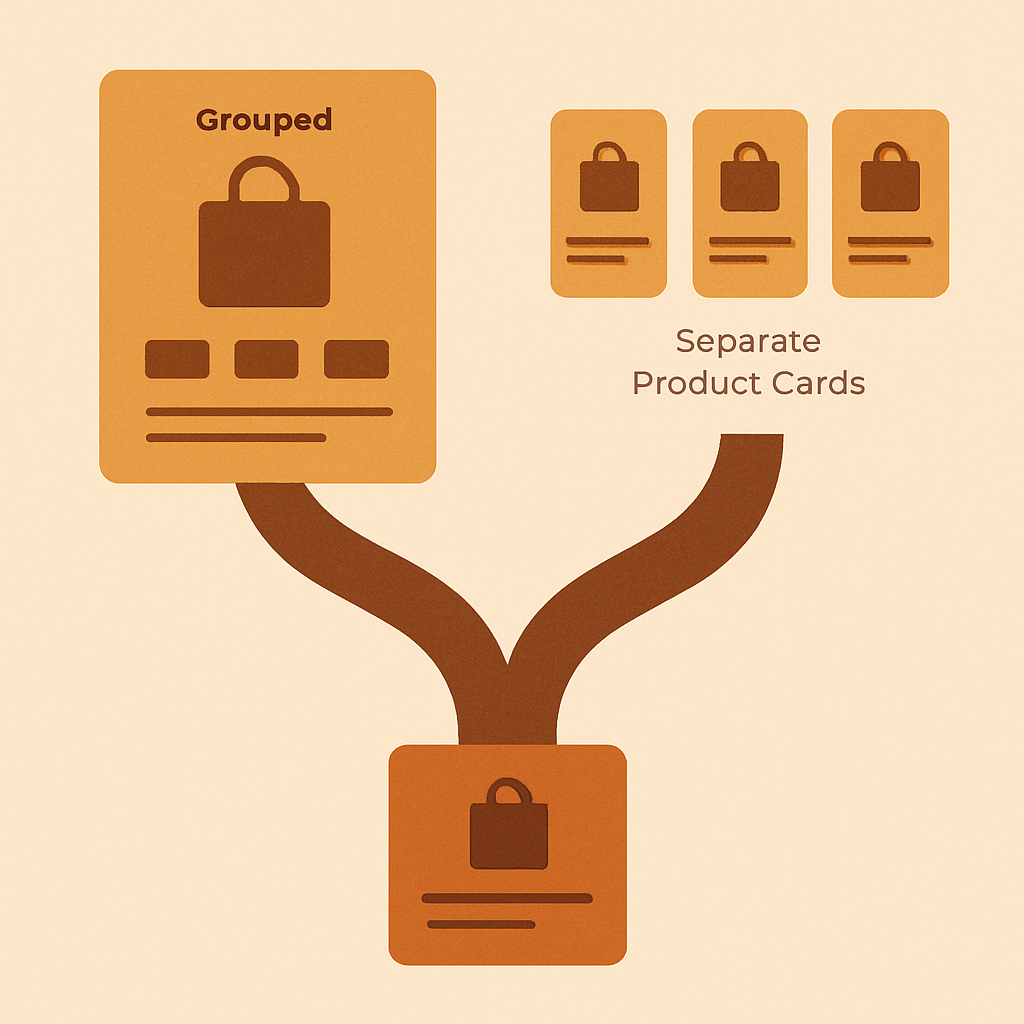
Shopify variants vs separate products is one of the first real architecture decisions a new store has to make, and it is one of the few where the wrong call costs you traffic and revenue for years. The question sounds simple. Should a red and blue version of a t-shirt be two variants of one product, or two completely separate products? The answer depends on your catalog size, your SEO ambitions, your photography budget, and how your customers search.
This post walks through the tradeoffs without cheerleading for either side. Both approaches work. Both have real downsides. The goal is to help you pick the right one for your store, and then use the right tools to make that path work well.
At both ends of the decision, Rubik has a tool. If you go variants, Rubik Variant Images handles the product page image filtering. If you go separate products, Rubik Combined Listings groups them together so shoppers still experience the range as one product family.
Table of contents
– [The core difference](#core) – [SEO implications](#seo) – [Image implications](#images) – [When separate products win](#separate-win) – [When variants win](#variants-win) – [Grouping separate products with RCL](#rcl) – [Decision matrix](#matrix) – [FAQ](#faq)The core difference
A Shopify variant is an option within a product. One product, many variants, one URL, one page, one set of metadata. Change a variant with the picker and the URL might update with a query parameter, but the canonical page is the same. A separate product is its own product entirely. Its own URL, its own title, its own description, its own image gallery, its own metadata. Two colors as separate products means two completely independent pages in Shopify’s database. Shopify nudges new merchants toward variants because they are simpler. One product, one admin screen, done. But simplicity comes at a cost you only feel months later when search traffic starts to matter.SEO implications
This is the big one. SEO is where variants and separate products diverge hard. With **variants**, you get one URL per product. Google sees one page. Your red shirt and your blue shirt live at the same address. You can only target one title tag, one meta description, one H1, one canonical. If shoppers search for “red cotton shirt” as often as “blue cotton shirt”, you are competing for both keywords from a single page, which is a losing game against any competitor who put them on separate pages. With **separate products**, each color gets its own URL, its own title, its own description, its own images. Google indexes each page independently. You can target “red cotton shirt” on one page and “blue cotton shirt” on another. Search volume for color + product queries is enormous in apparel, home goods, and accessories, and separate products capture it. Variants cannot. The tradeoff is duplicate content risk. If your red and blue pages have identical descriptions, Google may pick one and ignore the rest. The fix is to write unique copy per color, which is more work but pays off. The [Shopify SEO for product pages](https://rubikvariantimages.com/shopify-seo-product-pages/) guide covers how to write color-specific copy at scale. For stores that are serious about organic traffic, separate products almost always win on SEO. The gap is big and it compounds over time.Image implications
Variants make image management harder, not easier. Shopify’s default variant image feature assigns one main image per variant, but the gallery usually shows all images at once. Shoppers clicking “red” still see blue photos in the gallery, which is confusing and kills conversion. Fixing this is exactly what [Rubik Variant Images](https://rubikvariantimages.com/) does. It filters the product page gallery so that selecting red shows only red images, selecting blue shows only blue images. Swatches on the product page render as clean circles or squares. The AI auto-assign and bulk assign features handle the tedious work of mapping images to variants, which is the whole reason the app exists. If you go the variants route, Rubik Variant Images is close to mandatory once you have more than a handful of products with color options. Without it, the native Shopify experience on the product page is rough. With **separate products**, this problem does not exist at the product page level, because each color has its own page with its own gallery. No filtering needed. The problem moves to the collection page, where shoppers need to see all colors at once before they click. That is where Rubik Combined Listings comes in.When separate products win
Separate products are the right call when: – You sell in a niche where shoppers search by color or material often (“navy linen dress”, “matte black watch”, “walnut oak desk”). – You want each color to rank on its own in Google. – You have the photography budget to shoot each color properly. – Your catalog size is manageable (separate products means more products to maintain). – You care about PDP copy quality per color and are willing to write unique descriptions. Apparel, footwear, furniture, watches, home decor, and beauty are all niches where separate products pull ahead. The SEO upside is huge and shoppers expect the deep product pages. The downside is admin overhead. Ten colors means ten products to create, ten descriptions to write, ten image sets to upload, ten variants with sizes each. Tools like [Smart Bulk Image Upload](https://apps.shopify.com/smart-image-upload) and CSV importers make this manageable, but it is still more work.When variants win
Variants are the right call when: – You have a small catalog (under 50 products total) and admin simplicity matters. – Your colors are generic or unnamed (“option 1”, “option 2”) and nobody searches for them specifically. – Your differentiation is not color-driven (software, digital products, services, services packaged as products). – You care more about inventory management simplicity than SEO. – You are launching fast and want to iterate before investing in per-color copy. Variants are also fine when your business model does not depend on organic search. If you drive traffic from ads, social, or an email list, the SEO downside of variants matters less. If you go variants, install Rubik Variant Images to handle the product page image filtering and swatches. Without it, the variant experience on the product page is weaker than it should be.Grouping separate products with RCL
The hidden downside of separate products is that shoppers can get confused. If every color is its own product, how does the shopper find the other colors? If they land on the red page from Google, how do they see that blue exists? This is where [Rubik Combined Listings](https://rubikify.com/?utm_source=rubikvariantimages&utm_medium=blog&utm_campaign=shopify-variants-vs-separate-products-decision) fits. RCL groups separate products into a “combined listing” and shows swatches on both collection pages and grouped product pages. The shopper sees all colors on the collection card before clicking, and sees all colors again as swatches on the product page itself, with each swatch linking to that color’s product. The result is the best of both worlds: each color has its own URL for SEO, each color has its own page for unique content and images, but the shopper navigates between colors as if it were one product. This is the pattern most serious apparel stores land on after a year or two of growth. The [Shopify separate products vs variants SEO deep-dive](https://rubikify.com/shopify-separate-products-vs-variants-seo/?utm_source=rubikvariantimages&utm_medium=blog&utm_campaign=shopify-variants-vs-separate-products-decision) on rubikify.com has more on this pattern, including the URL structure and internal linking implications. RCL also bypasses Shopify’s 100-variant limit without requiring Shopify Plus, which matters if you have many color and size combinations. If you have 10 colors and 10 sizes, that is 100 variants already, and adding a third option pushes you over without Plus.Decision matrix
Use this as a quick sanity check. | Factor | Variants win | Separate products win | |—|—|—| | Catalog size | Small (under 50 products) | Any size | | SEO priority | Low | High | | Color search volume | Low | High | | Copy budget per color | None | Yes | | Admin simplicity | Priority | Secondary | | Need to rank each color | No | Yes | | Unique images per color | Nice to have | Essential | | Traffic source | Paid, social, email | Organic search | If you are on the fence, default to separate products and group them with RCL. The SEO upside alone usually justifies the extra admin work within the first six months.Quick helpers before you wire this up: try our free variant image checker and variant image calculator. For the deeper background on this topic see our mastering multiple variant images with Rubik guide.
FAQ
**Does Shopify SEO prefer variants or separate products?** Separate products. Each URL gets its own title, description, and images, which lets you target color-specific keywords that variants cannot. **Can I switch from variants to separate products later?** Yes, but it is painful. You lose URL history unless you set up redirects, and you have to rebuild image galleries and descriptions. Better to pick the right path upfront. **How does Rubik Variant Images help if I use variants?** RVI filters the product page gallery when a variant is selected, and renders swatches on the product page. Since May 2026 it also shows product card swatches on collection and listing pages for a single product’s variants, so clicking a color on the grid swaps that card’s image and price. For collection swatches across separate products, you still need RCL. **How does Rubik Combined Listings help if I use separate products?** RCL groups separate products into a combined listing, shows color swatches on collection pages and product pages, and handles navigation between the grouped products. **Do I need both RVI and RCL?** Only if you use both patterns. Variants store with some grouped separate products = both. Pure variants store = RVI only. Pure separate products store = RCL only. **Does RCL require Shopify Plus?** No. One of the main reasons RCL exists is to bypass the 100-variant limit without forcing Plus. **What about size as a variant?** Size is usually fine as a variant even if color is a separate product, because nobody searches for “size medium shirt” the way they search for “red shirt”. Keep size as a variant within each color product.Related reading
– [How Rubik AI auto-assigns variant images](https://rubikvariantimages.com/rubik-ai-auto-assign-variant-images/) – [How Rubik bulk assigns variant images by image order](https://rubikvariantimages.com/rubik-bulk-assign-variant-images/) – [How to show color swatches on Shopify collection pages](https://rubikvariantimages.com/shopify-collection-page-color-swatches-guide/) – [Shopify SEO for product pages](https://rubikvariantimages.com/shopify-seo-product-pages/) – [Shopify separate products vs variants SEO](https://rubikify.com/shopify-separate-products-vs-variants-seo/?utm_source=rubikvariantimages&utm_medium=blog&utm_campaign=shopify-variants-vs-separate-products-decision)Try Rubik Combined Listings
If you are leaning toward separate products, group them properly from day one. [Install Rubik Combined Listings](https://apps.shopify.com/rubik-combined-listings?utm_source=rubikvariantimages&utm_medium=blog&utm_campaign=shopify-variants-vs-separate-products-decision) and set up your first combined listing in a few minutes.



