Shopify combined listings for cosmetics and makeup shades
Combined listings for cosmetics let a shopper see your whole shade range from one place, even when every shade is its own Shopify product. That last part trips up a lot of beauty stores. You list a foundation in 30 shades, or a lipstick line in 18, and each one gets its own product so it can carry its own reviews, its own SEO, and its own inventory count. Good for the catalog. Bad for the shopper, who lands on “Velvet Matte 04” and has no idea the other 29 shades exist.
Picture a foundation range with 30 separate product pages. Someone arrives on shade 12 from a search result. There’s no swatch row, no way to flip to shade 13, nothing telling them this is part of a family. They either bounce or they buy the wrong tone. Neither is what you want.
This post walks through the structure most beauty catalogs actually use (shade as a separate product), why Shopify’s native variants don’t fit, and how Rubik Combined Listings links those separate shade products so swatches show up on both collection and product pages. We’ll also cover AI Magic Fill reading the shade name and swatch hex straight off the product image, getting skin-tone hex values right, and pairing with Rubik Variant Images for per-shade photos.
In this post
- Why beauty stores list each shade as a separate product
- Where Shopify’s native variants fall short for makeup
- What combined listings for cosmetics actually do
- AI Magic Fill: shade name and swatch hex from the image
- Getting skin-tone hex swatches right
- Pairing with Rubik Variant Images for per-shade photos
- Setting it up, step by step
- Frequently asked questions
Why beauty stores list each shade as a separate product
Because shades behave like real products, not like sizes. Each one sells at its own pace, runs out on its own schedule, and earns its own reviews. “Porcelain 01” might have 400 reviews while “Deep Sable 28” has 6. If you’d crammed them all into one product page as variants, those reviews pool together and a shopper can’t tell which shade the praise is for.
SEO is the other big reason. A separate product per shade means a separate URL, a separate title, and a separate set of images. Someone searching for a specific shade by name can land on exactly that page. Bundle everything into one product and you’ve got a single URL trying to rank for 30 different shade queries. That rarely works.
And inventory. A shade is a SKU. Treating it as its own product keeps stock counts clean, makes restocking obvious, and lets you archive a discontinued shade without disturbing the rest of the line. So the separate-product structure isn’t a workaround. For most beauty catalogs it’s the right call.

The catch is obvious once you say it out loud: the structure that’s great for your catalog is invisible to your shopper. They can’t see the full shade range from any one page. That’s the gap combined listings close.
Where Shopify’s native variants fall short for makeup
Could you just use Shopify variants and skip all this? Sometimes. But makeup ranges hit the wall fast. Shopify caps a single product at 100 variants by default. A foundation that comes in 40 shades across 2 finishes and 3 sizes blows past that without trying.
The official fix is Shopify’s own Combined Listings feature, which raises the ceiling to 2,048 variants. The problem? It’s gated behind Shopify Plus, and it still treats the grouped products as one big variant pool rather than letting each shade keep its own clean review stream and SEO. For a small or mid-size beauty brand, Plus pricing for one structural feature is a hard sell.
There’s a content problem too. Native variants share one description, one set of metafields, one everything. But shades often need their own copy: “best for warm undertones”, “limited edition”, a different ingredient callout. When each shade is its own product, that content lives where it belongs. Variants flatten it.
So you’re stuck between two bad options: cram shades into variants and lose per-shade content plus hit the 100-variant cap, or keep them separate and lose the shopper-facing shade picker. We built Rubik Combined Listings to delete that tradeoff. Keep the separate products. Add the picker on top.
What combined listings for cosmetics actually do
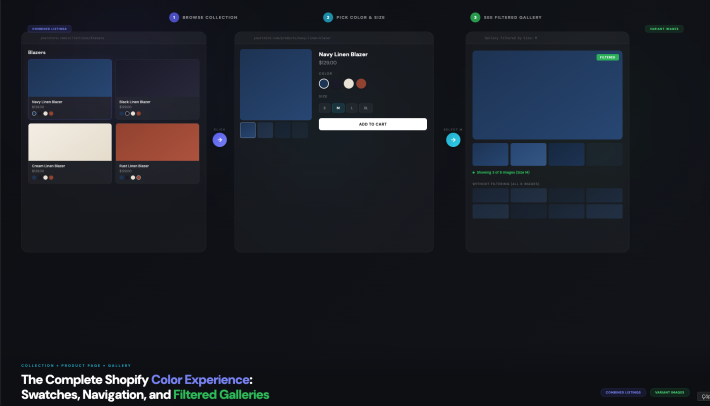
Combined listings for cosmetics group your separate shade products into one “combined listing” and render a swatch row that shows up in two places: under each card on collection pages, and on the grouped product pages themselves. Click a swatch and it switches you to that shade’s product. Real URL, real page, no fake variant trickery.
Here’s the part that matters for beauty. Each shade keeps everything that made it worth separating: its own URL, its own title, its own images, its own reviews, its own inventory. The swatch layer sits on top via metafields. Nothing about your product structure changes. You’re adding navigation, not rebuilding the catalog.
- Collection page swatches: a shopper browsing your “Foundation” collection sees a shade row under each card and can preview the range before clicking in.
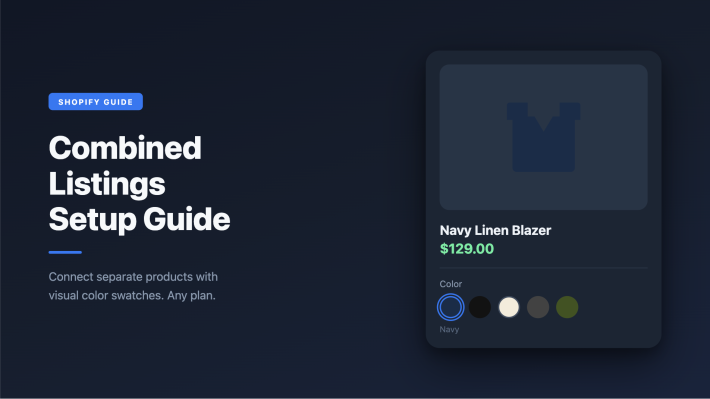
- Product page swatches: on any single shade’s page, the full shade family appears as a clickable row, so “Velvet Matte 04” finally tells the shopper that 29 siblings exist.
- Real-time sync: out-of-stock, archived, and draft shades hide themselves automatically through Shopify metaobject references, so you never show a swatch that leads to a dead end.
- No Shopify Plus: it works on any Shopify plan and sidesteps the 100-variant limit because the shades were never variants to begin with.
Want the deeper mechanics of how grouping works under the hood? Our team wrote a full breakdown of how Shopify combined listings work that goes step by step. For this post, let’s stay on the beauty-specific stuff.
AI Magic Fill: shade name and swatch hex from the image
Once your shade products are grouped, every swatch needs two things: the option value (the shade name shown on hover) and a hex color (what the swatch dot actually looks like). Filling 30 of those by hand is tedious. So Rubik Combined Listings has AI Magic Fill, a wand inside the group editor that does it for you.
For each product in the group, AI Magic Fill looks at the product image, the product title, and the titles of its sibling shades, then fills three empty fields: the option value, a primary swatch hex, and a secondary swatch hex. It reads the actual makeup color off the product photo. So a deep berry lipstick gets a deep berry dot, not a placeholder grey.
The sibling-title trick is what makes shade naming work. If your products are named Luminous Foundation - Sand, Luminous Foundation - Almond, and Luminous Foundation - Espresso, it detects the shared prefix and pulls “Sand”, “Almond”, and “Espresso” as the shade values. You don’t have to type any of them.
One thing we deliberately built in: AI Magic Fill never overwrites a value you’ve already set. It only fills empty fields. So if you typed an exact shade hex from your supplier’s spec sheet, the AI leaves it alone and just fills the rest. You stay in control of the ones that matter most. And no, none of this needs Shopify Plus.
Getting skin-tone hex swatches right
Skin-tone swatches are harder than candy colors, and most stores get them wrong. Foundation and concealer shades sit in a narrow band of warm browns, beiges, and tans where the difference between shade 14 and shade 15 is tiny. A swatch that’s even slightly off sends the wrong signal, and you get a return.
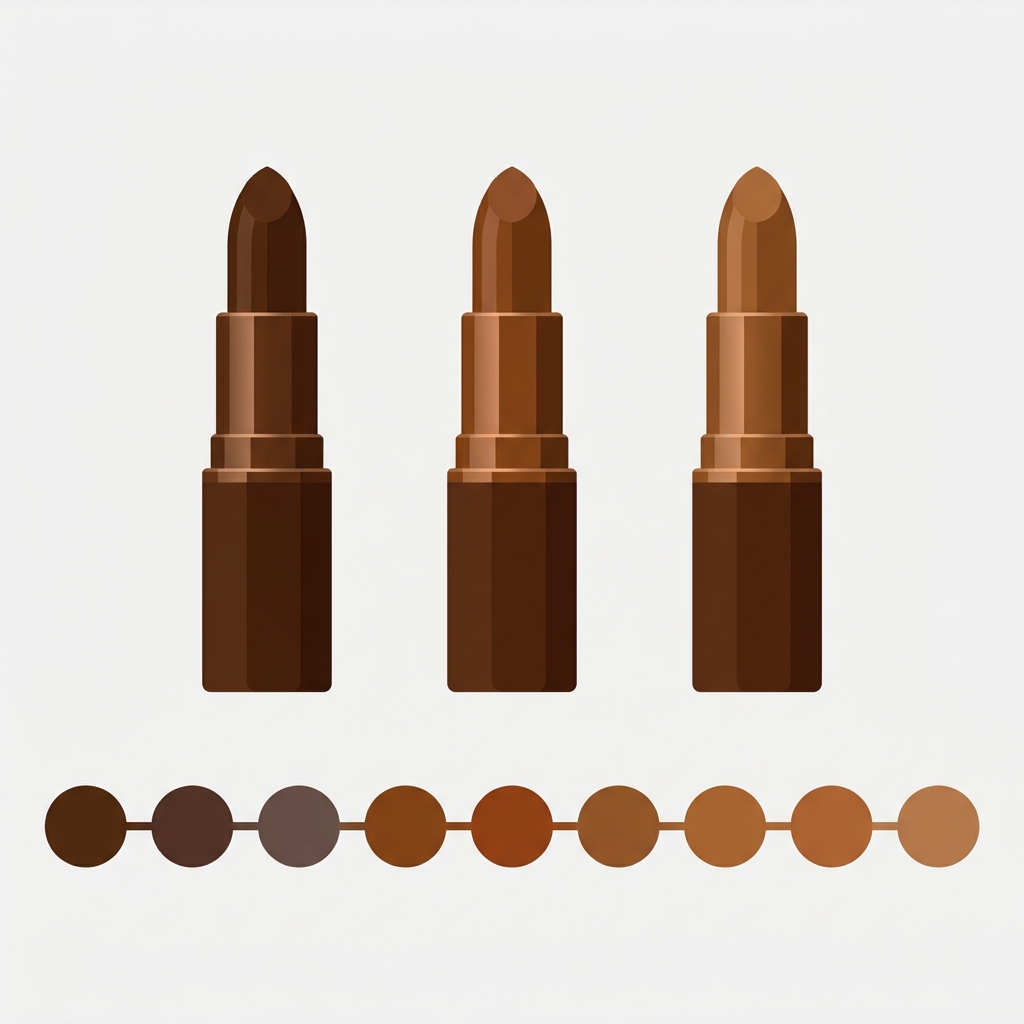
A few things help here. First, let AI Magic Fill seed the hex from the product image, then eyeball the row. Foundation dots should read as a smooth gradient from light to deep. If one swatch jumps or looks muddy, fix that single hex by hand. The primary and secondary hex fields also let you split a swatch diagonally, which is handy for shades with a noticeable undertone shift.
Wrong-color complaints are a real cost in beauty, more than in almost any other category. We wrote a whole piece on why customers keep ordering the wrong color on Shopify and how accurate swatches cut those tickets. The short version: a swatch that matches the real shade is the cheapest return-prevention you can ship.
If you want the swatch styling reference (shapes, sizes, spacing), our guide to adding color swatches on Shopify covers the visual side, and the best Shopify color swatch apps for 2026 roundup compares the options if you’re still deciding.
Pairing with Rubik Variant Images for per-shade photos
Combined listings handle the shade picker and the switching. But what about the photos inside each shade’s page? That’s where Rubik Variant Images comes in, and the two apps pair naturally for beauty stores.
Say a shade product also has a size variant (30ml and 50ml) or a finish variant (matte and dewy). Rubik Variant Images filters the product gallery so the shopper only sees the photos that match what they picked. Pick the 50ml dewy version and the gallery shows exactly that, no scrolling past five unrelated shots. It works on the product page and supports images, videos, and 3D models per variant.
So the division of labor is clean: Rubik Combined Listings groups the separate shade products and shows the shade row across collection and product pages; Rubik Variant Images keeps the photos inside each shade page correct per option. Use one, the other, or both. Many beauty catalogs run both.
“This app is incredibly useful and very easy to use. It offers a wide range of customization options while still keeping the setup simple and intuitive. The categorization and grouping features are especially helpful for organizing products efficiently. The pricing is very reasonable for the value it provides.”
Art Masterclass USA, March 2026, Rubik Combined Listings on the Shopify App Store
Setting it up, step by step
The whole thing takes about ten minutes for a single shade range. Here’s the order that works best.
- Install Rubik Combined Listings and open the group editor.
- Create a group for the range (say, “Luminous Foundation”) and add every shade product to it. For big catalogs, use bulk grouping by title pattern so it splits on the shared prefix automatically.
- Hit the AI Magic Fill wand. Let it fill the shade names and swatch hex from the product images.
- Scan the swatch row. Adjust any hex that looks off, especially in the foundation range where tones sit close together.
- Style the swatches (shape, size) to match your theme, then publish.
- Optional: add Rubik Variant Images if individual shade pages have their own size or finish variants that need filtered galleries.
If you’re brand new to swatch pickers, the Shopify color swatch variant picker setup guide is a good companion read, and the deep dive on Shopify collection page color swatches shows what the collection-page result looks like in practice.
Building a beauty store from scratch and weighing your whole app stack? The roundup of the best Shopify apps for cosmetics and beauty stores in 2026 puts combined listings in context with the rest of what a makeup catalog needs.
Want to see it first? Check the live combined listings demo store, watch the tutorial video, or read the getting started guide.
Frequently asked questions
How do combined listings for cosmetics work if each shade is a separate product?
Combined listings for cosmetics group your separate shade products into one set and add a swatch row on collection and product pages. Clicking a swatch switches the shopper to that shade’s own product page. Each shade keeps its own URL, title, images, reviews, and inventory.
Do I need Shopify Plus to group makeup shades?
No. Rubik Combined Listings works on any Shopify plan and links separate shade products without touching Shopify’s native variant system. Because the shades were never variants, you also avoid the 100-variant cap that pushes brands toward Plus in the first place.
Can the app detect shade names and swatch colors automatically?
Yes. AI Magic Fill reads each product’s image, title, and sibling shade titles to fill the empty option value plus a primary and secondary swatch hex. It pulls the real makeup color off the photo and detects shade names from shared title prefixes. It never overwrites values you’ve already set.
How do I keep foundation swatch colors accurate for skin tones?
Let AI Magic Fill seed each hex from the product image, then review the full row as a gradient. Foundation tones sit close together, so fix any swatch that jumps or looks muddy by hand. The primary and secondary hex fields also let you split a swatch to show an undertone shift.
Will out-of-stock shades still show up in the swatch row?
No. Rubik Combined Listings syncs in real time through Shopify metaobject references, so out-of-stock, archived, and draft shades hide from the swatch row automatically. Shoppers never click a swatch that leads to an unavailable product, which cuts confusion and wrong orders.
Do combined listings and variant filtering work together?
Yes. Rubik Combined Listings handles the shade picker across collection and product pages, while Rubik Variant Images filters the gallery inside a single shade page when it has its own size or finish options. Many beauty catalogs run both apps side by side.
Does grouping shades hurt my SEO?
No, it protects it. Each shade keeps its own URL, title, and images, so every shade can still rank for its own searches. The swatch layer is added through metafields without changing product structure, so you gain shopper navigation without giving up any per-shade SEO.
Related reading
- Shopify collection page color swatches
- How to add color swatches on Shopify
- Why customers order the wrong color on Shopify
- Shopify combined listings explained
- Best Shopify apps for cosmetics and beauty stores in 2026
Pull up your foundation range right now and count how many shades a shopper can see from a single page. If the answer is one, that’s the fix waiting for you.