How to show color swatches on Shopify collection pages
The collection page swatch problem
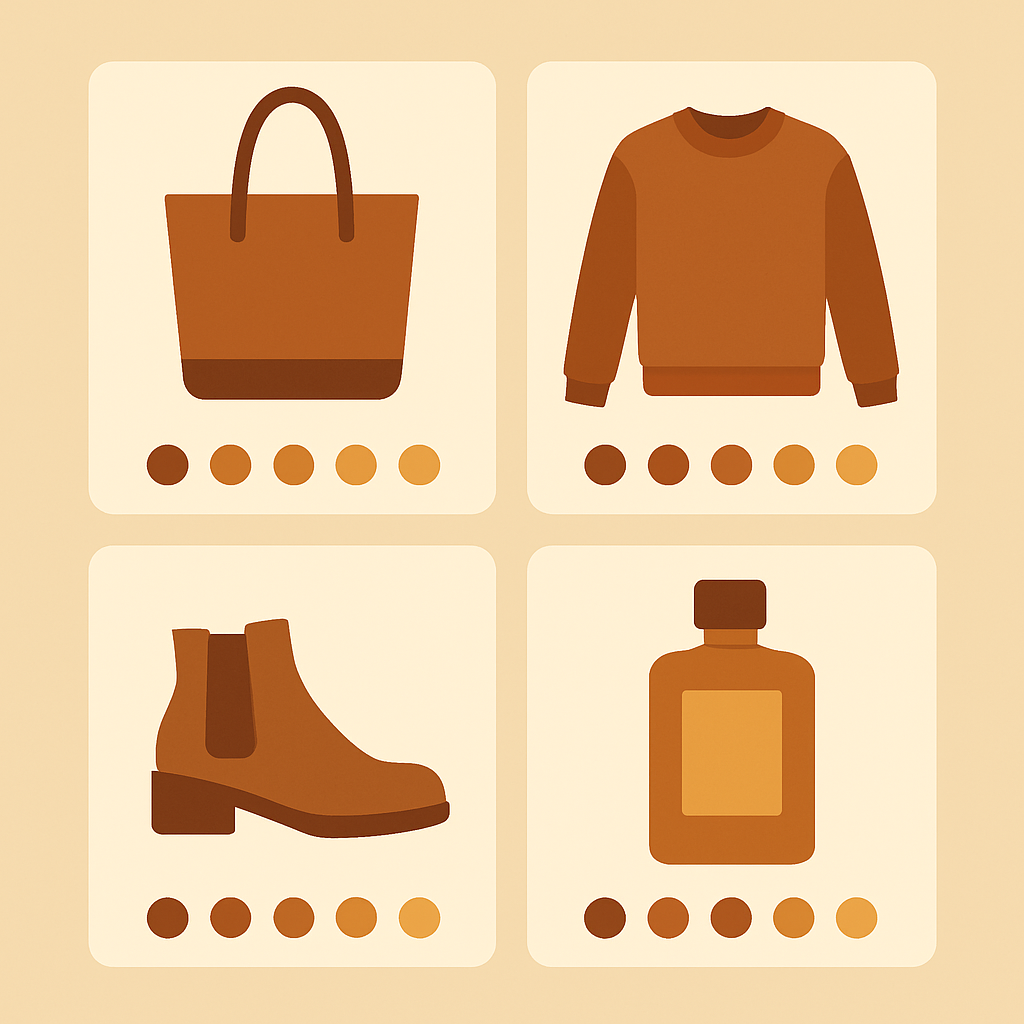
You built your store, uploaded your products, set up variants for every color. You open the collection page and see a grid of product cards. Each card shows one image and one title. No color options. No swatches. A shopper who wants red has no idea this product comes in red until they click in. Conversion dies here. Every extra click between a shopper and the color they want is a chance to lose them. And on mobile, where back-and-forth navigation is painful, this gap is even more expensive. The usual first instinct is to fix this in the theme. Some themes do render collection swatches natively, but most do not, and the ones that do usually break with any theme update. The second instinct is to install a variant image app. This is where people get stuck, because the wrong app here solves a different problem. If your store has the [Shopify collection page conversion problem](https://rubikvariantimages.com/shopify-collection-page-conversion/) in general, swatches are the single biggest lever you can pull.Why Rubik Variant Images cannot help here
Rubik Variant Images is a product page app. That is not a limitation of the current version; it is the scope of the product. RVI filters the product gallery when a shopper clicks a swatch, and renders swatches on the product page itself. It does exactly that and nothing else. RVI does not render anything on the collection page. It does not inject swatches into product cards. It does not filter collection card images. If you install RVI and hope it will fix the collection page, you will be disappointed, because that is not what it is built for. This scope is deliberate. Keeping RVI focused on the product page is what lets it stay fast and simple and theme-compatible across 300+ themes. Trying to also handle the collection page would mean crawling collection DOM structures, which are wildly different from theme to theme. The better split is: one app for the product page, one app for the collection page. Two tools, each doing one thing well. That second tool is Rubik Combined Listings.What Rubik Combined Listings does
[Rubik Combined Listings](https://rubikify.com/?utm_source=rubikvariantimages&utm_medium=blog&utm_campaign=shopify-collection-page-color-swatches-guide) is a separate Shopify app built by the same team. It solves two problems RVI does not touch: 1. **Linking separate products together.** If you sell each color as its own Shopify product (for SEO reasons we cover below), RCL groups them into a “combined listing” that shoppers experience as one product with color options. 2. **Rendering swatches on the collection page.** RCL adds color swatches to every product card in every collection, so shoppers see available colors before they click. The second point is what this post is about. RCL watches the collection grid, figures out which products belong to which combined listing, and injects swatches into the cards. Click a swatch, and the card image and link switch to that color’s product. RCL works whether or not you use combined listings. If your store uses Shopify variants for color (one product, many color options), RCL can read those variants and show them as collection swatches too. It handles both approaches.How RCL collection swatches work
The flow is similar to RVI conceptually, but the scope is the collection page. Here is what happens when a shopper loads a collection page with RCL installed: 1. RCL has already written swatch metafields for every product in the group, during setup. 2. The theme renders the collection grid as usual. 3. RCL reads the metafields, injects swatches into each product card, and wires up click handlers. 4. The shopper clicks a swatch on a card. The card image swaps, the link swaps, and a click on the card goes to the color they picked. Everything is metafield-based, so there are no external API calls and no speed hit on the collection page. This is the same architecture RVI uses for the product page, and it is the reason both apps stay fast even on large catalogs. If you want the detailed architecture breakdown, the [Shopify Combined Listings explained post](https://rubikify.com/shopify-combined-listings-explained/?utm_source=rubikvariantimages&utm_medium=blog&utm_campaign=shopify-collection-page-color-swatches-guide) on rubikify.com goes deeper than we can fit here.Setup for collection page swatches
The exact steps depend on whether you sell each color as a variant of one product or as separate products. Both work with RCL. **If you use Shopify variants for color:** 1. Install Rubik Combined Listings from the Shopify App Store. 2. Open the RCL app and enable collection page swatches. 3. Pick the option name that represents color on your products (usually “Color” or “Colour”). 4. Configure the swatch look: circle or square, size, border, spacing. 5. Publish. Check a collection page on your live store. **If you use separate products per color:** 1. Install RCL. 2. Use the auto-group feature to find color groups across your catalog, or manually group products into combined listings. 3. Enable collection page swatches. 4. Configure the swatch look. 5. Publish. The second approach is more work upfront but produces a much stronger SEO result, because each color gets its own URL, title, and image set. We cover the tradeoffs in the [variants vs separate products decision guide](https://rubikvariantimages.com/shopify-variants-vs-separate-products-decision/). For theme-specific setup notes, especially on heavily customized themes, the [RCL theme compatibility guide](https://rubikvariantimages.com/shopify-themes-variant-images-guide/) on this site covers the same themes Rubik supports.Combining RVI and RCL
Most serious apparel and home goods stores run both apps. The split is clean: – **Rubik Combined Listings** handles the collection page: swatches on product cards, click to switch between grouped products, links to each color. – **Rubik Variant Images** handles the product page: swatches in the option picker, image gallery filter when a swatch is clicked, bulk or AI assignment of images to variants. A shopper’s journey looks like this: land on the collection page, see red, blue, and green swatches on a product card, click red, arrive on the red product page. On the product page, see more variant options (size, material, whatever), the gallery already shows red images, switching size does not change the image but switching color back to blue swaps both the gallery and the swatches. You do not need both apps. If you only care about the product page, RVI alone is enough. If you only care about the collection page, RCL alone is enough. But the combination is what most merchants end up with once they have seen the full picture. Both apps are metafield-based and do not slow the storefront down. Pricing is separate, and both have a free tier you can start with. ## FAQ **Does Rubik Variant Images show swatches on collection pages?** No. RVI is a product page only app. For collection page swatches, install Rubik Combined Listings. **Do I need both RVI and RCL?** No. If you only need collection page swatches, RCL alone works. If you only need product page variant image filtering, RVI alone works. Many merchants run both for full coverage. **Does RCL work if I use Shopify variants for color?** Yes. RCL supports both variant-based color options and separate-product color groups. **Will collection swatches slow down my collection page?** No. RCL uses metafield-based rendering and does not make external API calls when the page loads. **What themes does RCL support for collection swatches?** RCL supports the same 300+ themes as RVI, including Dawn, Craft, Sense, Impulse, Prestige, and Pebble, plus most major page builders. **Can I customize the swatch look?** Yes. RCL supports circle, square, rounded square, pill, and button shapes, plus custom colors, sizes, borders, and spacing. **Do shoppers see the color name when they hover?** Yes. RCL shows the color name on hover on desktop and on tap on mobile. ## Related reading – [How Rubik AI auto-assigns variant images](https://rubikvariantimages.com/rubik-ai-auto-assign-variant-images/) – [How Rubik bulk assigns variant images by image order](https://rubikvariantimages.com/rubik-bulk-assign-variant-images/) – [Shopify variants vs separate products](https://rubikvariantimages.com/shopify-variants-vs-separate-products-decision/) – [Shopify collection page conversion](https://rubikvariantimages.com/shopify-collection-page-conversion/) – [Rubik Combined Listings explained](https://rubikify.com/shopify-combined-listings-explained/?utm_source=rubikvariantimages&utm_medium=blog&utm_campaign=shopify-collection-page-color-swatches-guide) ## Try Rubik Combined Listings Ready to add swatches to your collection pages? [Install Rubik Combined Listings from the Shopify App Store](https://apps.shopify.com/rubik-combined-listings?utm_source=rubikvariantimages&utm_medium=blog&utm_campaign=shopify-collection-page-color-swatches-guide) and see the difference on your next collection view.