Product card swatches vs combined listings on Shopify
Product card swatches vs combined listings is the choice that trips up almost every Shopify store selling the same item in many colors. They look identical to a shopper. A row of little colored dots on a product card in your collection grid. Click one, the photo changes. But under the hood, they are two completely different setups, and picking the wrong one means rebuilt URLs, broken SEO, or a variant ceiling you slam into later.
We build both apps, so we get this question a lot. Should each color live as one product with variants? Or should each color be its own separate product, grouped to look like one?
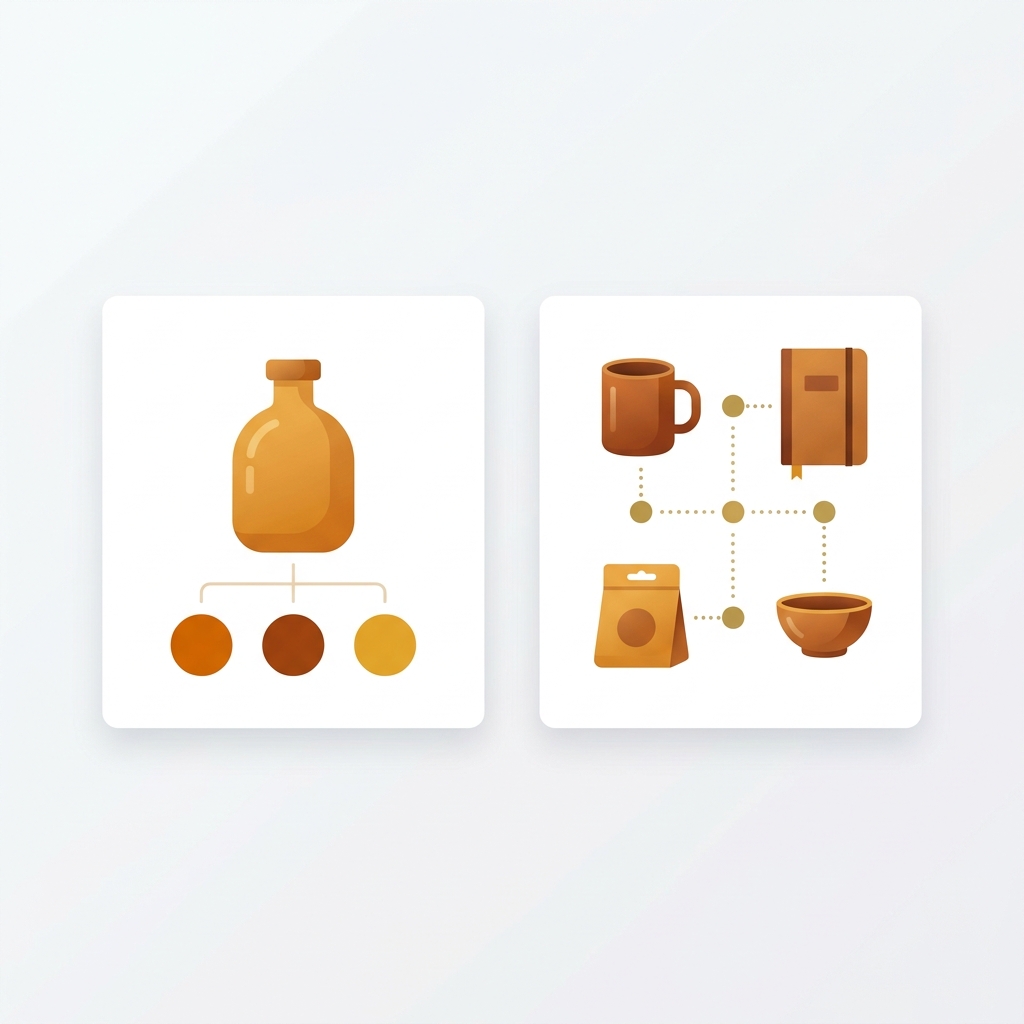
Here is the short version. Product card swatches (the new feature in Rubik Variant Images) show the variants of a single product on its card. Combined listings (Rubik Combined Listings) group separate products and show swatches that jump between those URLs. Same dots on the surface. Very different plumbing underneath.
And the right answer depends entirely on how your catalog is already built. Let’s get into when each one wins, because the wrong pick is expensive to undo.
In this post
- What are product card swatches?
- What are combined listings?
- Product card swatches vs combined listings: the comparison
- When product card swatches win
- When combined listings win
- Why a lot of stores run both
- Frequently asked questions
What are product card swatches?
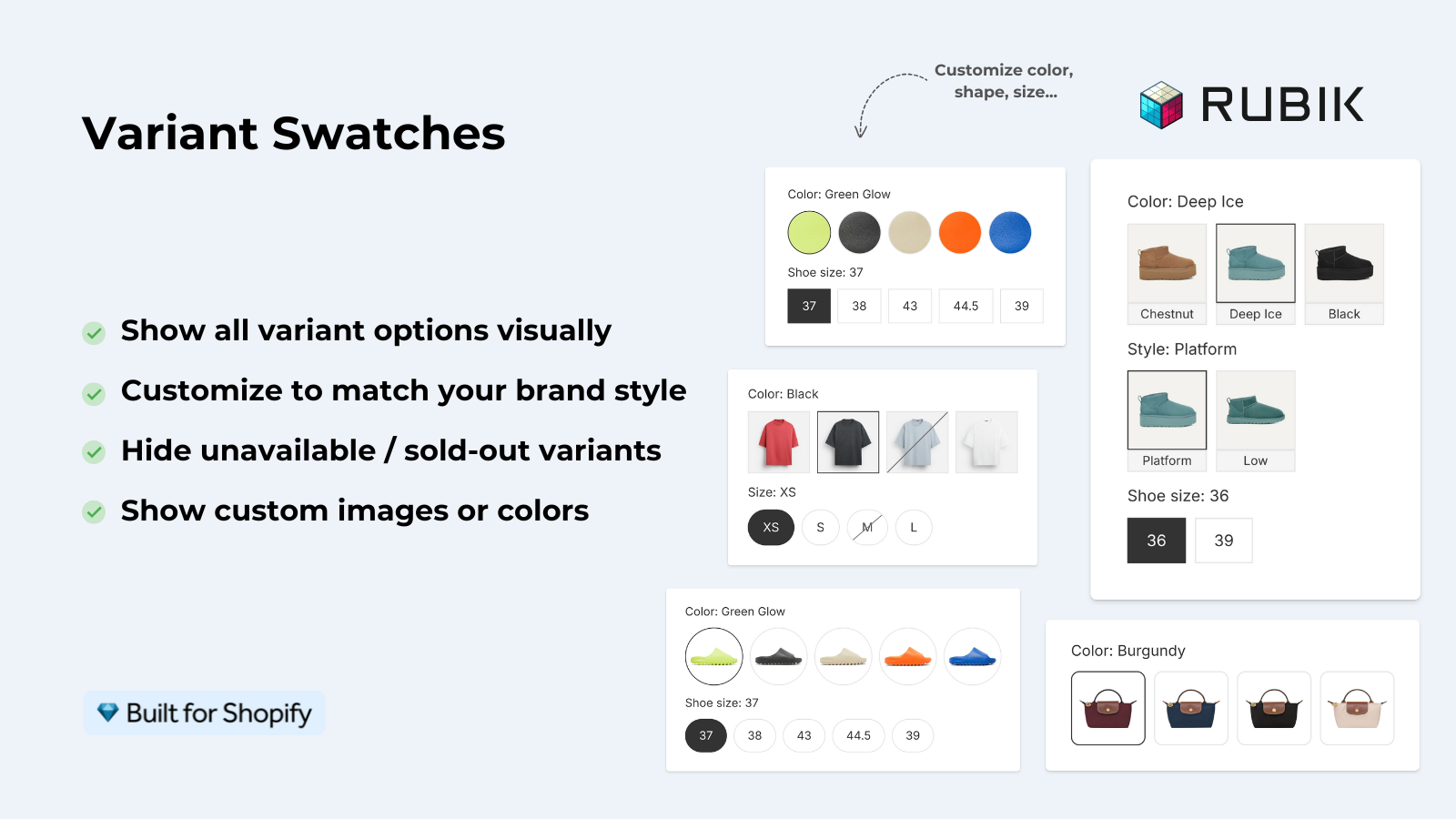
Product card swatches show the color variants of a single product right on its card across collection pages, search results, and the home page. Click a swatch and the card image swaps to that variant. It can also update the card’s price and add-to-cart link, and hovering previews the variant’s image. One product, many colors, all on one URL.
We shipped this in Rubik Variant Images on May 26, 2026, and it is live for every merchant. If you used to think of Rubik Variant Images as a product-page-only tool, that’s outdated now. It still does its core job (filtering variant images on the product page), but it now reaches the collection grid too, for the variants of one product.
Turning it on is a toggle. Open the Swatch settings page, flip “Enable on product cards”, and style it under the Swatch style, Product Card tab. It’s off by default because we wanted merchants to opt in deliberately (cluttered cards are worse than no cards). By default it shows only the first variant option to keep things clean, uses smaller swatches than the product page, and supports desktop click-to-switch plus mobile tap-to-switch out of the box.
It’s metafield-based, no external API calls, and works natively on 177+ themes including Dawn and Horizon. Custom themes? Support can map those. Want the full walkthrough? Read the color swatch variant picker setup guide or the broader how to add color swatches post.
What are combined listings?
Combined listings group separate products together so they behave like one listing with swatches. Each color is its own product, with its own URL, title, and image set. Rubik Combined Listings links them, then shows swatches on both collection pages and product pages that jump between those separate product URLs.
So the swatch isn’t switching a variant. It’s switching products. Click the blue swatch on a collection card and you land on the blue product’s page, a different URL entirely. That distinction is the whole game.
Why would anyone split colors into separate products? A few real reasons. Each color gets its own URL and can rank on its own in Google. Each color has its own clean image gallery. And you sidestep Shopify’s variant limit, which matters once you cross into thousands of variant combinations (Shopify caps a single product at 2,048 variants with Combined Listings, and 100 on the standard plan). You don’t need Shopify Plus for any of this with Rubik Combined Listings.
Grouping can be manual (pick products in a picker) or bulk by title pattern, product tags, or metafields. There’s an AI Magic Fill that fills empty option values and swatch hex colors, plus an AI Visual Assistant for styling by plain language. For the full picture, the team over on rubikify.com wrote a solid combined listings explainer.
Product card swatches vs combined listings: the comparison
The split comes down to one question: are your colors variants of one product, or separate products? Everything else flows from that. Here’s the side by side.
| Factor | Product card swatches (RVI) | Combined listings (RCL) |
|---|---|---|
| Catalog structure | One product, colors as variants | Separate product per color |
| What a swatch click does | Swaps the card image, price, add-to-cart | Goes to that product’s URL |
| URLs per color | One shared URL | One unique URL each |
| SEO per color | Single page ranks for all colors | Each color can rank on its own |
| Variant limit | Bound by Shopify’s variant cap | Bypasses the cap (separate products) |
| Where swatches show | Collection, search, home cards plus product page | Collection pages and product pages |
| Speed | Metafield-based, no external API calls | Metafield-based, no external API calls |
| Setup effort | Toggle on, style, done | Group products first, then style |
| Shopify Plus needed | No | No |
When product card swatches win
Product card swatches win when your colors already live as variants on one product. If your catalog is built the normal Shopify way (one t-shirt product, Color and Size as options), this is the path of least resistance. No restructuring. You toggle it on, and the dots appear.
Pick product card swatches when:
- Your colors are variants of a single product (the default Shopify structure)
- You’re under the variant limit and not worried about hitting it
- You want shoppers to preview colors without leaving the collection grid
- You don’t need a separate ranking URL for every color
- You want the fastest possible setup
Picture a store with 800 products in 12 colors each, all built as variants on single products. Restructuring that into 9,600 separate products would be a nightmare. For that store, product card swatches are the obvious move. Toggle, style, ship. We designed the defaults (first option only, smaller dots) so cards don’t get noisy, which is the one thing that can hurt a collection page more than help it.
If your dots aren’t showing after you enable them, the color swatches not working fix covers the usual theme culprits. And if you’re on Dawn specifically, the Dawn theme variant images guide walks the exact steps.
“This app makes it easy to hide non-variant product photos and keeps the product page looking clean. It also helps to show clean custom swatches. Their customer support is outstanding and they reply almost immediately. They were able to fix a bug for me with minimal weight time.”
Anonymous merchant, 2026-02-18: Rubik Variant Images on the Shopify App Store
When combined listings win
Combined listings win when each color is (or needs to be) its own product. The big reasons are SEO and the variant ceiling. If you want every color to have a unique URL that can rank in Google, or you have so many color and size combinations that you blow past Shopify’s variant cap, separate products are the only way. Then you group them so they still feel like one listing.
Choose combined listings when any of these are true:
- Each color already exists as a separate product (common with imported catalogs and dropship feeds)
- You want each color to rank on its own URL with its own title and images
- You have thousands of variant combinations and keep hitting Shopify’s limit
- You want collection swatches that point to fully separate pages
- You’d rather not be on Shopify Plus just to use native Combined Listings
Honestly? This is where a lot of stores get it backwards. They cram every color into one product, hit the variant wall, then panic-restructure later. If you already know you’ll have hundreds of color and size combos, build them as separate products from the start and group them. Four swatch types (visual, button, pill, dropdown), real-time sync that hides out-of-stock and draft products, multilingual via Translate and Adapt. You get the polished collection page without the variant headache. The deeper collection page swatch display guide goes through the display options.
For the merchant view on collection swatches generally (across both setups), the collection page color swatches post and the longer collection page color swatches guide are both worth a read.
If your colours live as separate products rather than variants of one product, Rubik Combined Listings groups them into a single listing with swatches instead. Free to install, 5.0 stars across 78 reviews.
Why a lot of stores run both
Plenty of stores run both apps together, because they solve different layers of the same problem. Rubik Combined Listings handles separate products grouped with collection swatches. Rubik Variant Images handles per-variant image filtering on the product page (and now card swatches for products that do keep colors as variants). They don’t fight. They stack.
A common combined setup: separate color products grouped by Combined Listings for SEO and collection swatches, then Variant Images on each of those product pages so the gallery filters cleanly when a shopper picks a size or sub-option. Each color URL stays sharp, and every product page shows only the right photos. That’s the pattern we see most often from stores that take this seriously.
Where does assigning all those images come in? On large catalogs, doing it by hand is brutal. Use AI auto-assign for per-product matching, or bulk assign for image-order grouping across hundreds of products at once. If you’re still comparing tools before committing, the best Shopify variant image apps 2026 review lays out the field. And if you’re stuck on the swatch shape question, button swatches vs circle swatches settles it.
For the broader strategy side (which app to lead with, conversion impact), the team at craftshift.com keeps a current best Shopify color swatch app roundup. Worth a look before you commit to one path.
Want to see both live before deciding? Try the Variant Images demo store and the Combined Listings demo store, watch the tutorial video, or read the Variant Images getting started guide and the Combined Listings getting started guide.
Frequently asked questions
Does Rubik Variant Images show swatches on collection pages now?
Yes. As of May 26, 2026, Rubik Variant Images shows product card swatches on collection pages, search results, and the home page, for the variants of a single product. It’s a toggle on the Swatch settings page, off by default. The older claim that the app is product-page-only is outdated.
Can I use product card swatches and combined listings together?
Yes, and many stores do. Rubik Combined Listings groups separate color products with collection swatches, while Rubik Variant Images filters per-variant images on each product page (and shows card swatches where colors stay as variants). They cover different layers and don’t conflict.
How do I know which one my store needs?
Ask one question: are your colors variants of one product, or separate products? Variants of one product means product card swatches. Separate products per color means combined listings. If you need a unique URL per color or you’re past the variant limit, go combined listings.
Do either of these require Shopify Plus?
No. Neither Rubik Variant Images nor Rubik Combined Listings requires Shopify Plus. Rubik Combined Listings specifically lets you group separate products without Plus, which Shopify’s native Combined Listings feature does require.
Are product card swatches slow to load?
No. Product card swatches are metafield-based with no external API calls, so they load with the page itself. They work natively on 177+ themes including Dawn and Horizon, and support can map custom themes that aren’t auto-detected.
Related reading